
A custom domain on a static host replaces the platform's default address (you.github.io, project.vercel.app, site.netlify.app) with your own name. All three platforms follow the same pattern: you declare the domain in their dashboard or a config file, then add an A record (or several) for the bare domain and a CNAME for www at your DNS provider. The platform watches DNS, confirms the records point at it, and issues a free certificate through Let's Encrypt.
Where they differ is in the exact values and in how they handle the bare domain. GitHub publishes four fixed IPs. Vercel publishes one IP and prefers you use it only for the apex. Netlify offers a load balancer IP but strongly prefers you use its own DNS or an ALIAS record. Knowing those three quirks saves an evening.
MailShrine Domains serves your zone on Anycast nameservers with every record type these hosts ask for, including multiple A records on the apex. Your Business Email mailboxes keep working because deployments never touch MX records.
Real-life example: Ravi's developer portfolio
Ravi Kapoor is a frontend developer in Berlin who freelances between contracts. His portfolio is a static site in a GitHub repository, deployed to GitHub Pages; a side project runs on Vercel; and a client's marketing page sits on Netlify. He registered ravikapoor.dev on MailShrine and uses ravi@ravikapoor.dev for client work. He wants the portfolio on the bare domain, the side project on app.ravikapoor.dev, and he wants to stop reading three different docs pages that contradict each other.
Ravi's goals:
- Serve the portfolio at
ravikapoor.devandwww.ravikapoor.devfrom GitHub Pages. - Serve the Vercel project at
app.ravikapoor.dev. - Know what Netlify would need if the client ever wants a custom domain there.
The records each platform wants
| Platform | Bare domain (@) | www or subdomain | Where you declare the domain |
|---|---|---|---|
| GitHub Pages | Four A records: 185.199.108.153, 185.199.109.153, 185.199.110.153, 185.199.111.153 (plus optional AAAA) | CNAME → username.github.io | Repo → Settings → Pages → Custom domain (writes a CNAME file) |
| Vercel | A record → 76.76.21.21 | CNAME → cname.vercel-dns.com | Project → Settings → Domains |
| Netlify | A record → 75.2.60.5 (load balancer), or ALIAS if available | CNAME → yoursite.netlify.app | Site → Domain management → Add custom domain |
Vercel and Netlify both show the exact values inside their dashboards after you add the domain, and those are authoritative over any guide. GitHub's four IPs are documented publicly and have been stable since 2018.
Why the bare domain is the awkward part
A subdomain such as app or www can be a CNAME, and a CNAME lets the platform move servers without you editing anything. The apex cannot be a CNAME without breaking your MX and TXT records, so each platform has to publish a stable IP for it:
- GitHub gives you four anycast IPs and tells you to add all of them.
- Vercel gives one anycast IP,
76.76.21.21, and handles failover behind it. - Netlify gives a single load-balancer IP but warns it cannot do geographic routing that way; it recommends its own DNS or an ALIAS/ANAME record if your provider has one.
If you only ever need www, the problem disappears, but visitors who type the bare name still expect a page. The usual answer is: A records on the apex, CNAME on www, and let the platform redirect one to the other.
What you need before you start
| You need | Why |
|---|---|
| The site already deploying at the platform's default address | Custom domains layer on top of a working deploy. |
| Write access to the repo or project | GitHub stores the domain in a file in the repo; Vercel and Netlify store it in project settings. |
| The platform's record values on screen | Copy, do not retype. |
| The MailShrine DNS editor | Where the records go. |
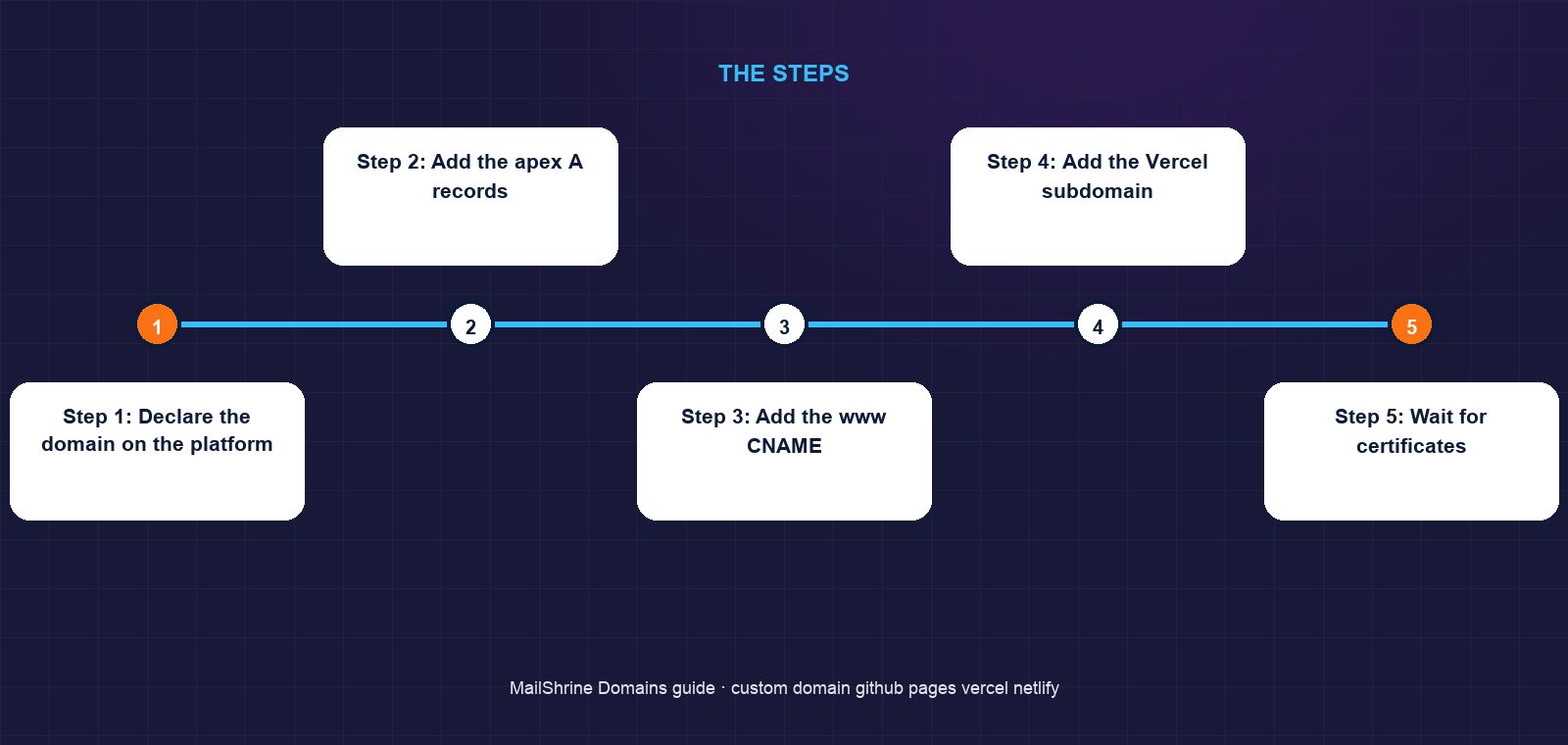
Step 1: Declare the domain on the platform
GitHub Pages: Settings → Pages → Custom domain → type ravikapoor.dev → Save. GitHub commits a file named CNAME containing the domain to the publishing branch. Also add a TXT record GitHub offers for domain verification under your profile's Pages settings; it prevents others from claiming your domain if the repo is ever removed. Vercel: Project → Settings → Domains → Add → app.ravikapoor.dev. Vercel shows the required CNAME. Netlify: Site → Domain management → Add a domain you already own. Netlify shows either A or CNAME values depending on whether it is the apex.
Step 2: Add the apex A records
For GitHub Pages, create four A records on @, one per IP. Optionally add the four matching AAAA records GitHub documents for IPv6.
Step 3: Add the www CNAME
Create a CNAME on www → ravikapoor.github.io. In GitHub Pages settings, tick Enforce HTTPS once DNS has resolved. GitHub redirects www to the apex or the reverse based on which you entered as the custom domain.
Step 4: Add the Vercel subdomain
Create a CNAME on app → cname.vercel-dns.com. Vercel verifies within a minute and issues a certificate.
Step 5: Wait for certificates
All three platforms use Let's Encrypt. Issuance happens after they can see your DNS pointing at them. GitHub can take up to an hour and shows a "Certificate provisioning" status; Vercel and Netlify are usually faster.
Step 6: Commit nothing else by hand
Do not add a CNAME file manually for Vercel or Netlify; that is a GitHub Pages convention only. Deploying a Pages site from a different branch resets the CNAME file unless it exists in that branch.
Ravi's checklist
- Set custom domain in GitHub Pages and confirmed the
CNAMEfile appeared in the repoCompleted - Added GitHub's verification TXT recordCompleted
- Added four A records on
@and CNAME onwww→ravikapoor.github.ioCompleted - Added CNAME on
app→cname.vercel-dns.comCompleted - Ticked Enforce HTTPS after the certificate issuedNot completed
- Documented Netlify's values for the client's future setupNot completed
Common mistakes
Adding only one of GitHub's four IPs. The site works intermittently. GitHub's checker reports the domain as improperly configured until all four are present.
Pointing the apex at a CNAME. Rejected by strict DNS servers; where accepted, it hides your MX records. Use A records at the apex.
Forgetting the CNAME file on GitHub Pages. If you deploy with an action that rebuilds the branch, the file vanishes and GitHub forgets the custom domain. Keep it in source or in the action's output.
Skipping GitHub's domain verification TXT. Without it, if you delete the repo someone else can attach your domain to their Pages site.
Changing nameservers to Netlify or Vercel without re-creating email records. Both offer DNS hosting and both will happily serve a zone with no MX records.
Check your work
Run dig A ravikapoor.dev +short and expect GitHub's four IPs. Run dig CNAME www.ravikapoor.dev +short and dig CNAME app.ravikapoor.dev +short for the two aliases. Load each hostname in a private window and confirm a padlock. Finally confirm dig MX ravikapoor.dev +short still shows MailShrine's mail servers.
FAQ
Can I put a CNAME on the bare domain for Vercel or Netlify?
Not in standard DNS. Use the platform's apex IP as an A record. If your DNS provider offers ALIAS or ANAME flattening, that works too and is what Netlify prefers.
Do these platforms charge for custom domains?
No. GitHub Pages, Vercel's Hobby plan and Netlify's free plan all include custom domains and free certificates. Paid plans add team features, not domain support.
What is the CNAME file in my GitHub repository?
It is how GitHub Pages stores your custom domain. It contains one line, the domain name, and must exist in the branch Pages publishes from.
Why does Vercel show "Invalid Configuration" after I added the record?
Usually caching: Vercel's resolver still sees the old answer. It rechecks every few minutes. If it persists past an hour, compare the record name; a trailing dot or the full domain typed in the name field is the usual culprit.
Can I host several projects on one domain?
Yes, by giving each a subdomain with its own CNAME. The apex and www go to one project; app, docs and others go wherever you point them.
Next steps
- Point a Domain to a Server IP Address (A Record) — the plain A record case for a VPS.
- Free SSL for Your Domain: How HTTPS Works With DNS — what Let's Encrypt checks before issuing.
- Redirect a Domain to Another Website — sending a spare domain to your main one.
Citations & References
- Reference: GitHub Docs: Managing a custom domain for your GitHub Pages site
- Reference: Vercel Docs: Adding and configuring a custom domain
- Reference: Netlify Docs: Configure external DNS for a custom domain
- Reference: Let's Encrypt: Challenge Types
Written by Marcus T., DNS and deliverability editor. Marcus keeps his own portfolio on the apex and his experiments on subdomains, and has the zone file to prove it.