
Connecting a domain to Wix or Squarespace means telling the builder about your domain, then adding the builder's DNS records at your registrar so browsers reach the builder's servers. Both companies offer two routes: pointing (you add an A record and a CNAME; the domain and its DNS stay with you) and nameservers (you hand the whole zone to the builder). They push the nameserver route because it is one click for them. For anyone with email on the domain, pointing is the right answer.
The record values differ between the two builders, and Squarespace adds a verification CNAME with a random code that trips people up. Everything else is the same two-record pattern used across the web.
MailShrine Domains keeps the registration, the Anycast DNS and your free Business Email mailboxes together. You paste the builder's records into the MailShrine editor and the MX records that carry your mail are never involved.
Real-life example: Chloe's photography studio
Chloe Bergeron is a wedding photographer in Toronto. She built her portfolio on Squarespace and her booking enquiries already arrive at hello@bergeronphoto.ca, a domain she registered on MailShrine. Squarespace's "Use a domain I own" flow shows her four records and a note that she can "switch to Squarespace nameservers for easier management". Her friend who uses Wix got a different set of records last month. She wants to know which values matter and why they differ.
Chloe's goals:
- Get
bergeronphoto.caandwwwserving the Squarespace site. - Keep her email, which is the only way clients contact her.
- Understand the verification record so she adds it correctly the first time.
The records each builder wants
| Builder | Record | Name | Value |
|---|---|---|---|
| Wix | A | @ | IP shown in your Wix dashboard (Wix currently publishes 185.230.63.107, 185.230.63.186, 185.230.63.171) |
| Wix | CNAME | www | cdn1.wixdns.net |
| Squarespace | A | @ | 198.185.159.144, 198.185.159.145, 198.49.23.144, 198.49.23.145 (four records) |
| Squarespace | CNAME | www | ext-cust.squarespace.com |
| Squarespace | CNAME | a random code such as a1b2c3d4e5 | verify.squarespace.com |
Copy the values from your own dashboard every time. The IPs above have been stable for years but both companies reserve the right to change them, and your dashboard is the only authoritative source.
Pointing versus nameservers, one more time
Both builders will offer to become your DNS host. If you accept:
- Every record in your MailShrine zone stops being served. The builder's zone is now the only one that matters.
- Your MX, SPF, DKIM and DMARC records must be re-created inside the builder's DNS panel, by hand, before mail stops. Builders give you a basic editor for this, but it is one more place to maintain.
- Future tools that ask you to "add a TXT record" must be added at the builder, not at your registrar.
Pointing avoids all of that. Both companies document it fully; it is just not the first button.
If the builder already holds your nameservers
Some people arrive at this guide after accepting the nameserver option on a previous attempt. You have two ways out. The first is to stay: open the builder's DNS panel, re-create the MX, SPF, DKIM and DMARC records exactly as they appear in your MailShrine zone, and treat the builder as your DNS host from now on. The second is to return: in the MailShrine dashboard, set the nameservers back to MailShrine's, wait up to 48 hours for the delegation to update, then add the builder's A and CNAME records as described below. The second option keeps every future record request in one place, which is why it is the one Chloe would pick.
What you need before you start
| You need | Why |
|---|---|
| A paid Wix or Squarespace plan | Custom domains are not available on free or trial tiers of either builder. |
| Your domain entered in the builder's domain settings | The builder must expect your domain before it will serve it. |
| The builder's record list open in one tab | Four or five values to copy; do not retype them. |
| MailShrine DNS editor open in another | Where the records are added. |
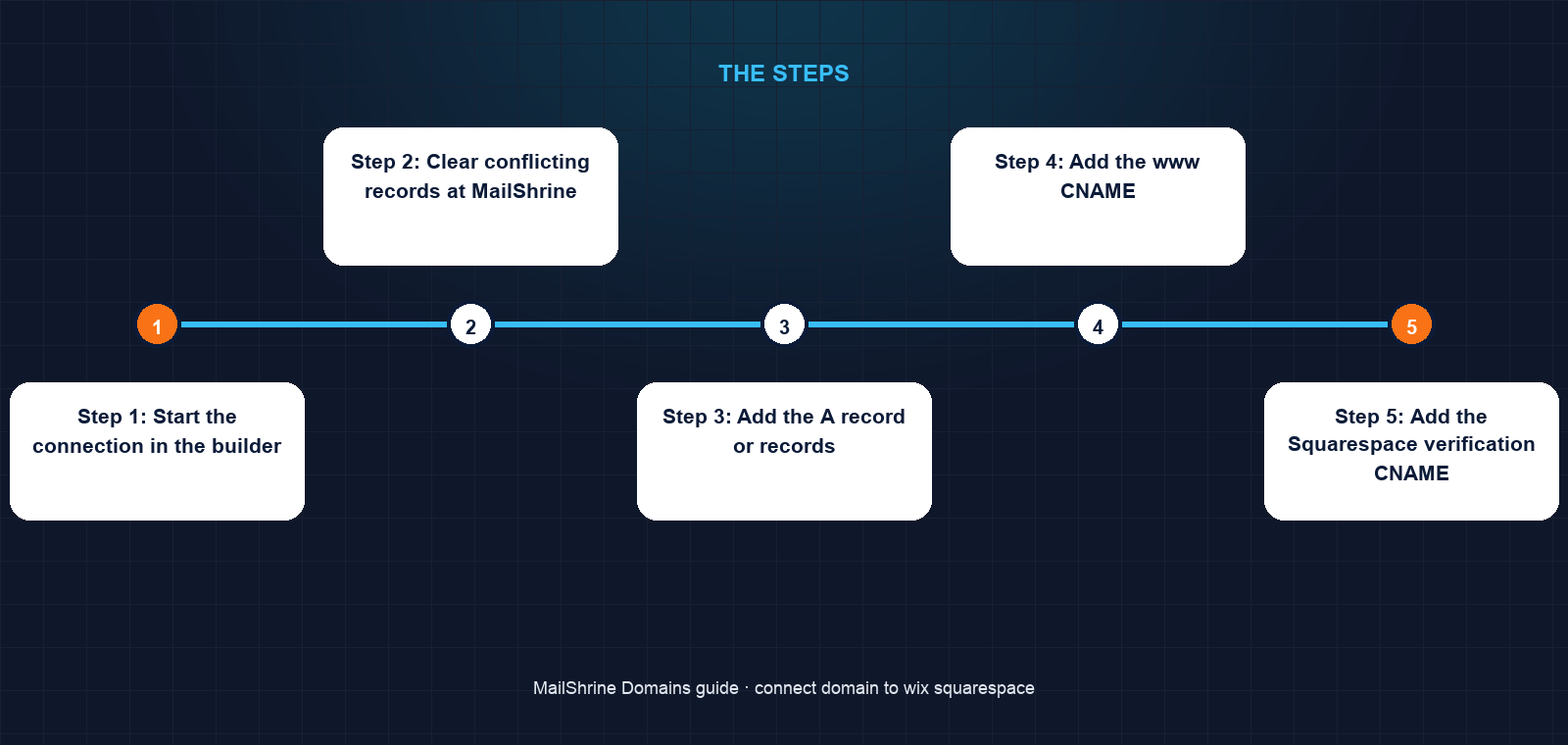
Step 1: Start the connection in the builder
Wix: Settings → Domains → Connect a domain you already own → enter the domain → choose Pointing (not Name servers). Squarespace: Settings → Domains → Use a domain I own → enter the domain → Squarespace shows the records tab directly.
Step 2: Clear conflicting records at MailShrine
Look at your zone. If @ already has an A record (a parking page) edit it; if www has a CNAME to somewhere else, delete it. Do not touch MX or TXT records.
Step 3: Add the A record or records
Wix: one A record on @ with the IP shown. Squarespace: four A records on @, one per IP. Multiple A records on one name are expected here.
Step 4: Add the www CNAME
Wix: www → cdn1.wixdns.net. Squarespace: www → ext-cust.squarespace.com.
Step 5: Add the Squarespace verification CNAME
Squarespace only. The name is the random code shown in your dashboard (for example a1b2c3d4e5), the value is verify.squarespace.com. Squarespace checks this to confirm you control the DNS. Wix skips this step.
Step 6: Verify and wait for HTTPS
Click Verify connection (Wix) or Refresh on the domain panel (Squarespace). Status moves through "pending" to "connected". Both builders then issue a free certificate automatically, usually within an hour, occasionally up to 48 hours.
Step 7: Choose the primary address
Both builders let you pick whether www or the bare domain is primary and redirect the other for you.
Chloe's checklist
- Opened Squarespace → Settings → Domains → Use a domain I ownCompleted
- Added four A records on
@with Squarespace's IPsCompleted - Added CNAME
www→ext-cust.squarespace.comCompleted - Added CNAME with the random code →
verify.squarespace.comCompleted - Watched the domain panel turn greenNot completed
- Emailed herself from a client's address to confirm mail is unchangedNot completed
Common mistakes
Choosing the nameserver option because it is labelled "recommended". Your email records vanish from the live zone unless you re-create them inside the builder.
Skipping the Squarespace verification CNAME. Squarespace will not finish the connection without it. The random code is unique to your site.
Adding only one of Squarespace's four A records. The site works but with no redundancy; add all four.
Typing the random code as the value instead of the name. The code is the host name on the left; verify.squarespace.com is the value on the right.
Leaving an old www A record in place. The new CNAME cannot coexist with it and the builder's check fails.
Check your work
Run dig A bergeronphoto.ca +short; for Squarespace you should see four IPs, for Wix one. Run dig CNAME www.bergeronphoto.ca +short and expect the builder's hostname. Open the domain in a private window; it should load the site with a padlock. Finally dig MX bergeronphoto.ca +short should still list MailShrine's mail exchangers.
FAQ
Do I need to buy my domain from Wix or Squarespace?
No. Both support domains bought elsewhere. Buying from them is convenient but neither includes business mailboxes; you would still need an email provider.
Why does Squarespace want four A records?
Redundancy. Resolvers rotate between the four addresses and if one is down browsers try another. Add all four; they are not alternatives.
What is the random CNAME Squarespace asks for?
Ownership verification. The unique host name proves the person editing DNS controls the domain. It must stay in place while the domain is connected.
Will connecting break my email?
Not when pointing with A and CNAME records. Only the nameserver route moves email DNS, and you can decline it in both builders.
How long until the site shows on my domain?
Usually 15 to 60 minutes. Both builders quote up to 48 hours for DNS to propagate and the certificate to issue.
Next steps
- Connect a Domain to Shopify — the same pattern for a store.
- How to Point a Domain to a Website (Any Host) — the general method.
- What Is DNS Propagation and How Long Does It Take? — what "pending" is waiting for.
Citations & References
- Reference: Wix Help Center: Connecting a domain to Wix using the pointing method
- Reference: Squarespace Help: Connecting a domain to your Squarespace site
- Reference: Cloudflare Learning: What is a DNS CNAME record?
- Reference: RFC 1034: Domain Names, Concepts and Facilities
Written by Samira K., small-business editor. Samira has walked photographers, bakers and consultants through enough builder dashboards to know where the "recommended" button leads.