
DNS records are the lines in your domain's zone file that tell the internet where each part of your domain lives. A browser asking for mensahprints.com reads one record type. A mail server delivering to kwame@mensahprints.com reads a different one. Google checking that you really own the name reads a third. Every record has the same shape: a name (the host it applies to), a type (what kind of answer it gives), a value (the answer itself) and a TTL (how long resolvers may cache it, in seconds).
There are dozens of record types defined in the RFCs, but seven cover almost everything a business owner will ever add: A, AAAA, CNAME, MX, TXT, SRV and NS. Learn what each one answers and the DNS panel stops looking like a spreadsheet of secrets.
MailShrine Domains runs Anycast DNS with a full record editor for every one of these types. The email set (MX, SPF, DKIM, DMARC) is written for you at registration, so the records you add by hand are usually the ones for your website or a third-party tool. Business Email sits on top of that zone without you touching it.
Real-life example: Kwame's print shop
Kwame Mensah runs Mensah Prints, a large-format printing business in Accra. He registered mensahprints.com on MailShrine, got his two mailboxes working the same day, and now has three things queued: a website on a hosting plan, a booking widget that wants a subdomain, and a Google Business Profile that asks him to "add a TXT record". He opened the DNS editor, saw seven record types in the dropdown, and closed it again.
Kwame's goals this week:
- Know which record type answers which question, so he picks the right one first time.
- Add the website and booking records without breaking the email that already works.
- Understand what he should never delete.
The seven record types at a glance
| Type | Question it answers | Example value | Kwame uses it for |
|---|---|---|---|
| A | What IPv4 address is this name? | 203.0.113.10 | Pointing mensahprints.com at his host's server |
| AAAA | What IPv6 address is this name? | 2001:db8::10 | Same, for hosts that publish IPv6 |
| CNAME | This name is an alias for which other name? | shops.bookingtool.com | book.mensahprints.com → the booking widget |
| MX | Which servers accept mail for this domain? | 10 mx1.mailshrine.com | Already written by MailShrine |
| TXT | Arbitrary text the owner wants to publish | v=spf1 include:... -all | SPF, DMARC, Google verification |
| SRV | Where does a specific service run, and on what port? | 0 5 5060 sip.example.com | Rarely; VoIP and some chat tools |
| NS | Which nameservers are authoritative for this zone? | ns1.mailshrine.com | Set once by the registrar |
Each record in plain English
A and AAAA: the address records
An A record maps a hostname to an IPv4 address such as 203.0.113.10. An AAAA record does the same for IPv6, which is four times longer and written in hexadecimal. Browsers ask for both and use whichever arrives. If your host only gives you an IPv4, publish only an A record; an AAAA pointing at an address that does not answer makes some visitors wait before falling back.
The name @ in most editors means the bare domain itself. www means www.mensahprints.com. You can have several A records for one name; resolvers rotate between them, which is a crude form of load balancing.
CNAME: the alias record
A CNAME says "this name is really that name, go look there instead". book.mensahprints.com CNAME shops.bookingtool.com means a resolver that asks for book is told to resolve shops.bookingtool.com and use whatever address it finds. The provider can move servers without Kwame changing anything.
Two rules from RFC 1034 bite people constantly. First, a name with a CNAME can have no other records, so you cannot put a CNAME on the bare @ without breaking MX and TXT on the same name. Second, a CNAME cannot point at another CNAME chain endlessly; resolvers give up after a few hops. For the bare domain, use an A record, or the ALIAS/ANAME flattening some DNS providers offer.
MX: the mail exchanger record
An MX record lists the hostnames that accept email for the domain, each with a priority number. Lower is tried first. 10 mx1.mailshrine.com and 20 mx2.mailshrine.com means deliver to mx1, and only fall back to mx2 if mx1 is unreachable. The value must be a hostname, never an IP, and that hostname needs its own A or AAAA record.
MailShrine writes these at registration. If Kwame ever moves email elsewhere, the MX records are the ones he replaces. Nothing else about the domain changes.
TXT: the everything-else record
A TXT record holds free text, and because it is so flexible, half the modern internet's verification and authentication rides on it:
- SPF (
v=spf1 include:_spf.mailshrine.com -all) lists who may send mail as your domain. - DKIM (
v=DKIM1; k=rsa; p=MIGf...) publishes the public key that signs your outgoing mail, at a name likeselector._domainkey. - DMARC (
v=DMARC1; p=quarantine; rua=mailto:...) at_dmarctells receivers what to do when SPF and DKIM fail. - Ownership proofs such as
google-site-verification=...orMS=ms12345678.
A single TXT string is limited to 255 characters; longer values are split into multiple quoted strings that receivers join. Good editors do that split for you.
SRV: the service locator
An SRV record names where a protocol lives, including the port. Its format is priority weight port target, at a name like _sip._tcp. Microsoft Teams, some VoIP phones and a few game servers use them. Most small businesses never add one. If a provider's instructions do not mention SRV, you do not need it.
NS: the nameserver record
NS records declare which nameservers are authoritative for the zone. They exist in two places: at the parent (the .com registry publishes them so the world can find your zone) and inside your own zone. Changing the NS set at the registrar moves the whole zone to a different DNS provider. It is the one change that affects every other record at once, which is why it belongs in its own guide.
What you need before you start
| You need | Why |
|---|---|
| Access to the DNS editor at whoever runs your nameservers | If your NS records point at MailShrine, that is the MailShrine dashboard. If they point at a host, edit there. |
| The exact value from the provider's instructions | Copy it; do not retype. One wrong character in an IP or a DKIM key makes the record useless. |
| The record's intended name | @, www, book, _dmarc. Providers often write the full hostname; most editors want only the part before your domain. |
| A note of what exists today | Screenshot the zone before editing. Recovery is a copy-paste. |
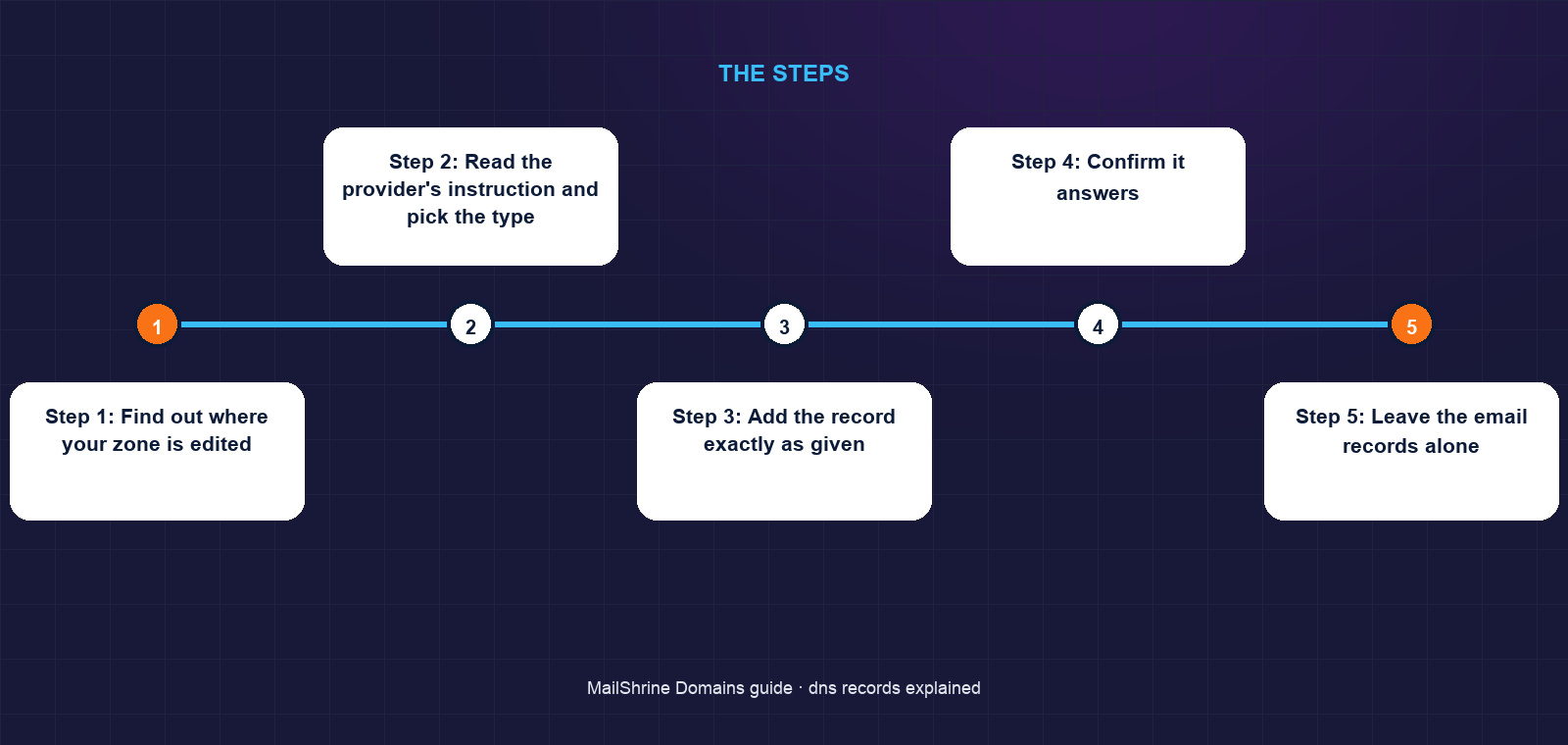
Step 1: Find out where your zone is edited
Run dig NS mensahprints.com or use any online lookup. If the nameservers are MailShrine's, every record below is added in the MailShrine dashboard. If they belong to a host or Cloudflare, edit there and leave the registrar alone.
Step 2: Read the provider's instruction and pick the type
"Point your domain to 203.0.113.10" means an A record on @. "Create a CNAME for www to sites.host.com" means a CNAME on www. "Add this TXT record to verify" means a TXT on @ unless they name a specific host.
Step 3: Add the record exactly as given
Type the name, choose the type, paste the value, leave TTL at the default (MailShrine uses 3600 seconds) unless the provider asks otherwise. Save.
Step 4: Confirm it answers
dig A mensahprints.com +short should print the IP within a minute from an authoritative server. Public resolvers may show the old answer until their cached TTL runs out.
Step 5: Leave the email records alone
Do not remove MX, SPF, DKIM or DMARC to "clean up". Website providers only need A, AAAA or CNAME records. If an instruction tells you to delete all existing records, delete only the ones of the type you are replacing.
Kwame's checklist
- Confirmed nameservers point at MailShrineCompleted
- Added A record on
@for the hosting serverCompleted - Added CNAME on
wwwto the host's alias nameCompleted - Added CNAME on
bookfor the booking widgetCompleted - Added Google's TXT verification stringNot completed
- Verified MX, SPF, DKIM and DMARC are still presentNot completed
Common mistakes
Putting a CNAME on the bare domain. It silently removes your MX and TXT records in strict DNS servers and breaks email. Use an A record on @ and a CNAME on www.
Typing the full domain in the name field. Entering www.mensahprints.com in an editor that appends the domain creates www.mensahprints.com.mensahprints.com. Enter only www.
Using an IP address as an MX value. MX targets must be hostnames. Mail servers refuse IPs here and your inbound mail bounces.
Deleting records you do not recognise. The _domainkey and _dmarc entries look like noise and are the backbone of your email reputation.
Expecting instant results everywhere. Your authoritative server updates in seconds; resolvers hold the old answer until the TTL expires.
Check your work
Run three lookups: dig A yourdomain.com, dig MX yourdomain.com and dig TXT yourdomain.com. You should see the new address, the MailShrine mail exchangers with their priorities, and at least an SPF string. If a lookup returns nothing where you expect a value, the record is on the wrong name or at the wrong provider.
FAQ
Can I have both an A record and a CNAME on the same name?
No. RFC 1034 forbids any other record alongside a CNAME on the same name. Pick one: an A record when you know the IP, a CNAME when the provider gives you a hostname.
What does the @ symbol mean in a DNS editor?
It stands for the zone apex, meaning the bare domain with nothing in front. An A record on @ is what makes mensahprints.com load without www.
Why do MX records have numbers in front of them?
That is the priority. Mail servers try the lowest number first and move to higher numbers only if the first is unreachable. Equal priorities are tried at random.
How long is a TXT record allowed to be?
Each quoted string is capped at 255 characters, but one record can hold several strings that receivers concatenate. DKIM 2048-bit keys routinely use two strings.
Do I need an SRV record for my website?
No. SRV records locate services such as SIP, XMPP or Teams federation. Websites use A, AAAA and CNAME.
Next steps
- How to Point a Domain to a Website (Any Host) — the A and CNAME records in practice.
- TTL in DNS: What It Means and What to Set — the fourth field on every record.
- Nameservers Explained — when to change NS records and when to leave them.
Citations & References
- Reference: RFC 1034: Domain Names, Concepts and Facilities
- Reference: RFC 1035: Domain Names, Implementation and Specification
- Reference: IANA: DNS Resource Record (RR) TYPEs
- Reference: Cloudflare Learning: DNS records
Written by Marcus T., DNS and deliverability editor. Marcus has spent a decade reading zone files so that business owners do not have to.