
TTL stands for time to live. On a DNS record it is a number of seconds that tells every resolver how long it may keep a copy of the answer before asking your nameservers again. A TTL of 3600 means one hour; 300 means five minutes; 86400 means a day. It is the fourth field on every record, next to name, type and value, and it is the single setting that decides how quickly a DNS change reaches the world and how much load your nameservers carry in between.
Nothing else in DNS is traded off so plainly. A short TTL makes changes fast and lookups frequent. A long TTL makes lookups rare and changes slow. There is no right number for all records, but there is a right number for each situation, and the situations are few.
MailShrine Domains sets a default TTL of 3600 seconds on records in its Anycast DNS editor and lets you change it per record. The email records written for Business Email use the same default, which is why MX and DKIM changes settle within an hour.
Real-life example: Lena's SaaS
Lena Fischer runs a small scheduling SaaS from Berlin. Her domain fischerplan.io is on MailShrine. She is about to move the app from one cloud provider to another and has read that she should "lower the TTL first". She also noticed her DNS editor shows some records at 3600 and one old record at 86400, and a colleague told her to set everything to 60 "to be safe". She wants to know what each number costs her and when to set which.
Lena's goals:
- Make the server move complete in minutes, not hours.
- Choose sensible TTLs for records that rarely change.
- Understand what the TTL does not control.
Common TTL values and what they mean
| TTL (seconds) | Human | Change visible worldwide within | Good for |
|---|---|---|---|
| 60 | 1 minute | ~1 minute | Failover records, active migrations, nothing else |
| 300 | 5 minutes | ~5 minutes | The day before and during a planned change |
| 3600 | 1 hour | ~1 hour | Default for most records; MailShrine's default |
| 14400 | 4 hours | ~4 hours | Stable website records on busy domains |
| 86400 | 1 day | ~1 day | MX, NS and records you have not changed in years |
| 172800 | 2 days | ~2 days | Registry-published NS delegations; rarely set by you |
The "visible within" column is the maximum. Most resolvers refresh sooner, but you plan for the slowest.
The lowering trick, explained properly
The TTL that matters for a change is the TTL that was on the record before you changed it. Resolvers cached the old answer with the old TTL; they do not know you edited anything until that timer runs out. So:
- A day before the move, change only the TTL on the affected record from 3600 to 300. The value stays the same.
- Wait at least the old TTL (one hour, in Lena's case) so every resolver has refreshed and now holds a 300-second copy.
- Make the real change to the value. Every resolver re-asks within five minutes and gets the new address.
- After the move is confirmed, raise the TTL back to 3600 or higher.
Change the TTL and the value in the same edit and you gain nothing; the old copies still expire on the old timer.
What TTL does not control
- Nameserver changes. The parent registry publishes its own NS records for your domain with its own TTL, commonly 172800 seconds. You cannot shorten that from your zone.
- Negative caching. When a name does not exist, resolvers cache the "no such name" answer for the SOA record's minimum field, not the TTL of a record that is not there yet. Typical values are 300 to 3600.
- Browser and OS behaviour. Some operating systems cap TTLs they honour; Chrome keeps its own short cache regardless of your TTL.
- Mail retry. Sending servers retry failed deliveries for up to 72 hours. A low TTL on MX does not make mail arrive faster; it only makes a change of mail host propagate faster.
What you need before you start
| You need | Why |
|---|---|
| A list of which records will change and when | Only those need a short TTL. |
| The current TTL on each | Determines how long before the short value is active everywhere. |
| Access to the MailShrine DNS editor | TTL is edited per record there. |
| A calendar reminder to raise it again | Short TTLs left in place for years multiply query load for no benefit. |
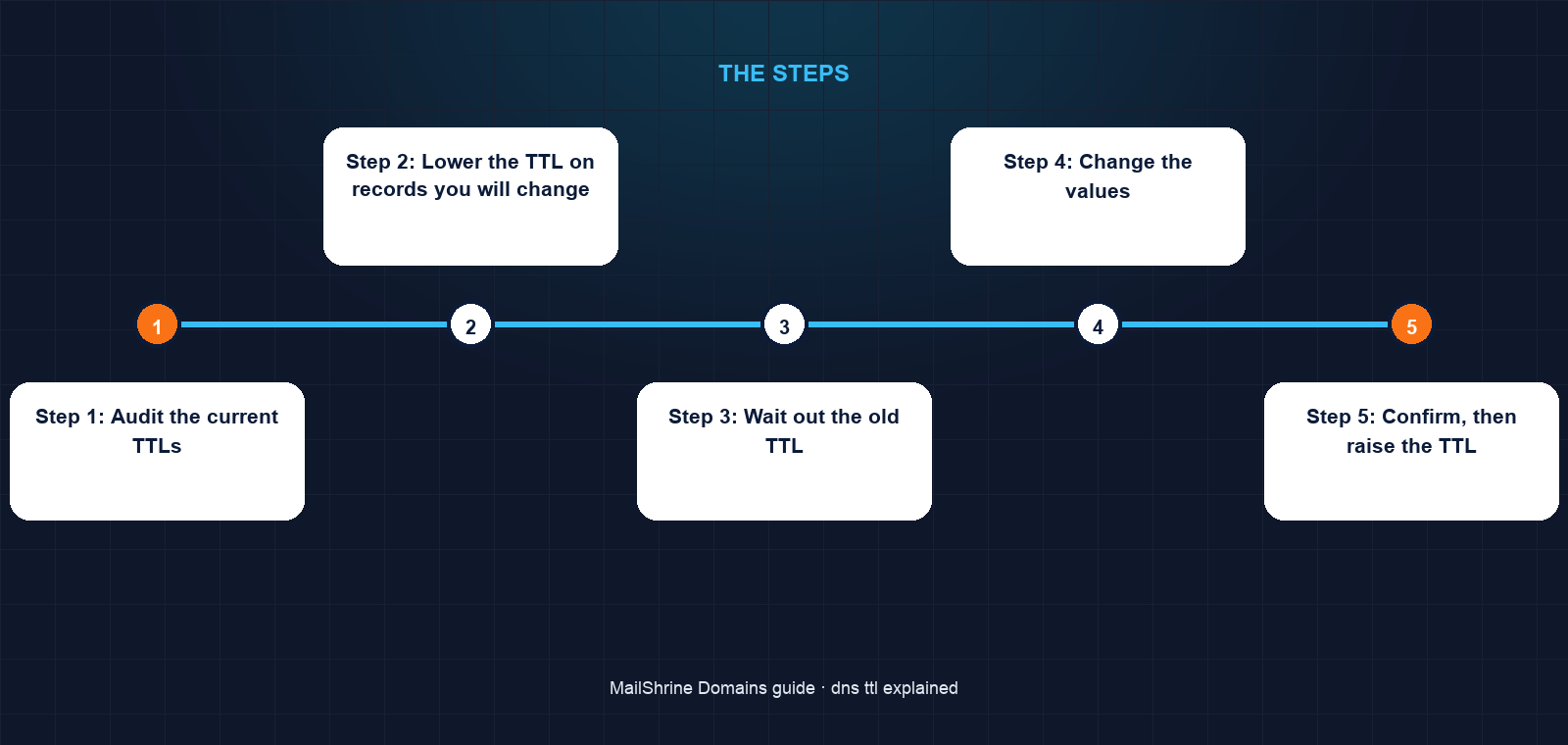
Step 1: Audit the current TTLs
Open the zone and note the TTL on each record. Anything at 60 that is not actively being migrated should go up. Anything at 86400 that you expect to change soon should come down in advance.
Step 2: Lower the TTL on records you will change
For Lena, that is the A record on @, the A on www and the CNAME on app. Set each to 300. Leave MX, TXT and everything else alone.
Step 3: Wait out the old TTL
If the records were at 3600, wait at least an hour. If one was at 86400, that record needs a full day before its short TTL is universal. Start the day before to be safe.
Step 4: Change the values
Point the three records at the new provider. Check dig A fischerplan.io +short @1.1.1.1 after five minutes; it should show the new address.
Step 5: Confirm, then raise the TTL
Once the new server has been receiving all traffic for a few hours and nothing needs reverting, set the TTLs back to 3600. For records you never expect to touch, 14400 or 86400 is reasonable.
Step 6: Set sensible defaults for the rest
MX, SPF, DKIM, DMARC and NS records at 3600 to 86400. Website A/CNAME records at 3600. Short TTLs only during planned changes.
Lena's checklist
- Audited every record's TTL in the MailShrine editorCompleted
- Lowered
@,wwwandappto 300 the day before the moveCompleted - Waited the old TTL before changing valuesCompleted
- Switched the records to the new cloud provider's addressesNot completed
- Confirmed with public resolvers within five minutesNot completed
- Raised TTLs back to 3600 after the move was stableNot completed
Common mistakes
Setting every record to 60 permanently. Every visitor's resolver re-queries your nameservers every minute. Nothing is faster for visitors; the nameservers simply work harder, and a nameserver outage is felt within a minute instead of being masked by caches.
Lowering the TTL at the same moment as the change. The old cached copies keep their old expiry. The short TTL only helps the following change.
Assuming a low TTL makes a nameserver change fast. The registry's delegation TTL governs that and you do not control it.
Leaving a migration TTL in place for years. Set a reminder to raise it. Short TTLs are a tool, not a resting state.
Expecting an instant change from a record that was at 86400. You must wait a full day after lowering before the short TTL is in effect everywhere.
Check your work
Run dig A fischerplan.io without +short and read the number after the name in the answer section; that is the remaining TTL as seen by your resolver. Run it twice a minute apart and the number should fall. Query the authoritative server directly to see the full TTL you set. If the authoritative TTL is what you intended and public resolvers are counting down from it, the setting is in effect.
FAQ
What is a good default TTL?
3600 seconds (one hour) suits most records. It balances fast changes against query load, which is why MailShrine uses it as the default.
Should MX records have a low TTL?
No. Mail hosts change rarely and sending servers retry for days anyway. 3600 to 86400 is appropriate; lower it only before a planned mail migration.
Does a shorter TTL slow down my website?
Slightly, for visitors whose resolver has to re-query more often. Each extra lookup costs tens of milliseconds. At 300 or above the effect is negligible; at 60 it starts to show on first page loads.
Can I set a TTL of 0?
Technically yes, meaning "do not cache". In practice many resolvers ignore it or apply a minimum, and it generates a query for every single request. Use 60 if you need near-instant updates during a failover.
Why does my resolver show a different TTL from the one I set?
You are seeing the remaining time on its cached copy, counting down from your value. Query the authoritative nameserver to see the original.
Next steps
- What Is DNS Propagation and How Long Does It Take? — how TTL translates into waiting time.
- DNS Records Explained: A, AAAA, CNAME, MX, TXT, SRV, NS — the other three fields on every record.
- Point a Domain to a Server IP Address (A Record) — the change Lena is preparing for.
Citations & References
- Reference: RFC 1035: Domain Names, Implementation and Specification
- Reference: RFC 2308: Negative Caching of DNS Queries
- Reference: Cloudflare Learning: What is DNS TTL?
- Reference: Verisign: .com registry
Written by Marcus T., DNS and deliverability editor. Marcus lowers a TTL the day before every migration and raises it the day after, without exception.