2 professional mailboxes free forever — $0, no card required. Calendar and Drive included. Solo from $2 per month.2 professional mailboxes free forever — ₦0, no card required. Calendar and Drive included. Solo from ₦3,200 per month.
Pick by how many mailboxes you need: Free = 2 · Solo = 2–5 · Team = 6–15 · Business = 16–50 · Custom = 51+. Storage is one pot per mailbox: mail and Drive share the same GB.
Screenshots from live MailShrine webmail. Same evidence as the Business Email landing — Mail, Calendar, Drive, Tasks, Meetings — in this page’s HTML, not behind a click-to-expand. Card links jump here.
01
Mail + Address book
Professional mail on your domain — plus an address book
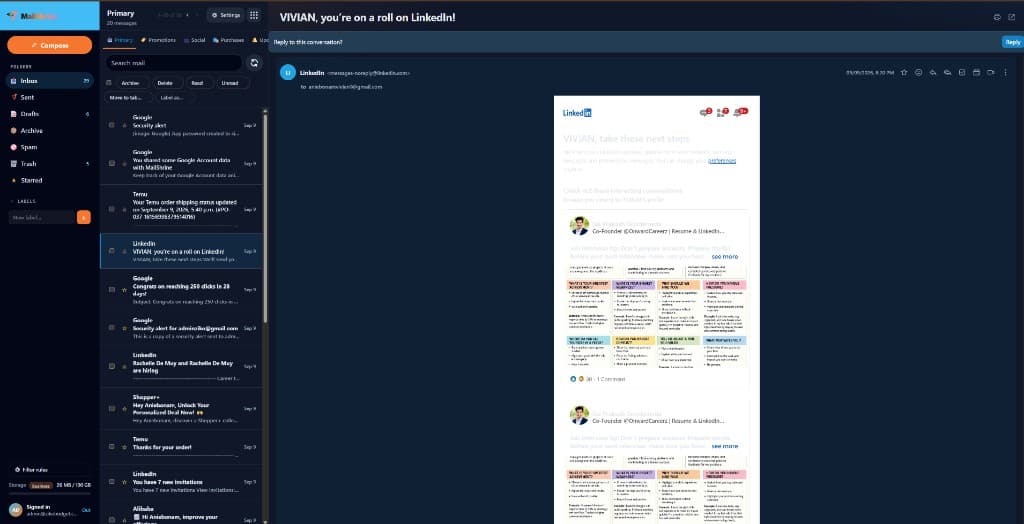
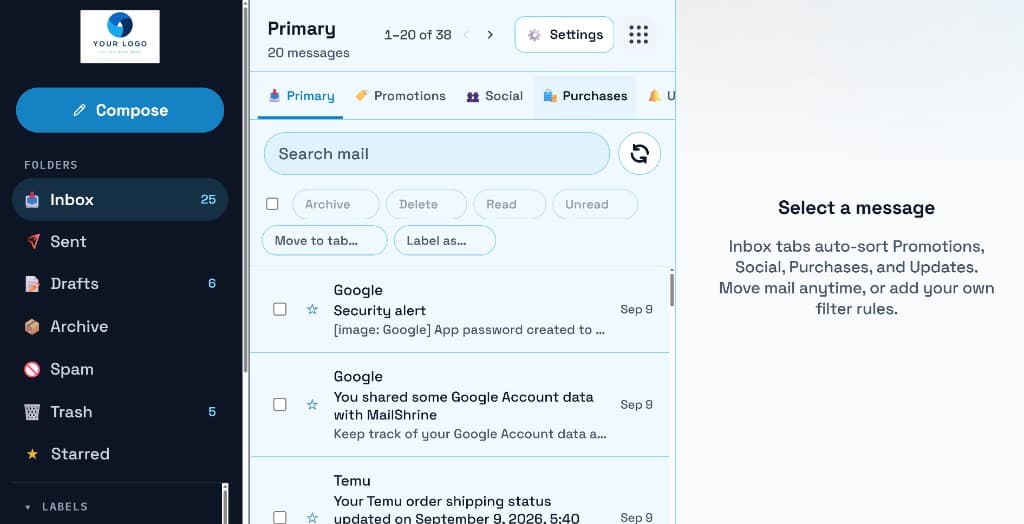
A real inbox for you@yourcompany.com — ad-free webmail, and an address book beside it. This is the mailbox you open every day.
On every plan, including Free.
Live product
mailshrine.com/webmail
Mail + Address book
Mail — the live inbox for you@yourcompany.com.
More from this product
mailshrine.com/webmail
Live
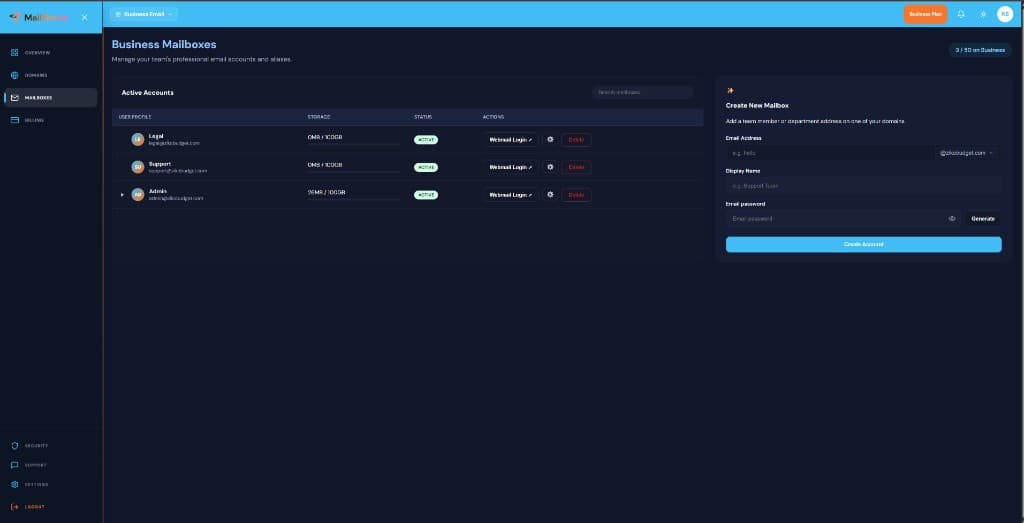
Mailboxes you provision — same account as the inbox.
Your domain, not ours
You buy or already own the domain (yourcompany.com). MailShrine hosts the mailbox. Send as you@yourcompany.com. Unlimited domains on every pack.
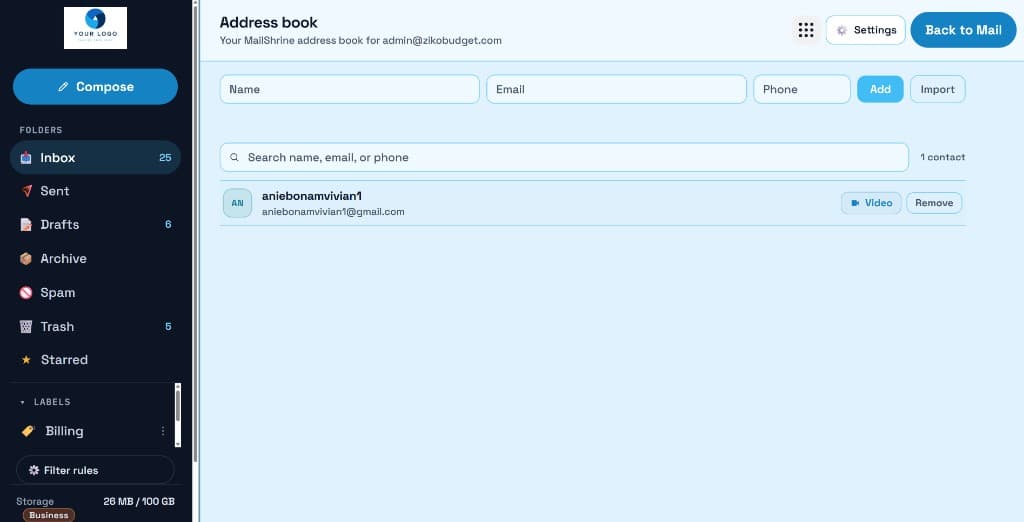
Company and personal contacts live next to the inbox. Start mail — and on Solo+, start a meeting — from a contact, not a spreadsheet.
Shared mailbox access
Invite a teammate to hello@ or support@ without sharing the password. Shared mailbox access is on Team and above.
Aliases
Free includes 2 aliases (for example hello@ and info@ into a real mailbox). Solo and up: unlimited aliases.
02
Calendar
Calendar sits next to mail — on every plan
Open Calendar from the same suite as the inbox. It is on Free, not locked behind an upgrade.
On every plan, including Free.
Live product
mailshrine.com/webmail
Calendar
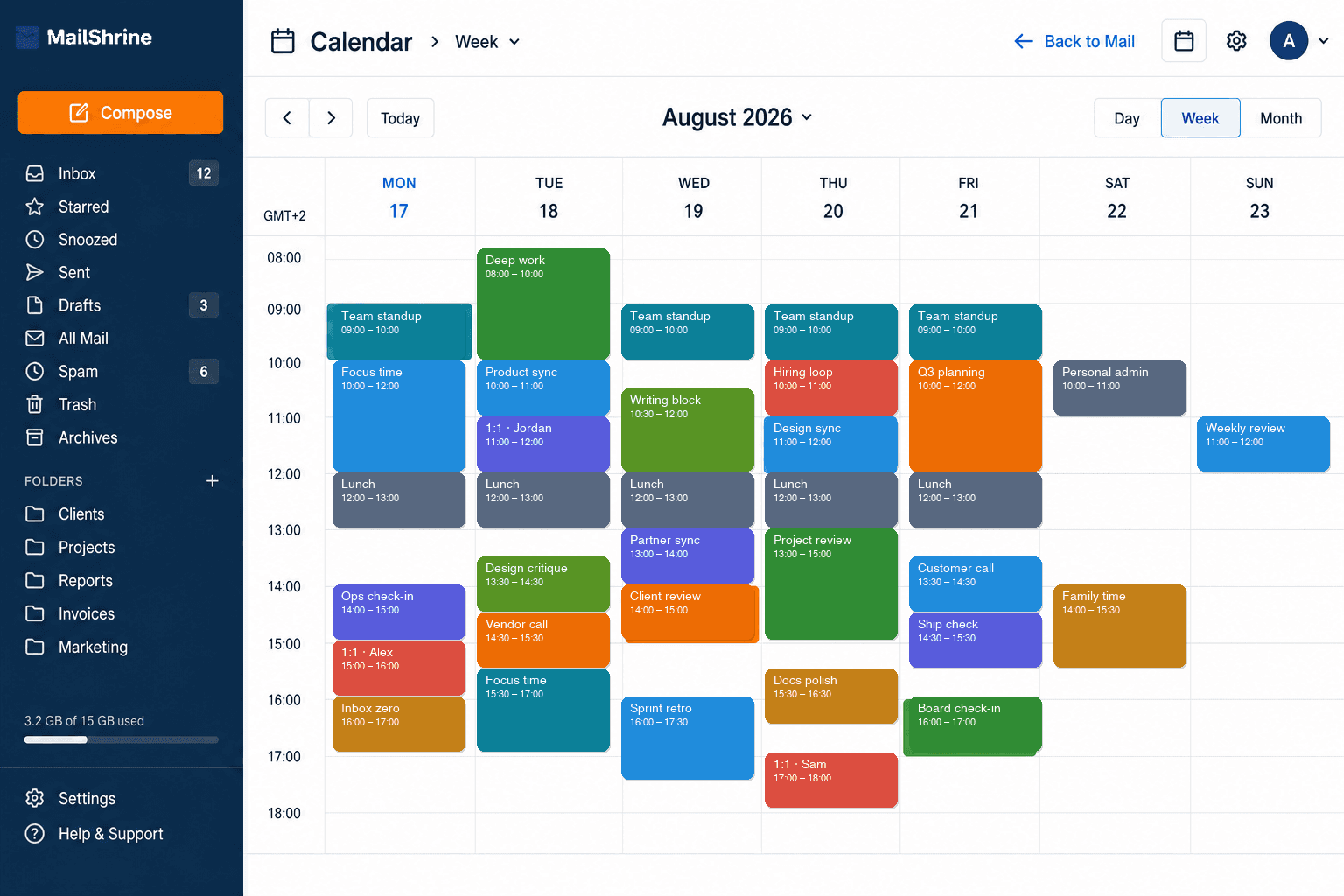
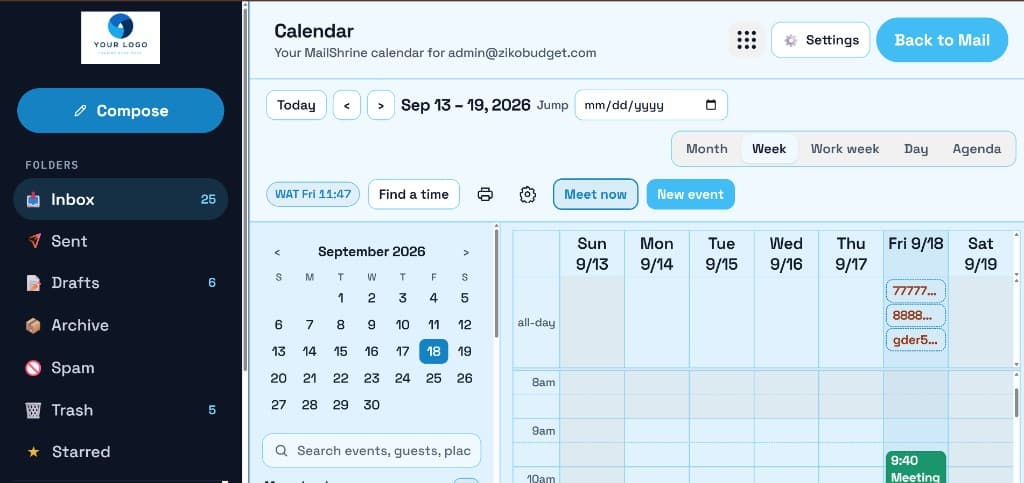
Your week next to mail — standups, 1:1s, and reviews in one grid.
More from this product
mailshrine.com/webmail
Live
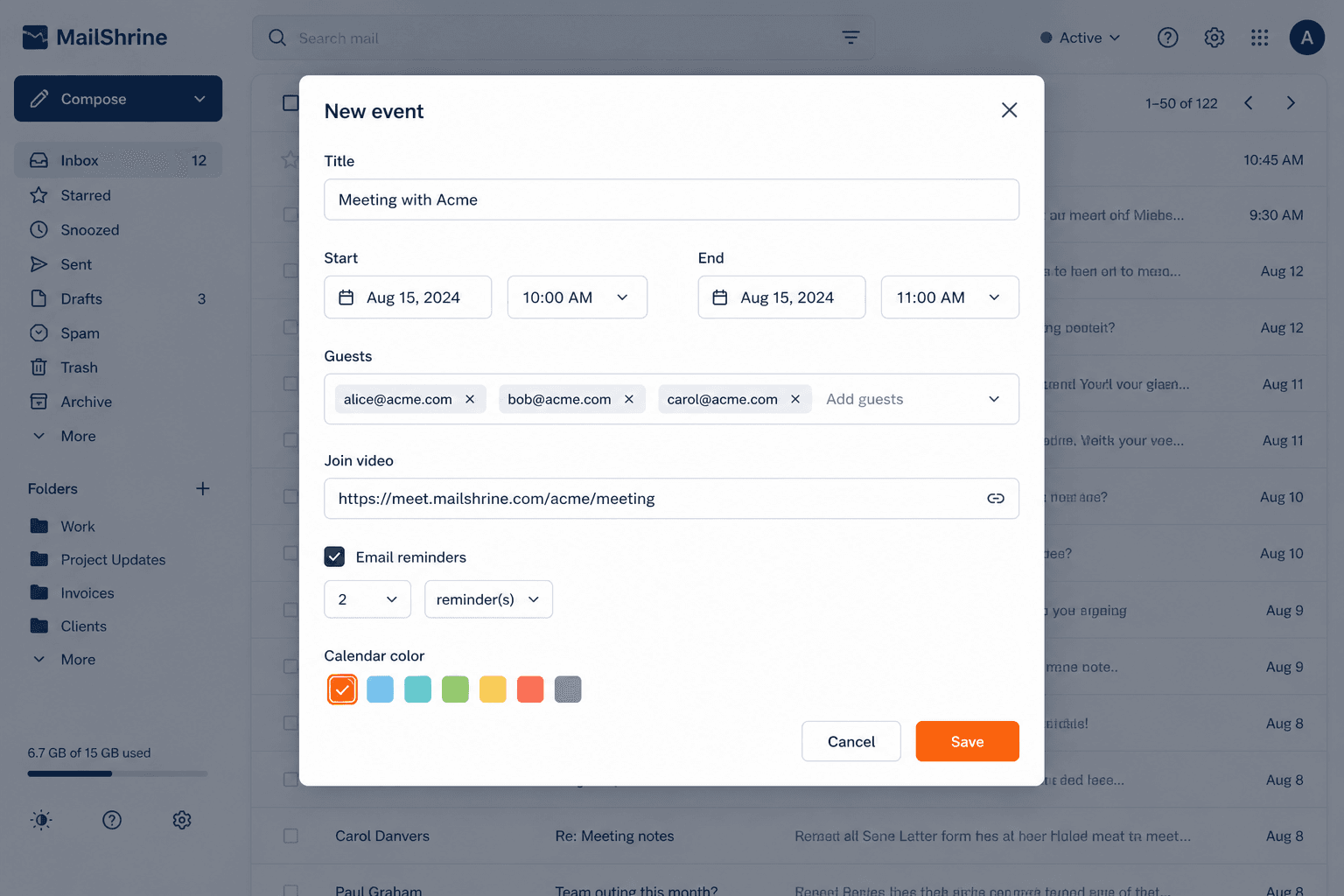
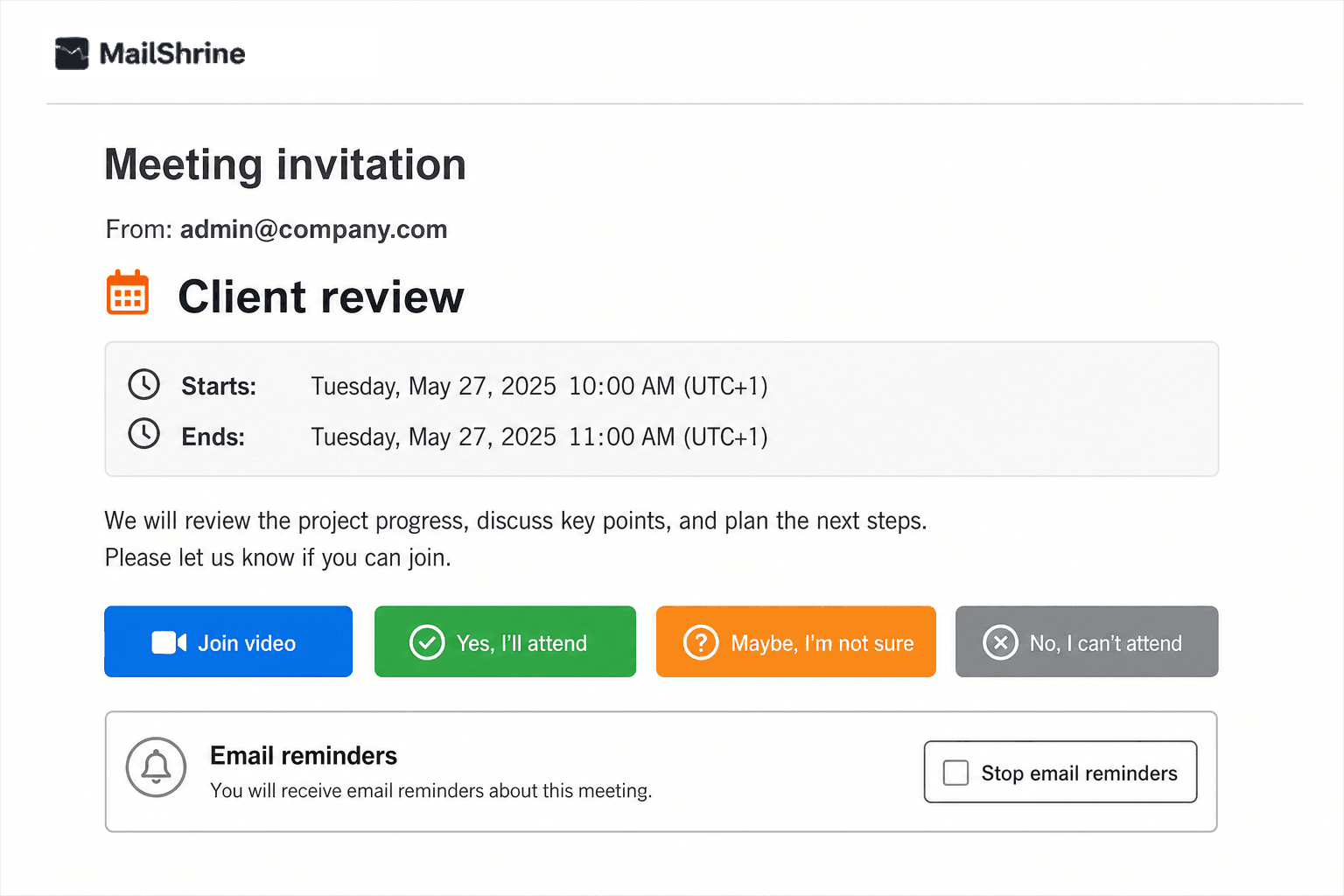
Guests, video, reminders, and color — one modal over the inbox.
mailshrine.com/webmail
Live
Guests RSVP on mailshrine.com — no MailShrine account required.
Beside the inbox
Open Calendar from the 9-dot launcher. Same mailbox, same theme, back to mail in one click.
Guests RSVP without an account
Yes / Maybe / No from one invite link. They never need a MailShrine mailbox.
Reminders guests can mute
Up to five email reminders. Guests can stop further pings from the invite page.
Find a time and color the event
Scan free slots, pick a room or equipment when you use it, and keep a color that sticks on the agenda.
Rooms & equipment
Book a meeting room or a projector on the calendar event itself — not a separate product.
Video on the event
Attach a meeting on Solo+ (Meet now or a calendar-linked room). Join video shows on the event and the guest page.
03
Drive
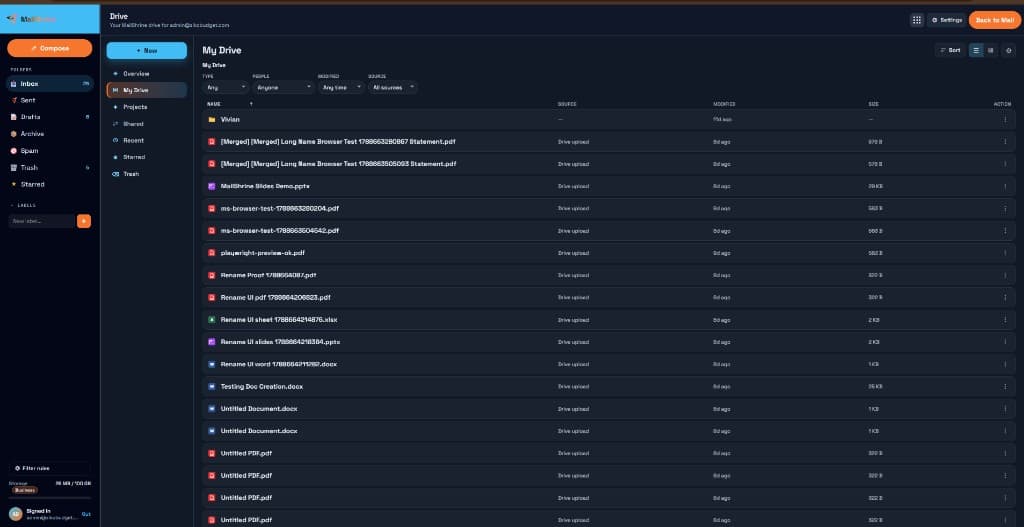
Drive — MailShrine Docs, Sheets, Slides, and PDF
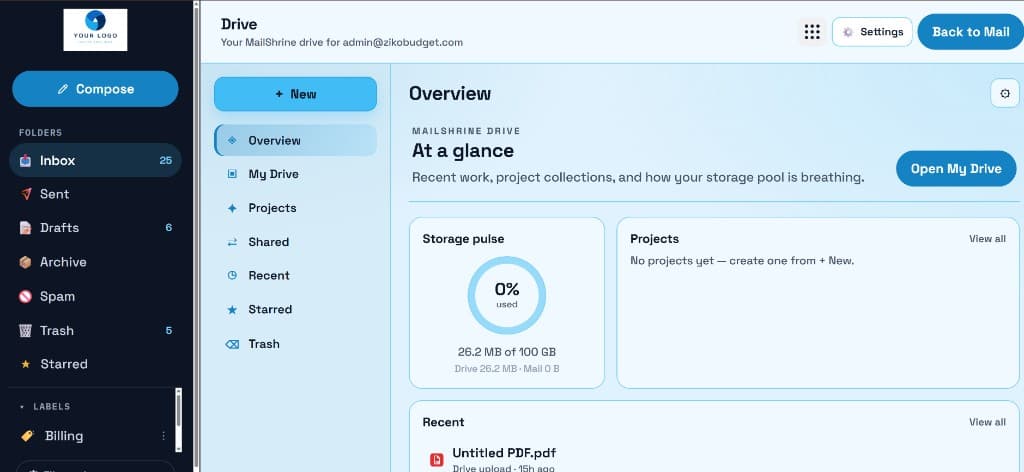
Create and edit Docs, Sheets, Slides, and PDFs inside Drive. Mail and Drive share one GB pot per mailbox.
On every plan, including Free.
Live product
mailshrine.com/webmail
Drive
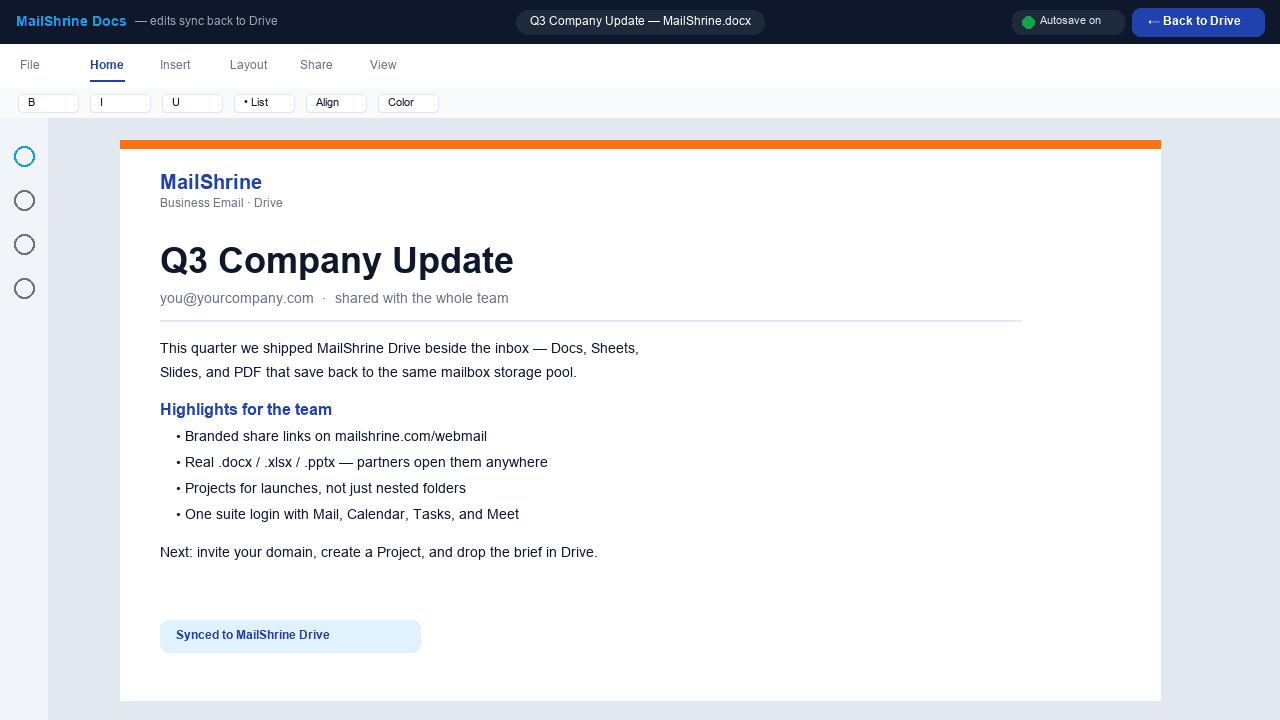
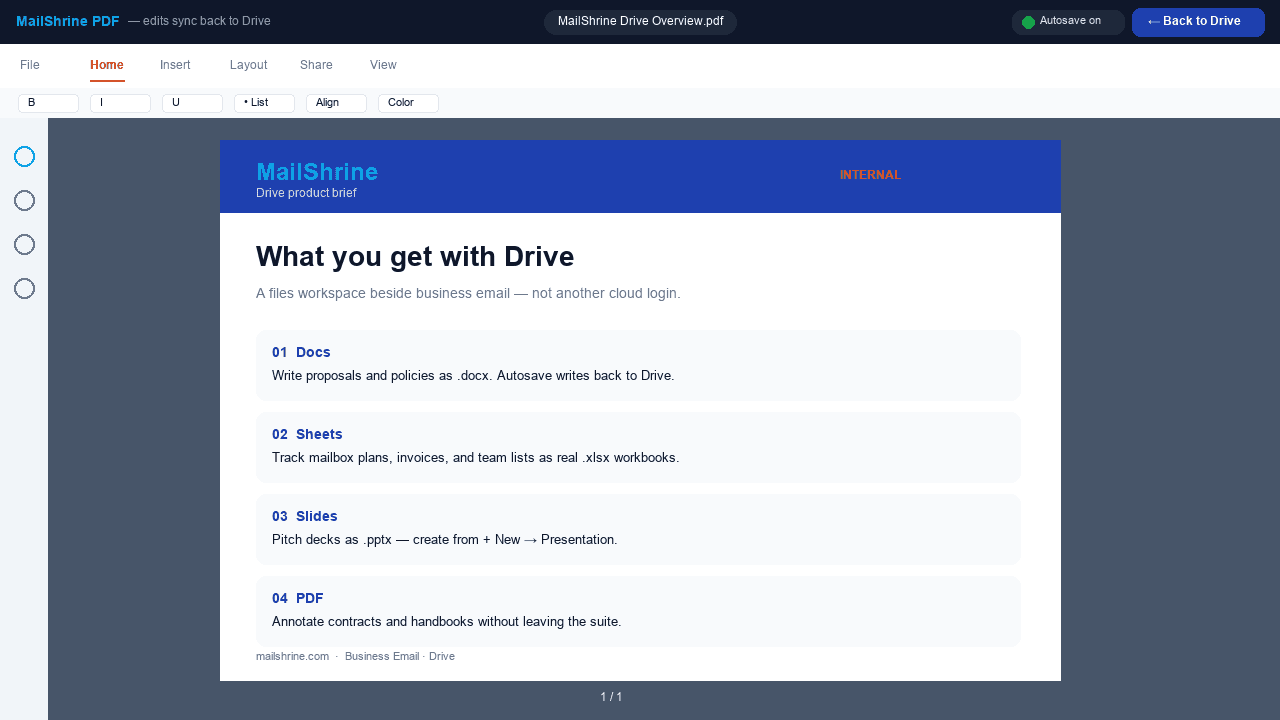
MailShrine Docs — real .docx, autosave back to Drive.
More from this product
mailshrine.com/webmail
Live
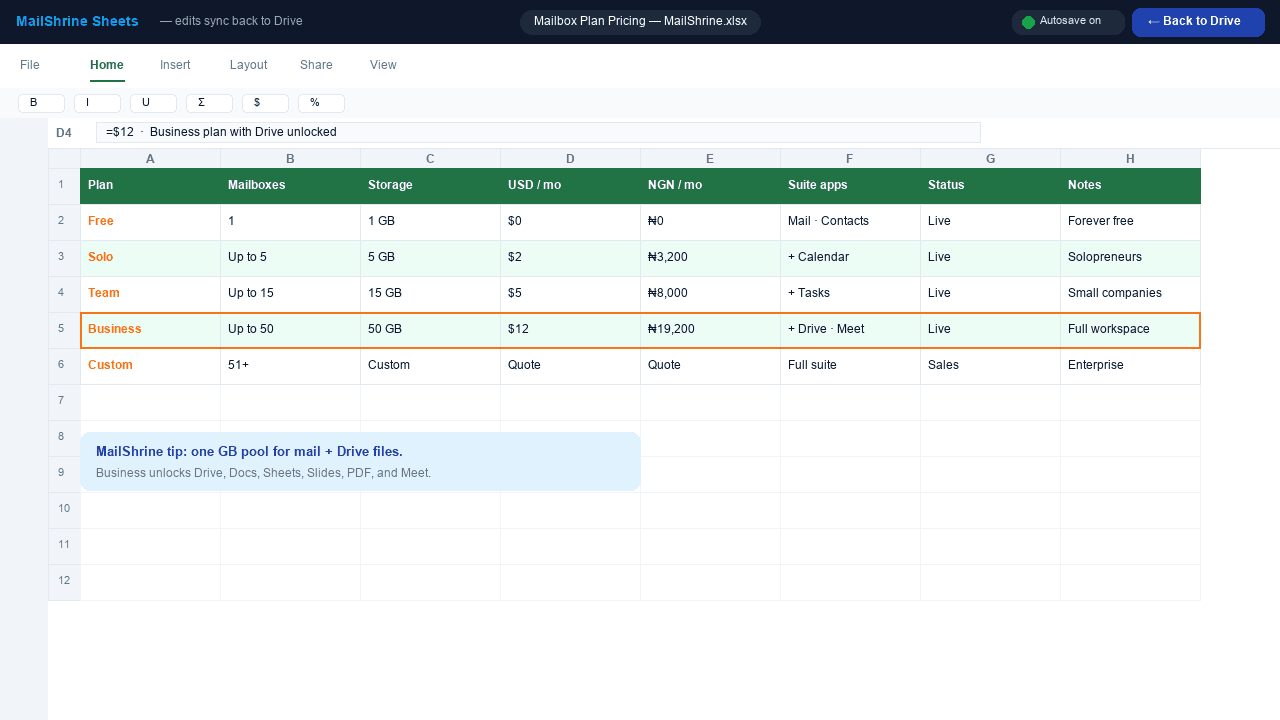
Sheets — .xlsx grids next to the inbox.
mailshrine.com/webmail
Live
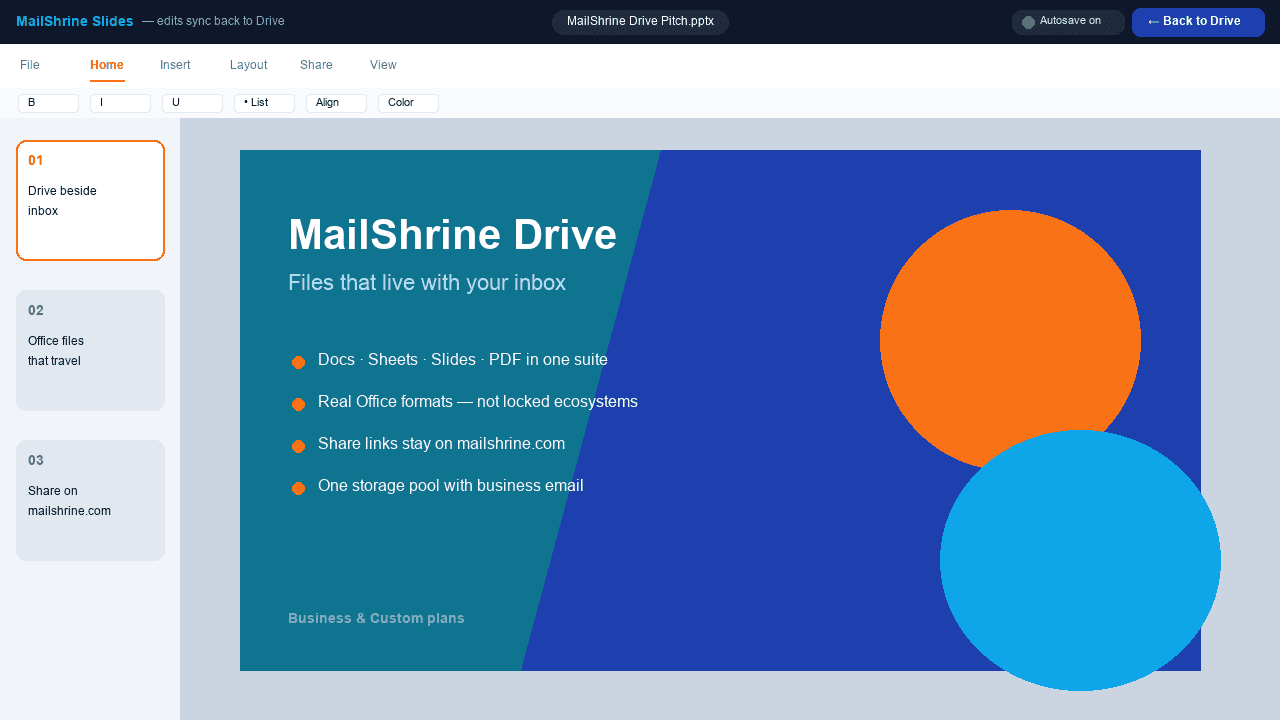
Slides — .pptx decks from + New in Drive.
mailshrine.com/webmail
Live
PDF — annotate without leaving the suite.
mailshrine.com/webmail
Live
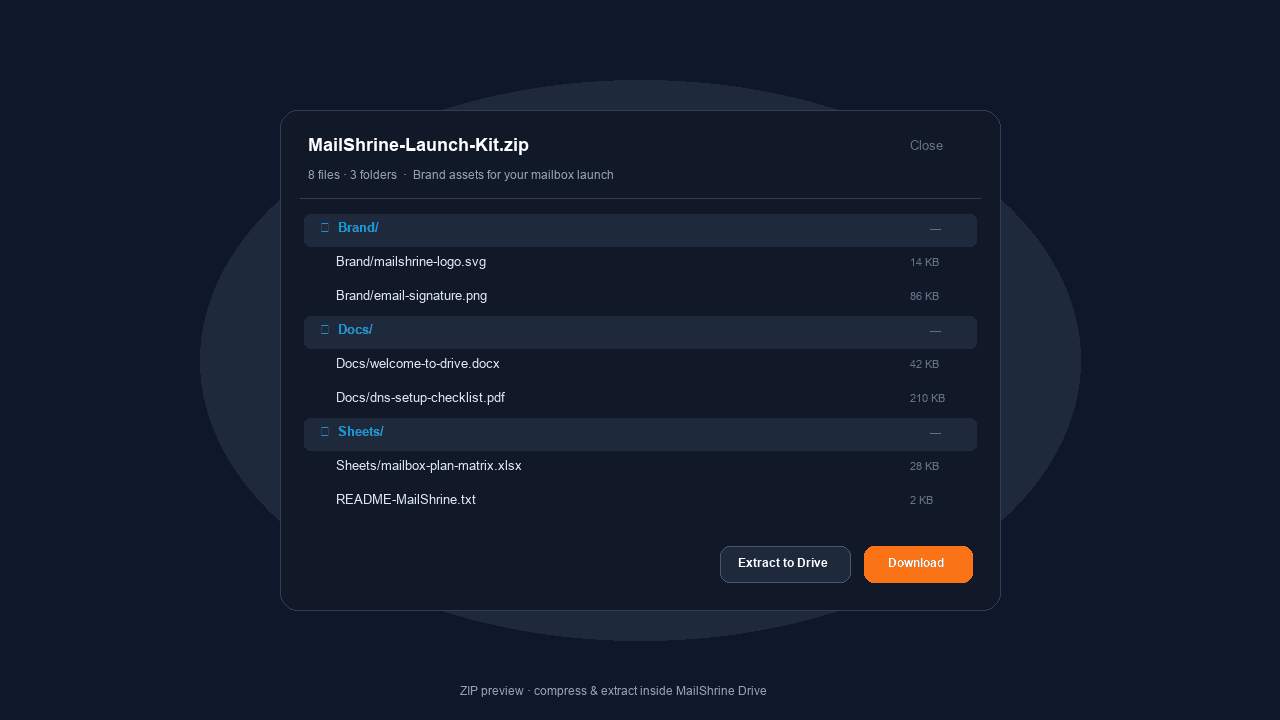
ZIP — peek inside, then extract in place.
MailShrine Docs
Create and edit Word-compatible documents (.docx) without leaving the suite.
MailShrine Sheets
Spreadsheets (.xlsx) for quotes, lists, and ops — next to the inbox, not in another tab.
MailShrine Slides
Presentations (.pptx) you create in Drive. Partners can still open the file in the tools they already use.
MailShrine PDF
Create and work with PDFs in Drive, not a separate paid editor.
Invite people. Pick the access.
On every plan with Drive. Share a file or folder by email. Give view, comment, or edit. Or use anyone-with-the-link. Invites leave from your mailbox.
One storage pot
Uploads and Docs count against the same GB as mail. Free is 2 GB per mailbox; filling Drive is how that number becomes real.
ZIP compress / extract
On every plan that has Drive. Compress files to ZIP or extract a ZIP into a folder. The result counts against that mailbox’s GB pot — same as any upload.
Projects and branded links
Project folders, preview files. Share URLs stay on mailshrine.com/webmail — not a third-party drive domain.
04
Tasks
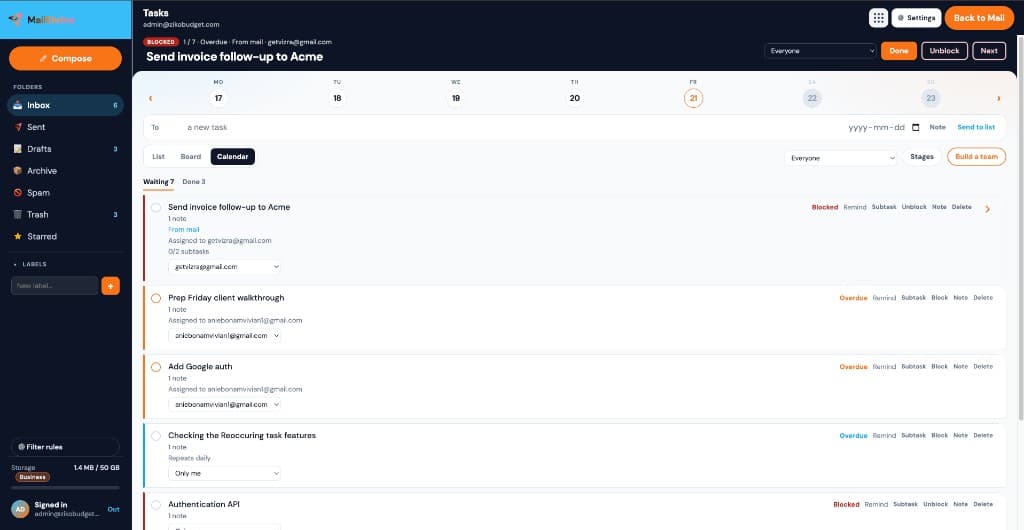
Tasks — list, board, and calendar
Work beside the inbox: list, board, calendar, nested jobs, and assign-by-email. Guests do not need a MailShrine seat.
Solo, Team, Business, and Custom.
Live product
mailshrine.com/webmail
Tasks
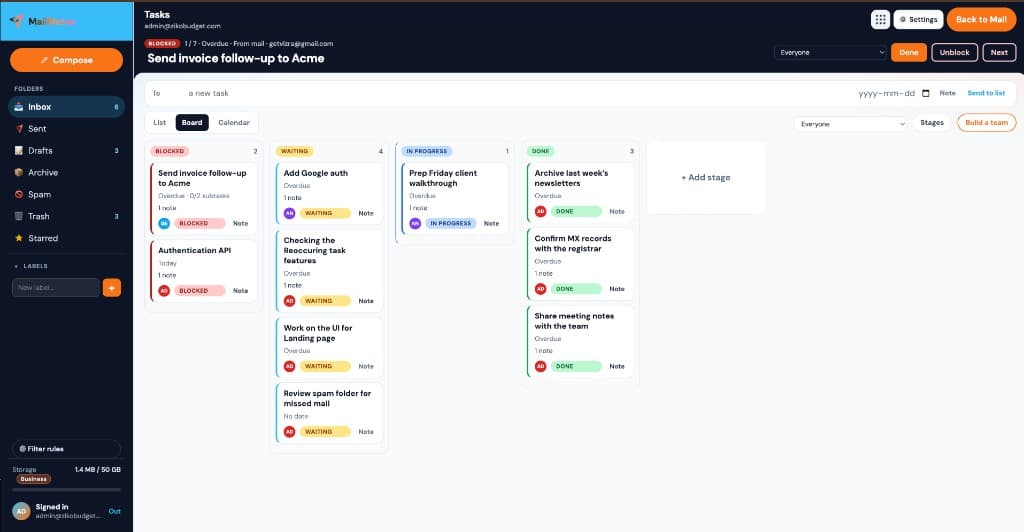
Board — stages you name, work beside the inbox.
More from this product
mailshrine.com/webmail
Live
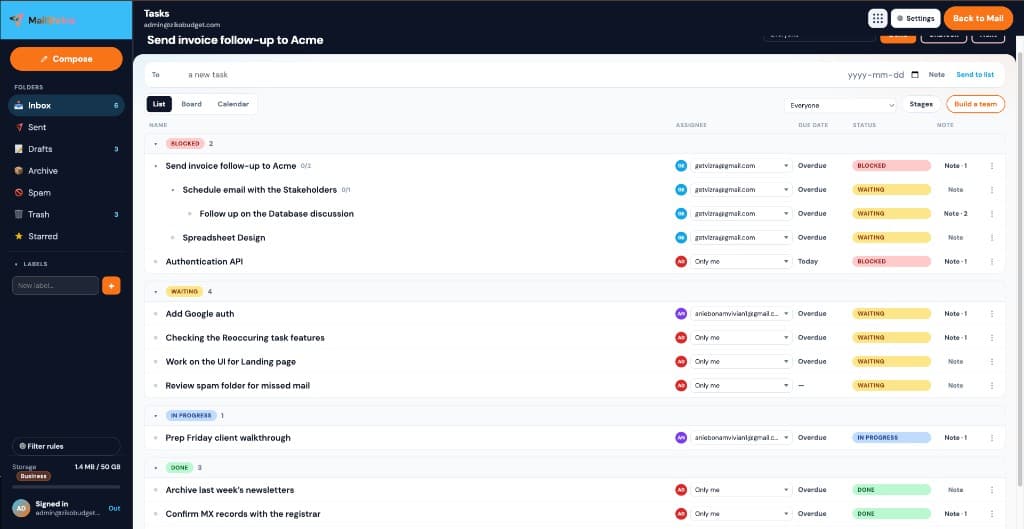
List — nested work, owners, and due dates.
mailshrine.com/webmail
Live
Calendar — the same work on a date grid.
mailshrine.com/webmail
Live
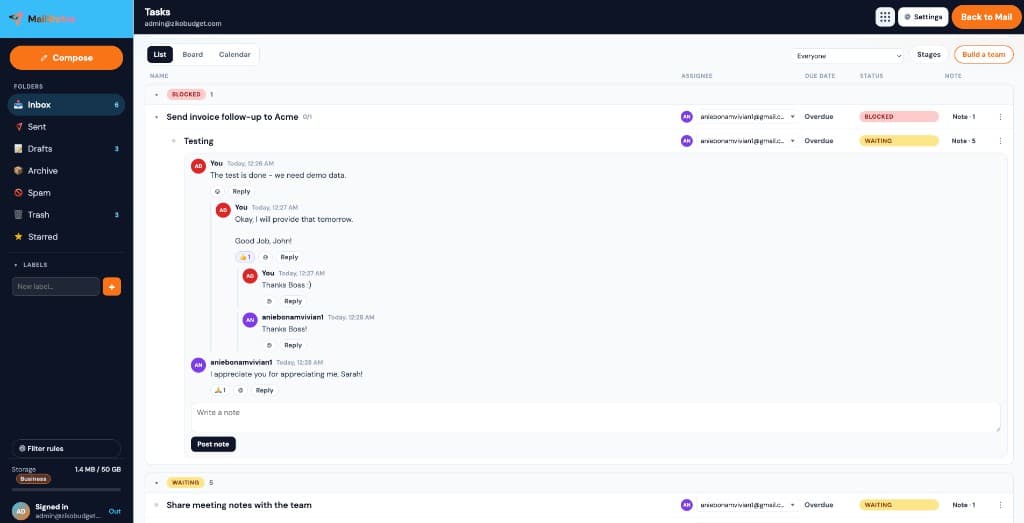
Notes that behave like a thread — replies write back.
List, board, and calendar
Same work, three views. Switch without leaving the inbox.
Nested work
Break a job into subtasks, then nest those too. Assignees, due dates, and stages stay aligned down the tree.
Your stages — columns you name
Blocked, Waiting, Done, plus stages you name (In progress, In development, Review). Add a lane when the workflow needs it.
Assign by email
Type someone’s email. They get a guest link — no MailShrine login required. They can view the task, update the stage, leave notes, and it writes back to your board.
Notes that behave like a thread
Each note has who wrote it, date and time, emoji reactions, and nested replies.
Reminders that fire
You get a ping in webmail. The assignee gets a reminder email with the same guest link.
05
Meetings
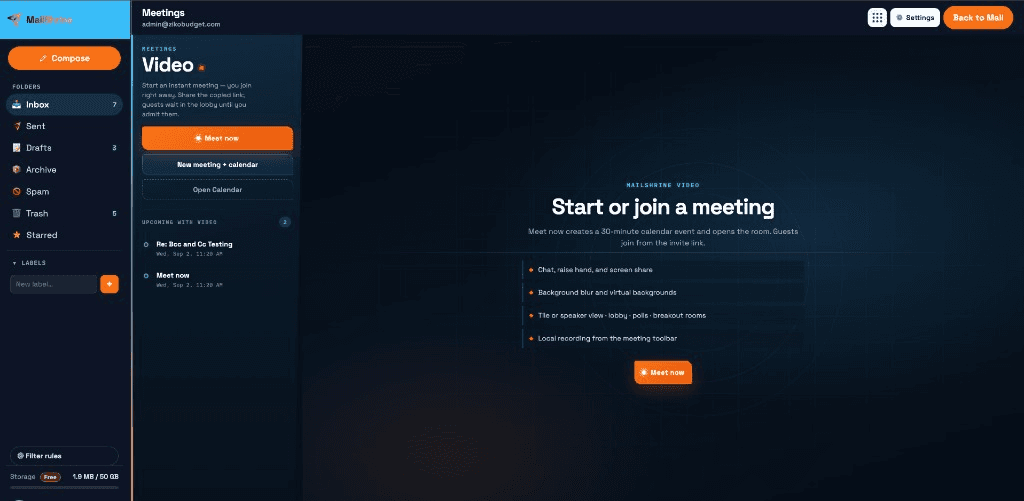
Video meetings — Meet now + lobby
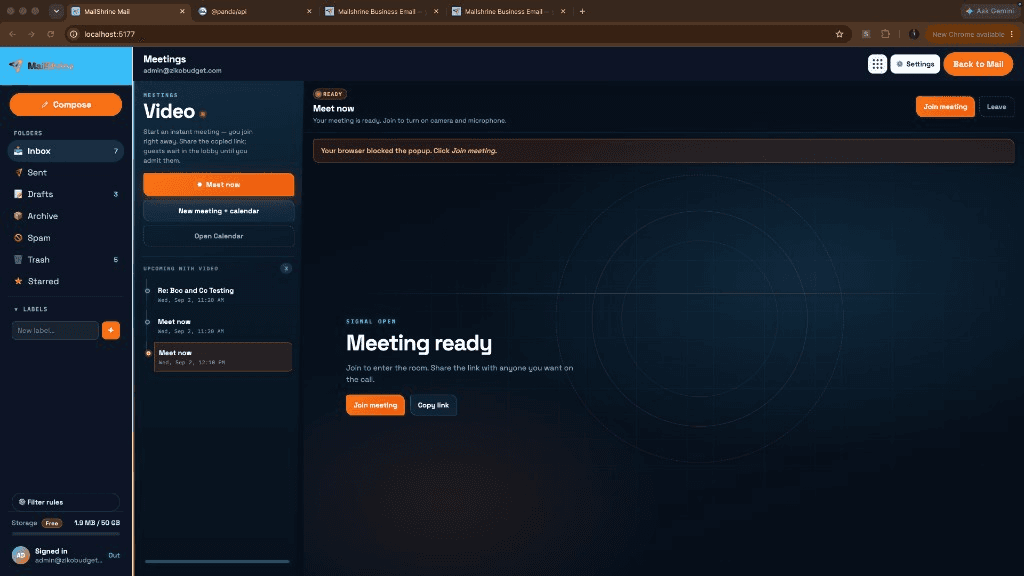
Meetings live in the 9-dot launcher, on mailshrine.com URLs, tied to mail and calendar. Start Meet now without leaving the inbox.
Solo, Team, Business, and Custom.
Live product
mailshrine.com/webmail
Meetings
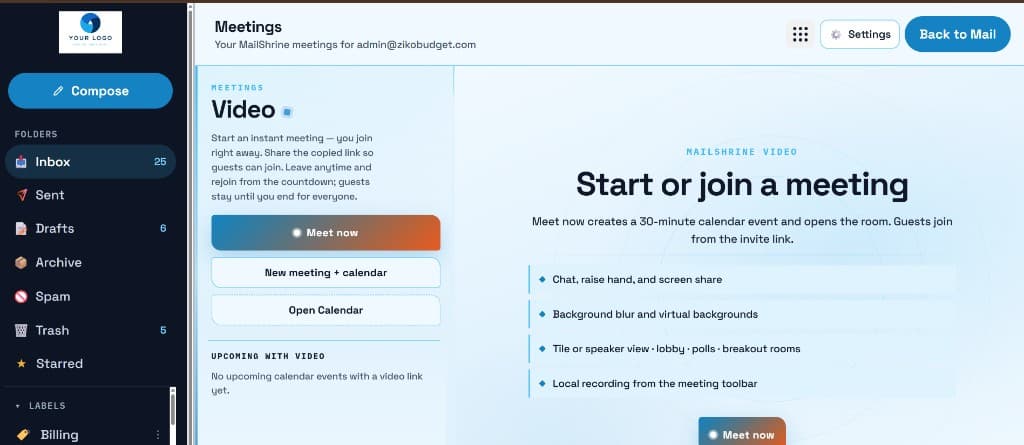
Meetings hub — Meet now without leaving mail.
More from this product
mailshrine.com/webmail
Live
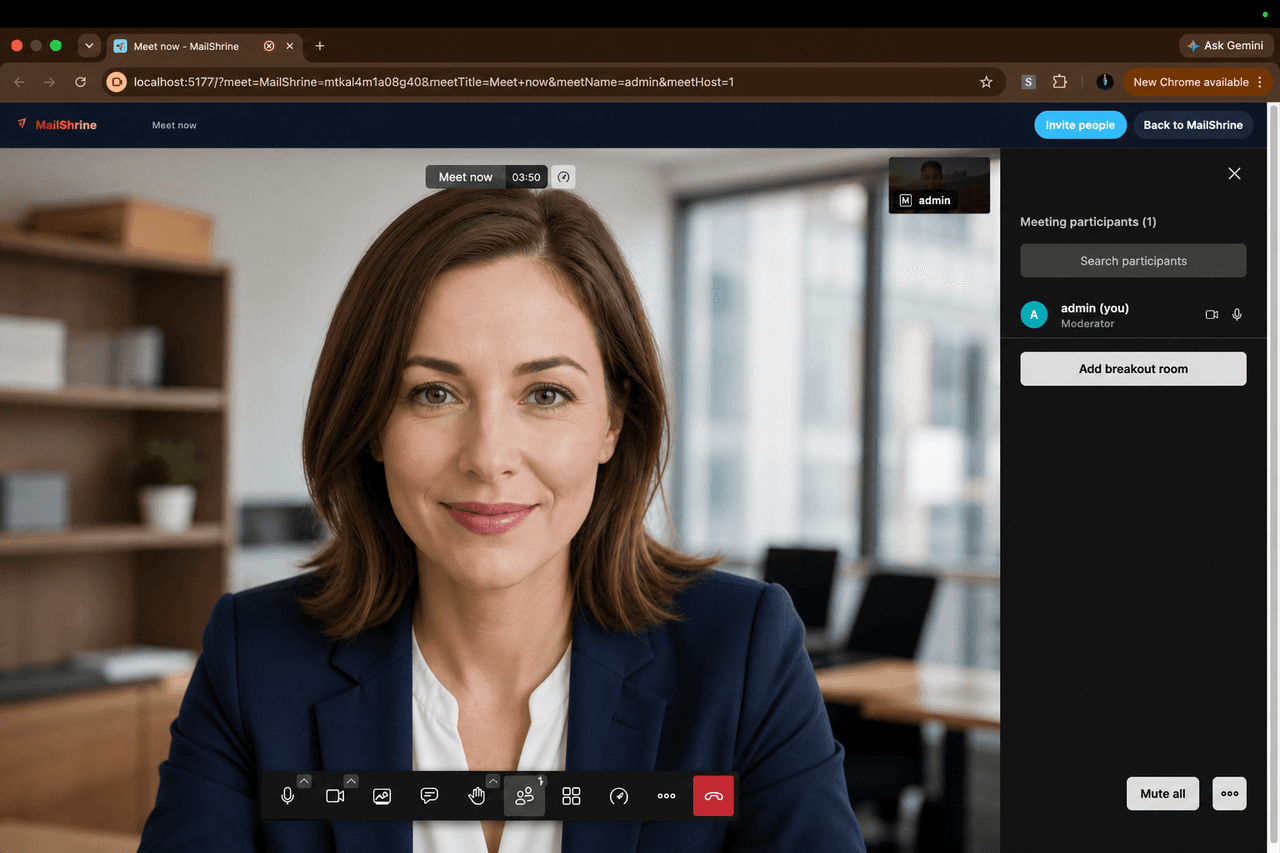
In-call — branded room, chat, share, polls.
mailshrine.com/webmail
Live
Lobby — guests wait until you admit them.
mailshrine.com/webmail
Live
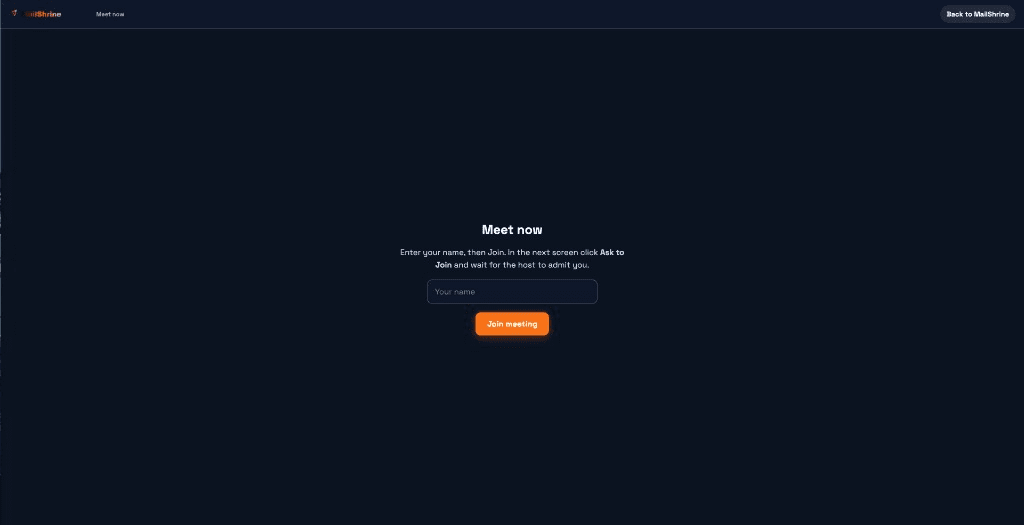
Ready screen — camera, mic, then join.
Meet now
Instant video from the suite. You join right away; mail stays open.
Lobby — you admit guests
Guests wait until you let them in. Host controls the room.
From contacts or an email thread
Pick a contact or guests on a thread. MailShrine sends the join link — no separate scheduling dance.
Calendar-linked rooms
Upcoming-with-video sits beside Meet now. Copy the link or drop Join video on the guest RSVP page.
In-call tools
Chat, raise hand, screen share, polls, breakout rooms, local recording from the toolbar.
06
Storage
One GB pot — mail and Drive together
The number on the card is not “email only.” Used = mail + Drive files. When Drive grows, mail cannot eat the rest of the pot.
Free 2 GB · Solo 15 GB · Team 30 GB · Business 100 GB — per mailbox.
Live product
mailshrine.com/webmail
Storage
Drive files sit in the same GB pot as mail.
Why Free is 2 GB
Two working mailboxes, 2 GB each. That is enough to start; PDFs and Docs fill it. Upgrade is Solo ($2 / ₦3,200) for five boxes and 15 GB — not “unlock Drive.” Drive is already on Free.
Meter in the product
Webmail shows used of total for that mailbox. Quota errors name the next pack.
07
Developer settings
Developer settings — IMAP, SMTP, JMAP, CalDAV
Solo opens Settings → Developer settings: copy IMAP, SMTP, JMAP, and CalDAV into Outlook, Apple Mail, Thunderbird, or your own app.
Solo, Team, Business, and Custom. Free can still use Quick setup.
Live product
mailshrine.com/webmail
Developer settings
Copy-paste values — IMAP, SMTP, and the rest live in Settings.
IMAP
Incoming: port 993, SSL/TLS. Username is the full mailbox address.
SMTP
Outgoing: port 465, SSL/TLS, authentication required. Port 587 + STARTTLS is listed as the alternate.
JMAP
Session URL https://mail.mailshrine.com/.well-known/jmap — the same modern API this webmail uses.
CalDAV
Calendar URLs for Apple and desktop clients, same mailbox password.
Import email and contacts
Bring mail and an address book from another provider instead of starting from zero. Team adds Gmail, Yahoo, and Microsoft migration.
08
Setup, 2FA, DNS
Quick setup, signatures, 2FA, and DNS — already in the product
2FA, DKIM, and signatures are on Free so a new company can trust the mailbox. Phone and Outlook copy-paste values sit on Solo, under Developer settings.
2FA, signatures, and DNS on every plan. Developer settings / IMAP on Solo+.
Live product
mailshrine.com/webmail
Setup, 2FA, DNS
Domains and mailboxes — MX, SPF, DKIM, DMARC from the dashboard.
Quick setup
Settings → Quick setup. Download an iOS profile or follow Outlook / Gmail (Android) with the IMAP and SMTP values on screen.
Signatures
A signature book in Settings → General. More than one signature, with separate defaults for new mail and replies.
2FA
Dashboard → Security. Authenticator app plus backup codes — on Free.
MX, SPF, DKIM, DMARC
Dashboard → Domains. Copy the records, verify, send as you@yourcompany.com.
09
Company branding
Your logo on webmail, invites, and guest pages
Solo looks like MailShrine. Team looks like your company — the same logo in Mail, Calendar, Drive, Meetings, and the address book.
Team, Business, and Custom.
Live product
mailshrine.com/webmail
Company branding
Mail — your logo sits in the sidebar, above Compose.
Same logo in every app
mailshrine.com/webmail
Live
Calendar — same mark, same mailbox.
mailshrine.com/webmail
Live
Drive — branding follows the suite, not just the inbox.
mailshrine.com/webmail
Live
Meetings — guests join a room that already wears your brand.
mailshrine.com/webmail
Live
Address book — contacts sit next to the same branded sidebar.
Company name + logo + bar color
Replace the MailShrine mark in the sidebar. It stays there when you switch from Mail to Calendar, Drive, Meetings, or the address book.
Calendar invite emails
Meeting and event mail goes out with your logo and header color, not a generic MailShrine header.
Guest RSVP pages
Yes / Maybe / No pages wear your brand. Guests still never need a MailShrine account.
Per mailbox
Each mailbox can carry its own brand (support@ vs sales@). Other boxes keep theirs.
10
Event log + migration
Move the company in — then see who touched the mailbox
This is the Team pack: bring Gmail, Yahoo, or Microsoft onto your domain, and keep an audit trail of mailbox access.
Team, Business, and Custom.
Live product
mailshrine.com/webmail
Event log + migration
Team mailboxes — invite, migrate, then read the event log.
Gmail
Import with a Google App Password. Guided setup in Settings → Accounts & Imports.
Yahoo
Same path with a Yahoo App Password — not the normal login password.
Microsoft Outlook / Hotmail / Live
Connect with Microsoft (OAuth) and pull recent Inbox mail onto the MailShrine mailbox.
Mailbox Event log
Dashboard → mailbox → Event log. See mailbox created, team invite sent, accepted, revoked, or expired — terminal-style, not a marketing screenshot.