
Domain auto-renew is an instruction to your registrar: when this name is about to expire, charge my saved payment method and extend it, without waiting for me to log in. It is the single most effective protection against losing a domain by accident, and it is also the setting people blame when a card they forgot about is charged for a name they stopped using two years ago. Both reactions are reasonable. Auto-renew removes the human from the renewal, which is exactly what you want for a trading name and exactly what you do not want for an experiment you have already abandoned.
What auto-renew does not do is make renewals infallible. The registrar still needs a working payment method, a reachable registrant email, and a domain that is not locked by a dispute or a registry hold. Most "auto-renew failed" stories are a declined card and an unread email. Understanding the mechanics tells you where the remaining failure points are and how to close them.
MailShrine Domains renews automatically by default, with reminders at 30, 7 and 1 day before expiry and on the day itself, so you see the charge coming even when you intend to let it happen. You can switch auto-renew off per domain if you plan to let a name go. Because your Business Email mailboxes depend on the domain staying registered, a successful auto-renew is also what keeps mail flowing.
Real-life example: Wanjiru's logistics company
Wanjiru Kamau runs Safari Freight, a 20-person last-mile delivery company in Nairobi. The business has five domains: the main safarifreight.co.ke, a .com version, two campaign names from a promotion three years ago, and a misspelling bought defensively. Last year a campaign domain auto-renewed on the finance manager's personal card, and this year the .com nearly lapsed because the card on file had been replaced after a fraud alert. Wanjiru wants a rule for which domains renew themselves and which do not, and she wants the payment side to stop depending on any one person's wallet.
Wanjiru's goals this week:
- Understand exactly when auto-renew charges, what it charges, and what it does if payment fails.
- Turn auto-renew on for the names the business cannot lose and off for the two campaign domains.
- Put a company payment method and a shared mailbox behind every renewal.
Auto-renew on versus off, honestly compared
| Auto-renew on | Auto-renew off | |
|---|---|---|
| Risk of losing the domain by forgetting | Very low; the registrar acts for you | High; depends entirely on reading reminders |
| Risk of paying for a name you no longer want | Real; the charge happens unless you turn it off | None |
| What happens if the card fails | Reminder emails continue; the domain enters the grace period like any other expiry | Same, but you were already planning to act |
| Who needs to do something | Nobody, unless payment fails | You, every year, within the reminder window |
| Best for | Trading names, email domains, anything customers or logins depend on | Experiments, expired campaigns, names you have decided to drop |
The decision is per domain, not per account. Wanjiru's main name and its .com should never depend on a human reading an email. The campaign names should never be renewed by a machine.
What happens on an auto-renew, in order
- Reminders go out. ICANN's Expired Registration Recovery Policy requires at least two notices before expiry. MailShrine sends four: 30, 7 and 1 day before, and on expiry day.
- The registrar attempts the charge. Shortly before the expiry date the saved payment method is charged for one renewal term, usually one year at the renewal price shown in your dashboard.
- If the charge succeeds, the registrar sends a renew command to the registry and the expiry date moves forward. You receive a receipt and nothing else changes.
- If the charge fails, the registrar retries and keeps emailing. If nothing succeeds by the expiry date, the domain expires exactly as it would have with auto-renew off, and the grace period begins. Auto-renew is a convenience, not a credit line.
| Failure cause | How often it is the reason | Fix |
|---|---|---|
| Card expired or replaced | Most common by far | Update the card the day the bank sends a new one |
| Card declined for insufficient funds or a foreign-transaction block | Common for cross-border payments | Use a card that allows USD charges, or pay in Naira via Paystack where available |
| Registrant email unreachable | Common when a contractor set things up | Point the registrant email at a shared company mailbox |
| Domain on registry or legal hold | Rare | Resolve the hold with the registrar; renewal is blocked until then |
What you need before you start
| You need | Why it matters |
|---|---|
| A list of every domain the business holds and what each one is for | The on/off decision is per domain and needs a reason for each |
| A company payment method, not a personal card | Personal cards get replaced, cancelled and taken on holiday |
| A shared mailbox for the registrant contact | Reminders and failure notices must reach someone who will act |
| Knowledge of each domain's renewal price | So a charge on the statement is recognised, not disputed as fraud |
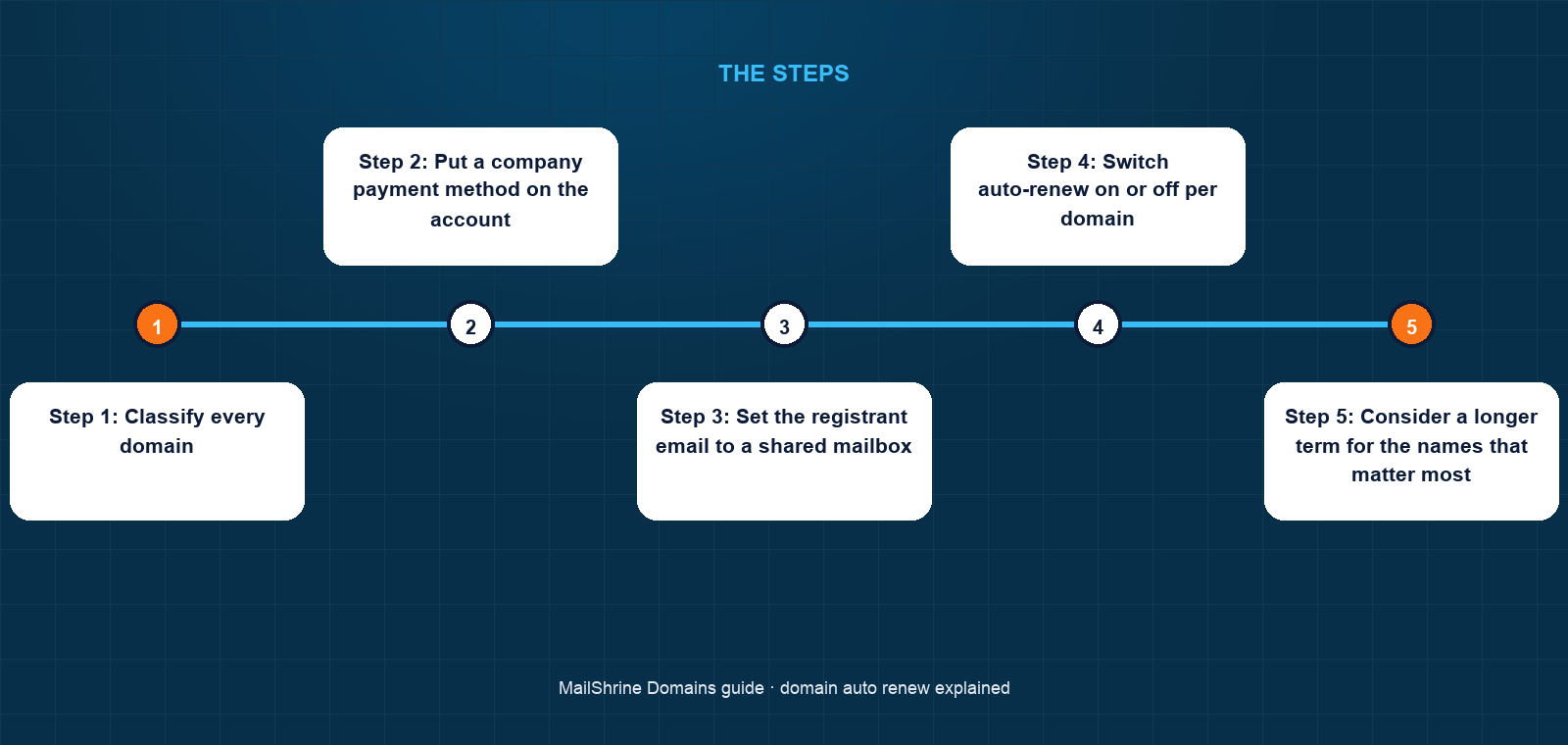
Step 1: Classify every domain
Write three columns: name, purpose, decision. Anything with mailboxes, logins, customer bookmarks or print collateral is "keep, auto-renew on". Anything from a finished campaign or an abandoned idea is "drop, auto-renew off" unless it still receives traffic or email you care about.
Step 2: Put a company payment method on the account
Add the business card and remove personal cards from the registrar account. If the company pays in Naira, set Paystack as the method where the registrar offers it so a USD block on the card is not the thing that ends your domain.
Step 3: Set the registrant email to a shared mailbox
Something like domains@safarifreight.co.ke that two or three people read. On MailShrine you can create it as one of the free business mailboxes on the domain itself. Reminders, receipts and failure notices all go there.
Step 4: Switch auto-renew on or off per domain
Open each domain and set the toggle to match the decision from Step 1. For the two campaign names Wanjiru switches it off and notes the expiry date so she can check they drop cleanly.
Step 5: Consider a longer term for the names that matter most
Auto-renew of a one-year term still means one charge attempt every year. Renewing the main domain for five years reduces the number of times a card has to work from five to one. The two protections compound.
Step 6: Watch the first renewal cycle
The first time a domain auto-renews after the change, confirm the receipt arrives in the shared mailbox and the expiry date moved. After that the process is routine.
Wanjiru's checklist
- Listed five domains with a keep-or-drop decision for eachCompleted
- Replaced the finance manager's card with the company cardCompleted
- Created
domains@safarifreight.co.keand set it as registrant email on every nameCompleted - Auto-renew on for
.co.ke,.comand the misspelling; off for both campaign domainsCompleted - Renew the main
.co.kefor five years at the next cycleNot completed - Check in April that the first campaign domain expired and dropped without a chargeNot completed
Common mistakes
Treating auto-renew as a guarantee. It is a charge attempt. If the attempt fails and nobody reads the email, the domain expires on schedule. The payment method is the real safeguard.
Leaving a personal card on a business account. When the owner of that card changes banks, every domain on the account is one declined transaction from the grace period.
Turning auto-renew off "to avoid surprise charges" on the main domain. The surprise you avoid is a $12.99 receipt. The surprise you invite is a competitor holding your name.
Disputing the renewal charge with the bank. A chargeback on a domain renewal often leads the registrar to reverse the renewal and suspend the account. If a charge was unwanted, ask the registrar for a refund within their window instead.
Forgetting that auto-renew follows the domain, not you. When you transfer a domain to a new registrar, the setting resets to that registrar's default. Check it after every transfer.
Check your work
Open each domain and confirm three things: the auto-renew toggle matches your decision, the payment method shown is the company one, and the registrant email is the shared mailbox. Then look at the expiry date and ask whether, if every reminder went unread, the domain would still renew. For the names you are keeping, the answer should be yes. For the names you are dropping, you should have a calendar entry to confirm they expired.
FAQ
When does auto-renew charge my card?
Shortly before the expiry date, after the reminder emails have gone out. The exact lead time depends on the registrar; MailShrine's reminders at 30, 7 and 1 day tell you the charge is approaching.
What happens if auto-renew fails?
The registrar retries and emails you. If no payment succeeds by the expiry date, the domain expires and enters the normal grace period, where you can still renew manually at the standard price.
Can I turn auto-renew off for one domain and leave it on for others?
Yes. The setting is per domain. Keep it on for anything customers or email depend on and off for names you plan to let go.
Does auto-renew lock in my price?
No. It renews at the current renewal price for the extension when the charge happens. To protect against price increases, renew for multiple years instead.
Will I be refunded if auto-renew charged for a domain I meant to drop?
Many registrars will cancel a renewal and refund within a short window after the charge, because registries themselves allow a renewal to be undone for a few days. Ask the registrar directly rather than filing a chargeback.
Next steps
- How to Renew a Domain Name — the manual renewal steps when you want to control the term yourself.
- Should You Register a Domain for 10 Years? — pairing a long term with auto-renew for the names you can never lose.
- Letting a Domain Expire Safely: Checklist Before You Drop It — what to check before you switch auto-renew off for good.
Citations & References
- Reference: ICANN: Expired Registration Recovery Policy
- Reference: ICANN: Registrar Accreditation Agreement
- Reference: IETF RFC 3915: Domain Registry Grace Period Mapping for EPP
- Reference: ICANN: Life cycle of a typical gTLD domain name
Written by Marcus T., DNS and deliverability editor. Marcus writes about the plumbing under email: records, registrars and the renewal that keeps all of it switched on.