
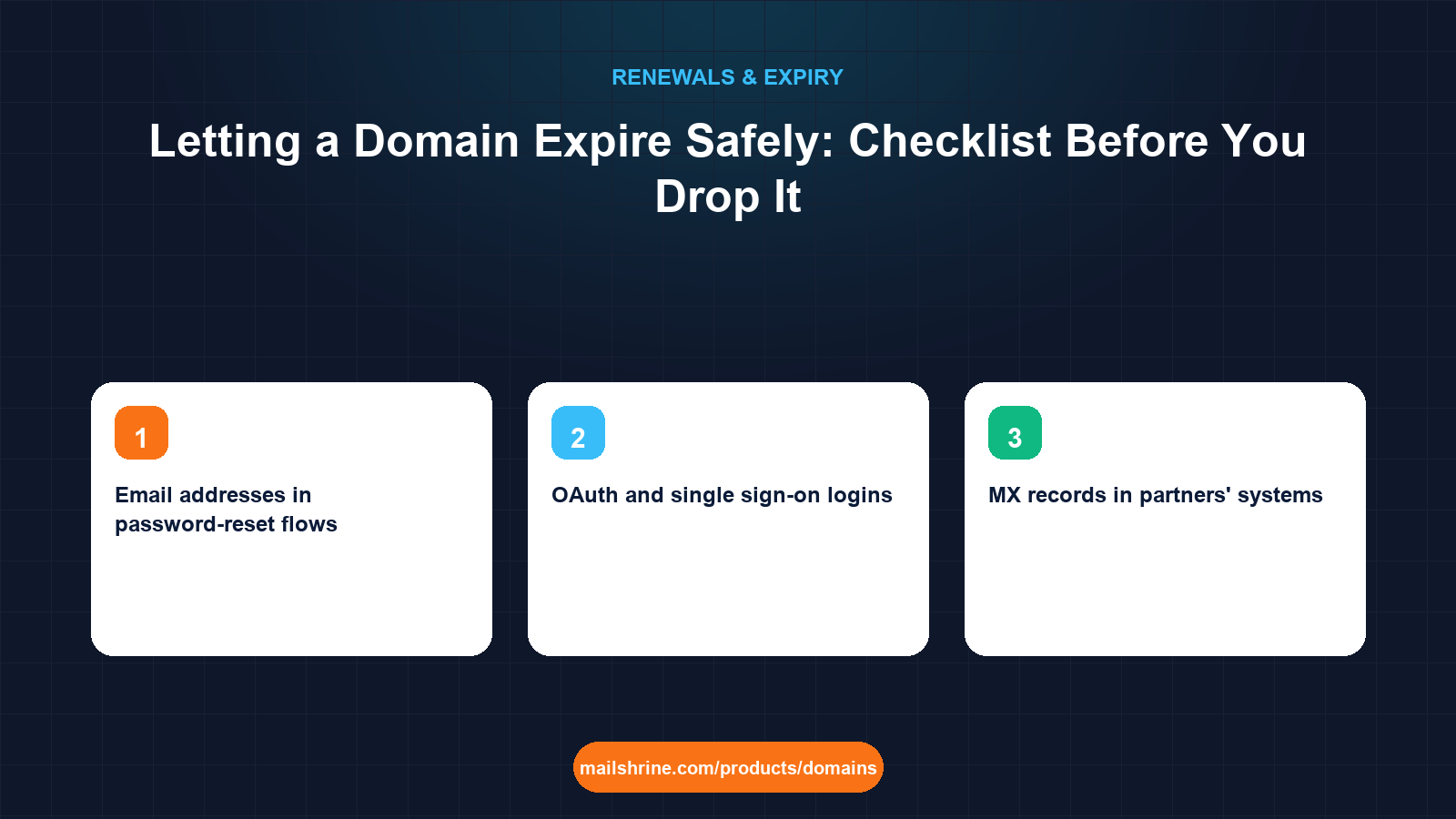
Letting a domain expire sounds like doing nothing, and that is the problem. A domain you drop does not vanish; it passes through grace, redemption and pending delete and then becomes available to anyone, including people who make a living out of names that used to belong to businesses. The day it drops, every email address on it can be re-created by the new owner, every password-reset link sent to those addresses lands in their inbox, every OAuth login that used an address on the domain can be hijacked, and every link to the old site now points at whatever the new owner puts there. None of that is theoretical; it is the standard playbook for domain-based account takeover.
Dropping a name safely therefore has two halves. First, remove the domain from everything that depends on it, so that the version a stranger picks up is empty. Second, decide whether dropping is actually cheaper than keeping, because at $12.99 a year a .com is often the least expensive insurance a business can buy against its own history.
MailShrine Domains lets you switch auto-renew off per domain so a name you have decided to drop expires on schedule without a charge, while the reminders at 30, 7 and 1 day still arrive so you can change your mind. If you keep the name but stop using it, the two free Business Email mailboxes are enough to run a catch-all that shows you who still writes to the old addresses.
Real-life example: Nadia's rebranded agency
Nadia Hoffmann runs a 15-person marketing agency in Berlin. Two years ago it rebranded from Hoffmann Digital to Kessel Studio, moving everything to kesselstudio.de. The old hoffmanndigital.com still redirects to the new site and still receives a trickle of email. Three one-year renewals have gone by on the finance team's card and someone has finally asked why they are paying for a name nobody uses. Nadia wants to either drop it cleanly or justify keeping it, and she does not want a stranger receiving her former clients' invoices.
Nadia's goals this week:
- Find every system, account and contact that still references the old domain.
- Decide, with numbers, whether dropping saves more than it risks.
- If dropping, leave nothing behind that a new owner could use against the agency or its clients.
What a new owner inherits when your domain drops
| Dependency left behind | What the new owner can do with it | How to remove it |
|---|---|---|
| Email addresses in password-reset flows | Reset passwords on SaaS, banking and social accounts by receiving the reset mail | Change the login email on every account to the new domain before expiry |
| OAuth and single sign-on logins | Sign in as the old addresses on services that trust the domain's email | Migrate or delete every account that used "Sign in with" on the old domain |
| MX records in partners' systems | Receive invoices, contracts and client data sent out of habit | Notify contacts, run a catch-all for months, then confirm the trickle has stopped |
| DNS verification TXT records | Prove ownership of the domain to services you once verified | Remove the domain from Google Search Console, Postmaster tools and any verified-sender lists |
| Inbound links and bookmarks | Serve any content, including phishing styled as your old brand | Update links you control; accept that external ones will follow the name |
| Printed and legal references | Confuse customers who find the old name on contracts and packaging | Audit documents and update those still in circulation |
Keep or drop: the arithmetic
| Factor | Keep at $12.99/yr | Drop |
|---|---|---|
| Annual cost | $12.99, or $129.90 for a decade | $0 |
| Risk of an attacker receiving mail to old addresses | None | Real, and permanent |
| Risk of phishing styled as your old brand | None | Real |
| Preserved redirects for old links and SEO | Yes | Lost at the drop |
| Effort | Set auto-renew on, forget it | A full detachment audit, then months of monitoring |
For a domain that ever carried business email, ten years of renewals costs less than one incident response. Nadia's old name sent and received agency and client mail for six years. The arithmetic says keep. Dropping makes sense for names that never had mailboxes or logins on them: campaign domains, defensive misspellings that never received mail, and ideas that never launched.
What you need before you start
| You need | Why it matters |
|---|---|
| The expiry date and a start date at least 90 days earlier | Detachment and monitoring take months; you cannot do this in the final week |
| Mail logs or a catch-all mailbox on the domain | The only reliable way to see who still writes to it |
| A list of every SaaS, bank and platform account the business holds | Each must be checked for a login or recovery email on the old domain |
| Access to DNS, Search Console and sender-verification tools | To remove the domain from systems that would otherwise still trust it |
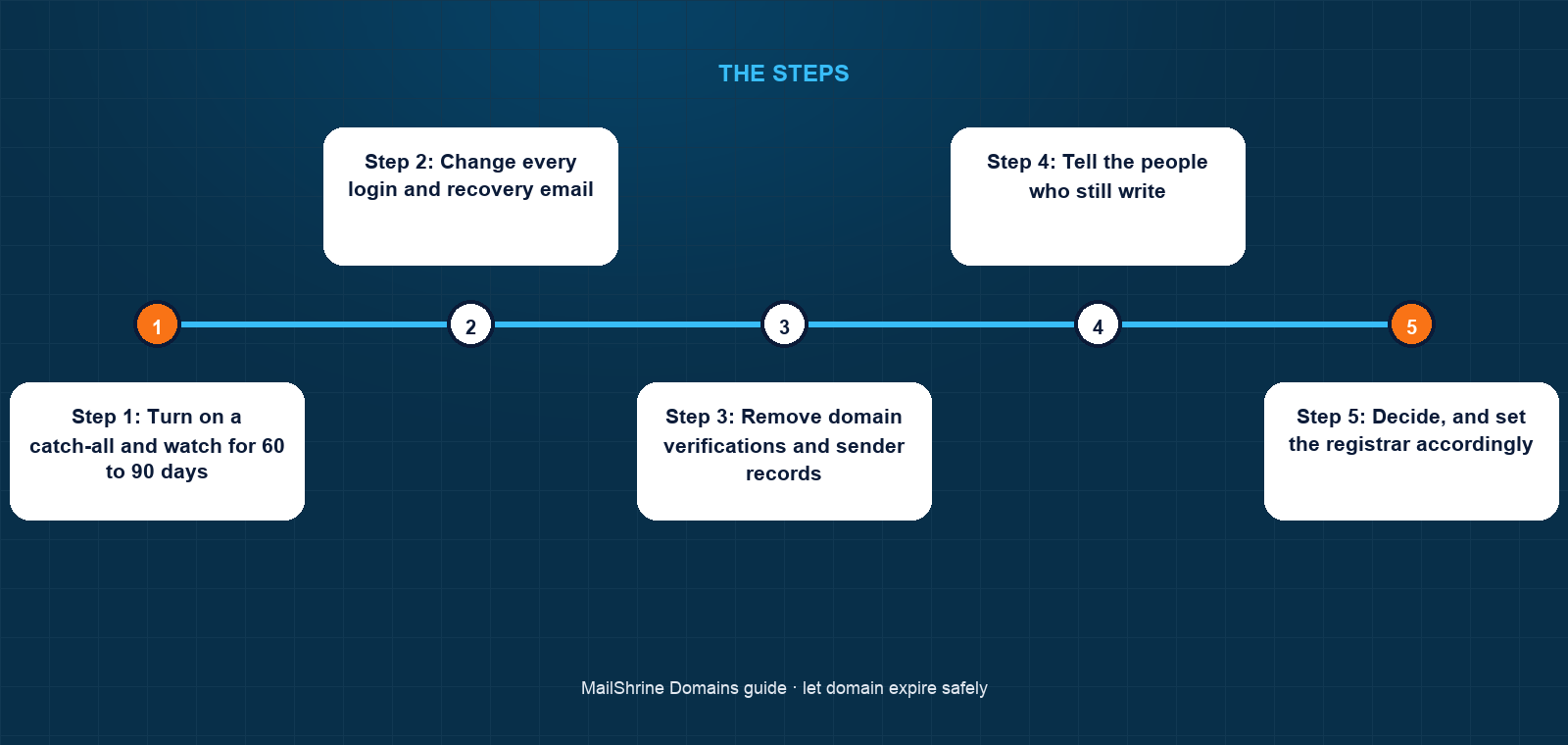
Step 1: Turn on a catch-all and watch for 60 to 90 days
Route every address on the old domain to one mailbox and read it. Nadia sees three categories: automated notifications from services still registered to old addresses, two clients who never updated their address books, and spam. Each of the first two is a task.
Step 2: Change every login and recovery email
Work through the account list. For each service showing an old-domain address as login, recovery or billing contact, change it to the new domain and confirm the verification mail arrives on the new address. This is the single most important step; it is what stops the new owner resetting your passwords.
Step 3: Remove domain verifications and sender records
Delete the old domain from Google Search Console, Microsoft and Google postmaster tools, and any email platform where it is a verified sending domain. Remove its DKIM selectors and set SPF to v=spf1 -all and a DMARC record with p=reject for the final months, so nothing can legitimately send from it and receivers reject anything that tries.
Step 4: Tell the people who still write
Reply to the two clients from the new address and ask them to update their records. Put an auto-reply on the catch-all for the last 60 days stating the new domain. Check printed material and contracts that name the old address.
Step 5: Decide, and set the registrar accordingly
If the catch-all has gone quiet and every login is moved, switch auto-renew off and let the reminders count down. If the name carried business email for years, as Nadia's did, keep it: set auto-renew on, renew for a long term, and leave the -all SPF and reject DMARC in place so the name is harmless but still yours.
Step 6: After the drop, confirm the name is gone and stay alert
If you did drop it, check RDAP after the pending-delete stage to see who registered it. Watch for phishing that uses the old brand and remind former clients once more that the agency only writes from the new domain.
Nadia's checklist
- Catch-all on
hoffmanndigital.comreviewed for 90 days: 14 services, 2 clients, the rest spamCompleted - All 14 services moved to
@kesselstudio.delogins and recovery addressesCompleted - Domain removed from Search Console and the email platform's verified sendersCompleted
- SPF set to
v=spf1 -all, DMARCp=rejectCompleted - Decision taken to keep the name: renew for 10 years with auto-renew onNot completed
- Review the catch-all once a quarter and retire the auto-reply after a yearNot completed
Common mistakes
Dropping a domain that ever had mailboxes on it. The addresses live on in password-reset databases and address books for years. At $12.99 a year, keeping it is almost always cheaper than the first incident.
Letting the redirect be the only thing you check. A working redirect says nothing about which logins still use the old addresses. The catch-all mailbox does.
Leaving DKIM and a permissive SPF record in place. Until the drop, anything that still authenticates can send as you. Lock the mail records down months before expiry.
Starting the week before expiry. Grace and redemption give the registrant time to renew, not time to detach. The audit needs a full quarter.
Assuming nobody wants the name. Drop-catching services track any domain that has had a live website or mail flow. If it has history, someone will take it at the drop.
Check your work
Before auto-renew is switched off you should be able to show: a catch-all mailbox that has received no legitimate business mail for at least 60 days, an account list where every row shows a new-domain address, no verification records left for the old name in any tool, and SPF and DMARC set to reject. If any of those is incomplete, renew for one more year and finish. If you chose to keep the name instead, the dashboard should show auto-renew on and a multi-year expiry.
FAQ
Is it safe to let a domain expire?
Only if nothing depends on it. If the domain ever carried email, the addresses can be revived by whoever registers it next and used to reset passwords on your accounts. Detach every login and verification first, or keep the name.
How long does it take for an expired domain to become available to someone else?
About 75 to 80 days on a .com: up to 45 days of grace, 30 days of redemption and 5 days of pending delete. After that anyone can register it, and names with history are usually caught within seconds of the drop.
Should I keep an old domain after a rebrand?
If it had mailboxes or inbound links, yes, usually for years. Keep auto-renew on, point it at the new site, run a catch-all, and lock down SPF and DMARC so nobody can send from it.
Can I just turn off auto-renew and walk away?
You can, and the domain will expire on schedule, but the risks above do not care whether the expiry was intentional. Turning auto-renew off is the last step of the process, not the first.
What DNS records should I set on a domain I am retiring?
SPF of v=spf1 -all, a DMARC record with p=reject, removal of all DKIM selectors, and MX pointing at a catch-all mailbox you read until you are sure the mail has stopped.
Next steps
- Auto-Renew for Domains: Pros, Cons and How It Works — the setting you switch off at the very end, and how it behaves.
- What Happens When a Domain Expires? Timeline Explained — the stages your dropped name will pass through.
- Should You Register a Domain for 10 Years? — the alternative when keeping the name is the safer choice.
Citations & References
- Reference: IETF RFC 7489: Domain-based Message Authentication, Reporting, and Conformance (DMARC)
- Reference: IETF RFC 7208: Sender Policy Framework (SPF)
- Reference: ICANN: Expired Registration Recovery Policy
- Reference: Google Search Central: Site moves with URL changes
Written by Marcus T., DNS and deliverability editor. Marcus writes about the plumbing under email: records, registrars and the renewal that keeps all of it switched on.