
A domain transfer moves the management of a name from one registrar to another. The name itself never moves; it stays in the same registry database, with the same nameservers and the same expiry rules. What changes is the company allowed to renew it, lock it and edit its contacts on your behalf. Because of that, a transfer is less like moving house and more like changing the letting agent for a flat you already live in.
ICANN's Transfer Policy fixes the shape of every generic-extension transfer: the domain must be unlocked, you must hold a valid authorization code (also called an EPP code or transfer key), the domain must be older than 60 days, and the losing registrar has five calendar days to object before the registry completes the move on its own. Everything a registrar adds on top of that is procedure, not rule.
MailShrine Domains accepts transfers for 150+ extensions. A transfer-in costs one year of renewal, adds that year to your existing expiry date, and if the losing registrar rejects it you get a full refund. Privacy and transfer lock are switched on the moment the name lands, and the DNS editor is open before the transfer completes so you can rebuild records in advance.
Real-life example: Wanjiru's showroom
Wanjiru Kamau runs Kamau Interiors, a furniture showroom in Nairobi with a six-person team. She registered kamauinteriors.co.ke and kamauinteriors.com four years ago with a reseller her first web designer picked. The designer has moved on, the reseller's panel still asks for a Flash plugin, and the renewal invoice for the .com arrived at $34.
Wanjiru's goals this week:
- Move both names to a registrar she controls herself, with the staff mailboxes untouched.
- Pay the standard renewal price instead of the reseller's markup.
- Finish before the .com expires in 41 days so there is no risk of losing it.
What a transfer changes and what it does not
| Item | Before transfer | After transfer |
|---|---|---|
| Registry record | Verisign holds kamauinteriors.com | Verisign still holds it; only the sponsoring registrar field changes |
| Expiry date | 41 days away | 1 year and 41 days away (the transfer year is added) |
| Nameservers | Whatever is set now | Unchanged by the transfer itself |
| DNS records | Hosted wherever the nameservers point | Unchanged if hosted elsewhere; lost if hosted on the old registrar's nameservers once that account closes |
| Registrant contact | Wanjiru | Wanjiru (a transfer is not a change of owner) |
| Transfer lock | Must be off to start | Back on by default at MailShrine |
The row that catches people out is DNS. If the old registrar also hosts your DNS zone, those records live in that registrar's system, not in the registry. When the transfer completes and the old account is closed, the zone can vanish. The fix is to copy every record to the new registrar before the move, which is covered in Step 3 below.
The five domain statuses you will see
Registries publish a status on every domain. You can read it with any RDAP or WHOIS lookup, and it tells you whether a transfer can even start.
| Status | Meaning | Can you transfer? |
|---|---|---|
ok or active | No restrictions | Yes |
clientTransferProhibited | Transfer lock set by the current registrar | Not until you unlock it in the old dashboard |
serverTransferProhibited | Lock set at registry level, usually a dispute or court order | No; contact the registry through your registrar |
pendingTransfer | A transfer request is already in progress | No second request until this one finishes |
redemptionPeriod or pendingDelete | Domain has expired past the grace window | No; it must be restored first |
What you need before you start
| You need | Why |
|---|---|
| Login to the current registrar | To unlock the domain and request the auth code |
| Access to the registrant email on file | Approval and confirmation messages go there, not to your account email |
| A domain at least 60 days old | ICANN forbids transfers within 60 days of registration or a previous transfer |
| A copy of your current DNS records | Export or screenshot every A, CNAME, MX and TXT record |
| At least 10 days before expiry | Transfers can take up to 5 days; cutting it finer risks the domain expiring mid-transfer |
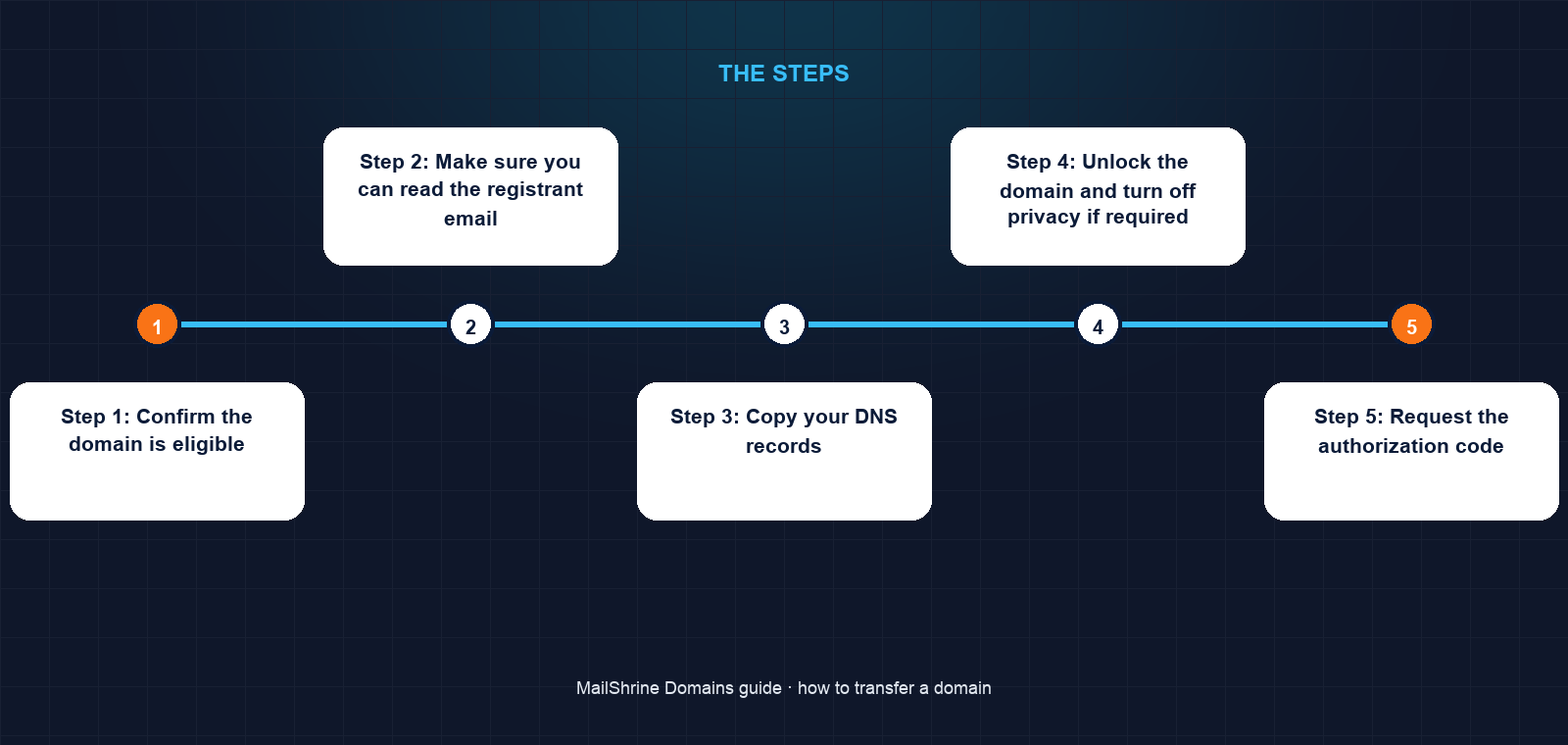
Step 1: Confirm the domain is eligible
Look the name up at a public RDAP service such as lookup.icann.org. Check three fields: the creation date (older than 60 days), the status (no serverTransferProhibited or pendingDelete), and the expiry date. Wanjiru's .com shows clientTransferProhibited, which is normal and simply means she has to unlock it.
Step 2: Make sure you can read the registrant email
Open the contact details at the old registrar. If the registrant email is the ex-designer's address, change it to yours now. Under ICANN rules a registrant email change can trigger a fresh 60-day lock at some registrars, so look for the option to decline that lock before saving. If the registrar offers no opt-out, a safer path is to leave the contact as it is and ask the designer to forward the single approval message.
Step 3: Copy your DNS records
In the old DNS panel, record every entry. Wanjiru has an A record for the website, a CNAME for www, two MX records for the staff mailboxes, an SPF TXT record and a DKIM record. She recreates them in MailShrine's DNS editor before requesting the transfer, so the zone is ready the second the nameservers change. If your nameservers already point to a third party such as Cloudflare, skip this step; the transfer does not touch them.
Step 4: Unlock the domain and turn off privacy if required
Find the lock setting in the old dashboard and switch it off. Most registrars no longer require privacy to be disabled, because the losing registrar's confirmation goes to the real registrant email behind the privacy shield. If yours still asks, disable it only for the days the transfer runs.
Step 5: Request the authorization code
The code is a string of 8 to 32 characters generated by the current registrar. It is usually emailed to the registrant address or shown once in the panel. Treat it like a password. Under ICANN's revised policy the code must be unique per request and expire within 14 days, so request it when you are ready to use it, not weeks ahead.
Step 6: Submit the transfer at the gaining registrar
Search the name in MailShrine's transfer tool, paste the code, and pay the one-year transfer fee. MailShrine checks the code against the registry immediately. A wrong code fails here, in seconds, rather than days later.
Step 7: Approve and wait
The old registrar emails the registrant with a link to confirm or deny. Confirm it and most gTLD transfers finish within minutes to a few hours. Ignore it and the registry auto-approves after five calendar days. Once complete, the domain appears in the MailShrine dashboard with lock and privacy already on. Check the expiry date gained a year, then change the nameservers to MailShrine's if you rebuilt DNS there in Step 3.
Wanjiru's checklist
- Confirmed both names are over 60 days old and not under a server lockCompleted
- Updated the registrant email from the old designer to her ownCompleted
- Exported five DNS records and recreated them in MailShrineCompleted
- Unlocked both domains and requested two auth codesCompleted
- Submitted both transfers and paid the two one-year feesNot completed
- Approved both confirmation emails the same afternoonNot completed
- Switched nameservers after confirming the new zone resolvesNot completed
Common mistakes
Starting a week before expiry. Many registrars refuse to release a domain in its final days, and if it expires mid-transfer the request is cancelled. Begin at least ten days out, or renew first and transfer later. The renewal year is not lost; the transfer year is added on top.
Transferring within 45 days of a renewal. Registries let the losing registrar reclaim a renewal made in the 45-day auto-renew grace window. If the old registrar auto-renewed and you transfer immediately, you can end up with the transfer year but not the renewal year. Check the expiry date after completion.
Losing the zone file. The transfer completes, the old account is closed, and email stops because the MX records lived on the old registrar's nameservers. Copy records first, always.
Forgetting the second name. Wanjiru's .co.ke follows KeNIC's process, not ICANN's, and its own timeline. Country-code extensions each have different rules, from no auth code at all to a form the registry must approve.
Check your work
Run an RDAP lookup on the domain. The registrar field should now read MailShrine's accredited registrar partner, the expiry should be one year later than before, and the statuses should include clientTransferProhibited again, which means lock is back on. Send a test email to one of your staff mailboxes and open the website. If both work, the move is complete.
FAQ
Does transferring a domain renew it?
Yes for generic extensions such as .com, .net and .org. ICANN requires the gaining registrar to add one year to the current expiry, up to a maximum of ten years total. Some country-code registries do not add a year, so check the rule for your extension.
Can I transfer a domain that expired last week?
If it is still in the registrar's renewal grace period, most registrars let you renew it and then transfer. If it has entered redemption, it must be restored, which costs more, before any transfer can start.
Will my website or email go offline?
Not because of the transfer itself. Nameservers are preserved. Downtime happens only when DNS records were hosted on the old registrar's nameservers and were not recreated before the account closed.
What if the old registrar does not send the auth code?
ICANN requires registrars to provide the code within five calendar days of a request. If yours stalls past that, file a transfer complaint with ICANN Contractual Compliance, quoting the dates you asked.
Do I need to change my nameservers after the transfer?
Only if you want to. If your DNS is hosted at Cloudflare or your web host, leave the nameservers alone. If it was hosted at the old registrar, point them at MailShrine's nameservers once your records are recreated.
Next steps
- How Long Does a Domain Transfer Take? — the five-day clock and what actually controls it.
- The 60-Day Transfer Lock Rule Explained — why a new or recently moved name cannot transfer yet.
- Will My Email and Website Go Down During a Transfer? — the DNS hosting question that decides it.
Citations & References
- Reference: ICANN: Transfer Policy
- Reference: ICANN: EPP status codes and what they mean
- Reference: RFC 5731: EPP Domain Name Mapping (transfer command)
- Reference: ICANN: Registrant FAQs on transfers
Written by Elena V., migrations editor. Elena has moved several thousand domains between registrars and writes the steps in the order that keeps mail flowing.