
A domain transfer does not cause downtime by itself. The registry keeps the same nameservers on the domain before, during and after the move, and your website and email never consult the registrar of record to work. What causes downtime is a separate question that happens to be asked at the same time: where is your DNS zone hosted? If it lives on the losing registrar's nameservers, it can disappear when the domain leaves. If it lives anywhere else, a transfer is invisible to visitors and senders.
That distinction explains every "my email stopped after the transfer" story. The transfer finished, the old registrar deleted the zone it was no longer being paid to host, and the MX records went with it. The remedy is not to avoid transfers. It is to make sure the records exist at the new DNS host before the old one removes them, and to understand how caching smooths over the switch.
MailShrine Domains opens its Anycast DNS editor on a transfer the moment you submit it, so you can rebuild the full zone while the request is still pending. For domains that will use MailShrine mailboxes, the MX, SPF, DKIM and DMARC records are provided so the mail side of the zone needs no typing. Privacy and transfer lock are free and switched on when the name lands.
Real-life example: Rahul's dental clinic
Rahul Mehta runs Mehta Dental Care, a two-chair clinic in Mumbai with a receptionist and an online booking page. The clinic's domain mehtadental.in and its .com twin are at a registrar that also hosts the DNS. Appointment confirmations go out from appointments@mehtadental.com through a transactional email service, and patients reply to that address. He is moving both names and cannot afford a day of lost replies or a booking page that does not load.
Rahul's goals:
- Know for certain whether his setup is the kind that goes down or the kind that does not.
- Move the DNS zone so that no record, including DKIM for the email service, is ever missing.
- Prove the mail path works before, during and after the switch.
The one question that decides it
Look up the domain's nameservers with a DNS tool or RDAP. Then answer this: are those nameservers run by the registrar you are leaving?
| Your nameservers | Where the zone lives | Risk from the transfer | What to do |
|---|---|---|---|
The losing registrar's (for example ns1.registrar.example) | In the losing registrar's DNS system | High: the zone can be deleted when the domain leaves | Rebuild the zone at the new host, then switch nameservers |
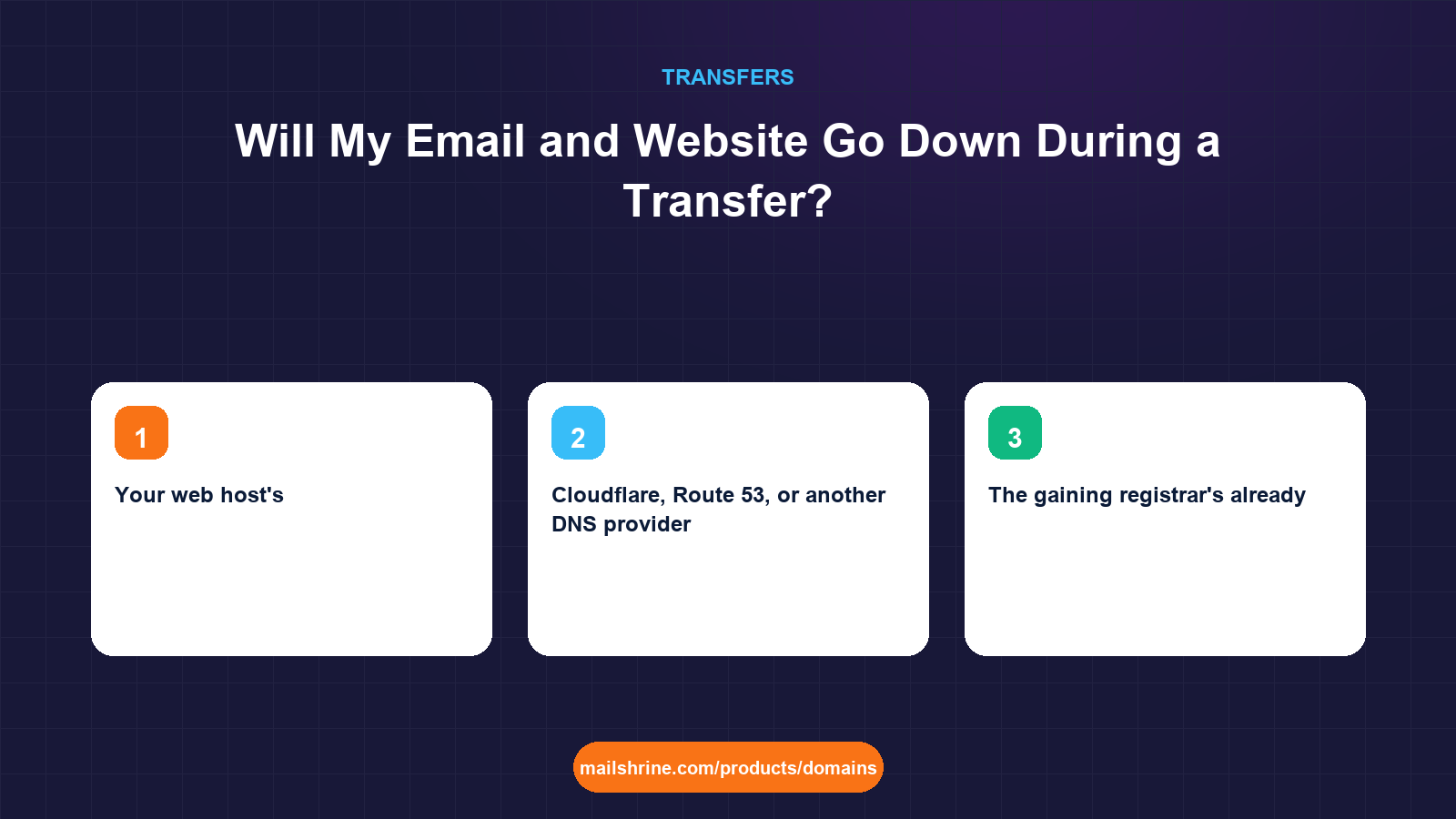
| Your web host's | At the host, unrelated to the registrar | None | Nothing; leave nameservers alone |
| Cloudflare, Route 53, or another DNS provider | At that provider | None | Nothing |
| The gaining registrar's already | At the gaining registrar | None | Nothing |
Rahul's .com uses the losing registrar's nameservers. That puts him in the first row. His .in is on Cloudflare and needs no DNS work at all.
What happens to each service during a correctly prepared move
| Service | Depends on | During pending transfer | At completion | After nameserver switch |
|---|---|---|---|---|
| Website | A or CNAME record | Unchanged | Unchanged | Served from the new zone with the same value |
| Incoming email | MX records | Unchanged | Unchanged | Same MX values from the new zone |
| Outgoing email authentication | SPF, DKIM, DMARC TXT records | Unchanged | Unchanged | Same values; DKIM selector must be copied exactly |
| Third-party verifications | TXT records | Unchanged | Unchanged | Copied, so verifications stay valid |
| Subdomains (booking, status pages) | CNAME or A records | Unchanged | Unchanged | Copied |
The key word is "copied". If every record exists at both nameserver sets with identical values, the switch is a non-event. Resolvers that still hold the old nameservers in cache get the same answers as resolvers that have moved to the new ones.
What you need before you start
| You need | Why |
|---|---|
| A full export or list of every DNS record | Each missing record is a service that stops |
| The DKIM selector and public key from your email service | The most commonly forgotten record, and the one that silently breaks deliverability |
| The current TTL of your NS records at the registry | For .com this is 2 days; it bounds how long old nameservers stay in cache |
| A DNS lookup tool | To verify both zones answer identically before you switch |
| A test mailbox outside your domain | To send and receive proof messages |
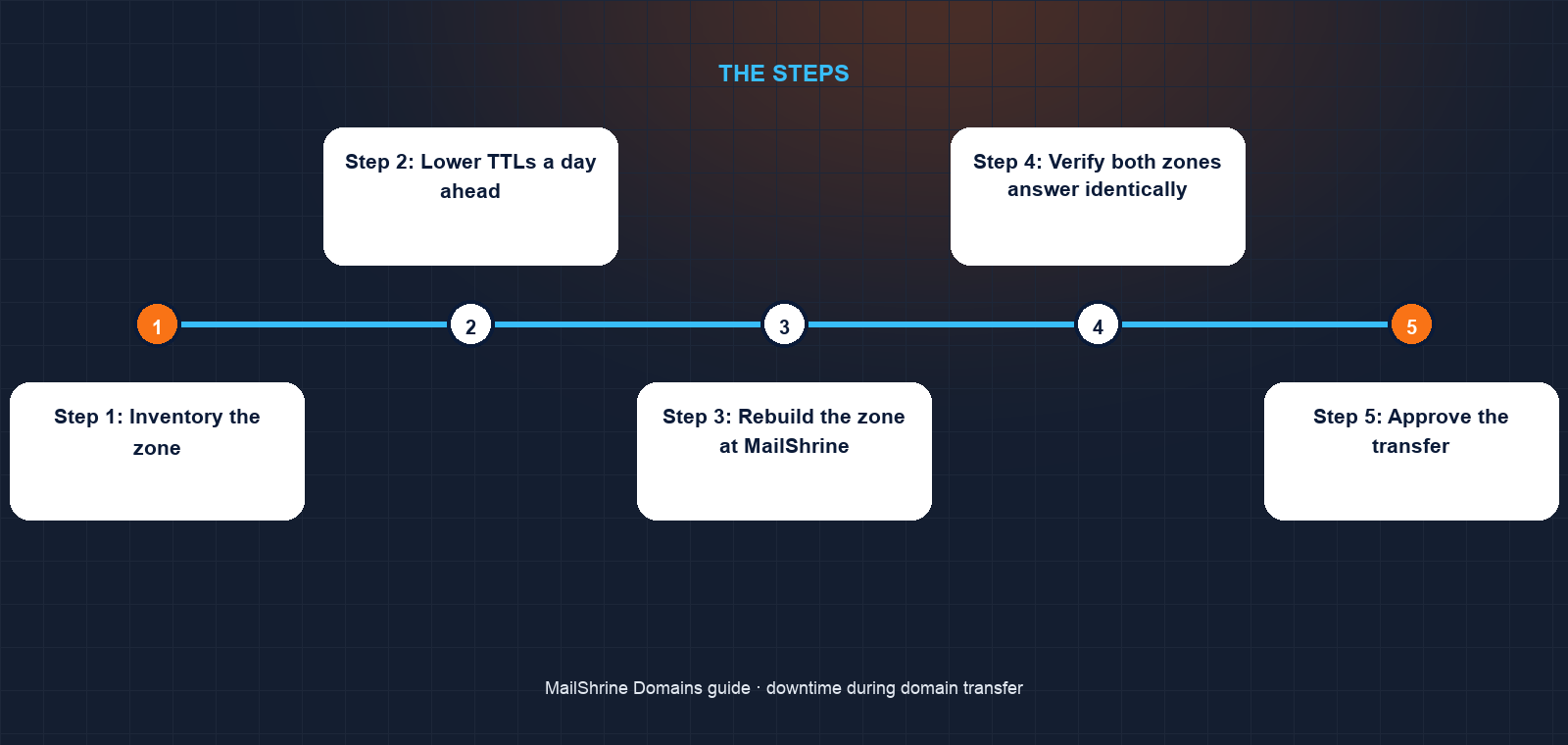
Step 1: Inventory the zone
Rahul lists every record on the .com: an A record for the booking page, a www CNAME, two MX records for the clinic's mail provider, an SPF TXT including both the mail provider and the transactional service, a DKIM TXT at em1._domainkey for the transactional service, a DMARC TXT at _dmarc, and a TXT verification for Google Search Console. Eight records.
Step 2: Lower TTLs a day ahead
In the old DNS panel, he sets each record's TTL to 300 seconds. Any mistake he makes later will be visible, and fixable, within five minutes instead of hours. He gives it 24 hours so every cache has picked up the shorter TTL.
Step 3: Rebuild the zone at MailShrine
He submits the transfer and opens the DNS editor on the pending domain. He recreates all eight records, pasting the DKIM value from the email service's dashboard rather than from the old zone to avoid a truncated key.
Step 4: Verify both zones answer identically
Using a DNS lookup tool, he queries MailShrine's nameservers directly for each record and compares the answers to the live ones. The DKIM record initially differs by one character, a trailing semicolon lost in copying, which he fixes before going further.
Step 5: Approve the transfer
The transfer completes. Nothing changes for patients because the nameservers are still the old registrar's and their zone is still live.
Step 6: Switch nameservers, then test for 48 hours
He changes the nameservers to MailShrine's. The registry publishes the change within minutes; resolvers move across as their cache of the old NS records expires, up to two days for .com. Because both zones match, the only visible change is in a DNS lookup showing which servers answered. He sends a test booking confirmation each morning for two days and watches it pass DKIM and DMARC.
Step 7: Only then close the old account
With the switch complete and verified, he closes the old registrar account. The old zone is deleted, and no resolver is still asking it anything.
Rahul's checklist
- Confirmed the .com zone lives at the losing registrar and the .in does notCompleted
- Listed all eight records including the DKIM selectorCompleted
- Lowered TTLs to 300 seconds a day before the moveCompleted
- Rebuilt the zone at MailShrine and fixed a truncated DKIM valueCompleted
- Approved the transferNot completed
- Switched nameservers and watched test confirmations pass DMARC for 48 hoursNot completed
- Closed the old account only after the cache window passedNot completed
Common mistakes
Closing the old account the day the transfer completes. Resolvers may still be sending queries to the old nameservers for up to the NS TTL. Delete the old zone early and some visitors get no answer at all.
Forgetting DKIM. Website and MX are obvious. The DKIM TXT record for an email service is not, and when it vanishes mail still sends but lands in spam. Copy the selector exactly.
Switching nameservers before the new zone is complete. Resolvers that pick up the new nameservers immediately get whatever is there. Verify the new zone answers identically first.
Assuming the transfer is what moved DNS. The transfer changes the registrar. You changed the DNS by switching nameservers. Treating them as separate steps makes the risk in each one visible.
Check your work
Query the MX, SPF, DKIM and DMARC records against a public resolver and against the new nameservers directly. The answers must match. Send a message from an outside account to your domain and reply to it; check the received message's authentication headers for spf=pass, dkim=pass and dmarc=pass. Load the website and any subdomains. If all of that holds for two consecutive days, the move cost zero downtime.
FAQ
Does the transfer itself ever take a website offline?
No. The registry does not change nameservers during a transfer, so the website keeps resolving to the same place. Outages come from DNS zone changes, not from the registrar change.
How long is email at risk if I did not copy the records?
From the moment the old zone is deleted until the new one is complete, which could be minutes or days depending on when you notice. Mail servers retry for up to a few days, so some messages may still arrive late rather than bounce, but many senders give up sooner.
Should I switch nameservers before or after the transfer?
Either works if the new zone is complete. Switching before is slightly safer because the old registrar still holds the domain and will not delete anything, and it lets you verify the new zone under real traffic before the registrar change.
Why do DNS lookups show both old and new nameservers for a while?
Resolvers cache the NS records for the parent zone's TTL, which is two days for .com. Until each cache expires, some resolvers ask the old servers and some the new. Identical zones make this harmless.
Do I need to tell my email provider about the transfer?
No. Your provider only needs the MX, SPF and DKIM records to exist. It does not know or care which registrar holds the domain.
Next steps
- Transferring a Domain vs Changing Nameservers — why these are two different operations.
- How to Transfer a Domain to Another Registrar — the transfer steps in order.
- How Long Does a Domain Transfer Take? — the timeline, including the cache window.
Citations & References
- Reference: RFC 1034: Domain Names, Concepts and Facilities (caching and TTL)
- Reference: RFC 6376: DomainKeys Identified Mail (DKIM) Signatures
- Reference: Cloudflare Learning: What is DNS propagation?
- Reference: ICANN: Transfer Policy
Written by Marcus T., DNS and deliverability editor. Marcus has never seen a transfer cause downtime, and has seen plenty of deleted zones do it.