
Moving a domain out of Namecheap is one of the cleaner registrar exits. The lock, the auth code and the approval all live on one page of the domain's detail view, the code is shown on screen as well as emailed, and Namecheap's own nameservers are clearly labelled so you can tell at a glance whether DNS will come with you or not. The things that still trip people up are Namecheap-specific: the "Sharing & Transfer" tab is not where new users look, the free "BasicDNS" and "PremiumDNS" zones disappear when the domain leaves, and the email forwarding many customers rely on is part of that zone.
Under ICANN's Transfer Policy the registry only cares about three facts: the domain is unlocked, the code is valid, and the name is more than 60 days past registration, last transfer or last registrant change. Everything else is Namecheap's interface.
MailShrine Domains accepts transfers from Namecheap across 150+ extensions. You pay one year of renewal at the price shown before checkout, that year is added to your current expiry, and a rejected transfer is refunded in full. Transfer lock and WHOIS privacy are free and on from the moment the name arrives, and the DNS editor is available on the pending transfer so you can rebuild your zone before the switch.
Real-life example: Priya's tutoring platform
Priya Nair runs Lumen Tutors, an online maths tutoring service in Toronto with four contract tutors. She bought lumentutors.com on Namecheap in her first year and has been using Namecheap's free email forwarding to send priya@lumentutors.com to her personal Gmail. Replies go out from Gmail, parents notice the mismatch, and a school board recently asked her to send from a proper domain address with DMARC in place.
Priya's goals:
- Consolidate the domain, DNS and mailboxes with one provider she can hand to a bookkeeper later.
- Replace forwarding with four real mailboxes, one per tutor, without a gap in incoming mail.
- Keep the booking site, hosted on Vercel, online during the move.
Where each setting lives in Namecheap
| What you need to do | Where it is in Namecheap | Notes |
|---|---|---|
| Check eligibility dates | Domain List, domain, "Details" tab | Shows creation date and last modified |
| Turn off the transfer lock | "Sharing & Transfer" tab, "Transfer Out", Domain Lock toggle | Also under Domain List, "Manage", lock icon |
| Get the auth code | "Sharing & Transfer" tab, "Transfer Out", "Auth Code" | Shown on screen and emailed to the registrant |
| Approve a pending transfer | Email from Namecheap, or Domain List, "Transfers Out" | Approving skips the 5-day wait |
| Export DNS records | "Advanced DNS" tab | No one-click export; copy records manually or via screenshot |
Namecheap also separates two concepts people confuse: Domain Lock (the registry transfer lock) and Registrar Lock on some ccTLDs. For gTLDs you only need to switch off Domain Lock.
Which Namecheap DNS are you on?
Open the Domain tab and read the Nameservers section. The answer decides how much work the transfer involves.
| Nameservers shown | What it means | What happens after transfer |
|---|---|---|
dns1.registrar-servers.com / dns2.registrar-servers.com | Namecheap BasicDNS, free | Zone is removed when the domain leaves; recreate records first |
pdns1.registrar-servers.com and similar | Namecheap PremiumDNS, paid | Same; the subscription also lapses |
dns1.namecheaphosting.com | Namecheap shared hosting | DNS lives with the hosting account; keep hosting or move DNS |
| Anything else (Cloudflare, Vercel, a mail host) | Third-party DNS | Nothing changes; leave nameservers alone |
Priya is on BasicDNS. Her zone has a CNAME to Vercel, an A record Vercel told her to add, five MX records from Namecheap's forwarding, an SPF record and two TXT verification records. All of it has to be rebuilt somewhere else before the transfer completes.
What you need before you start
| You need | Why |
|---|---|
| Namecheap login and 2FA device | Lock and code changes require a confirmation |
| Access to the registrant email on the WHOIS contact | Namecheap sends the approval email there |
| Domain older than 60 days with no registrant change in 60 days | ICANN rule; Namecheap applies the post-change lock unless you opted out |
| A list of every Advanced DNS record | Namecheap has no zone export |
| More than 10 days before expiry | Namecheap allows transfer-out close to expiry, but mid-transfer expiry cancels the request |
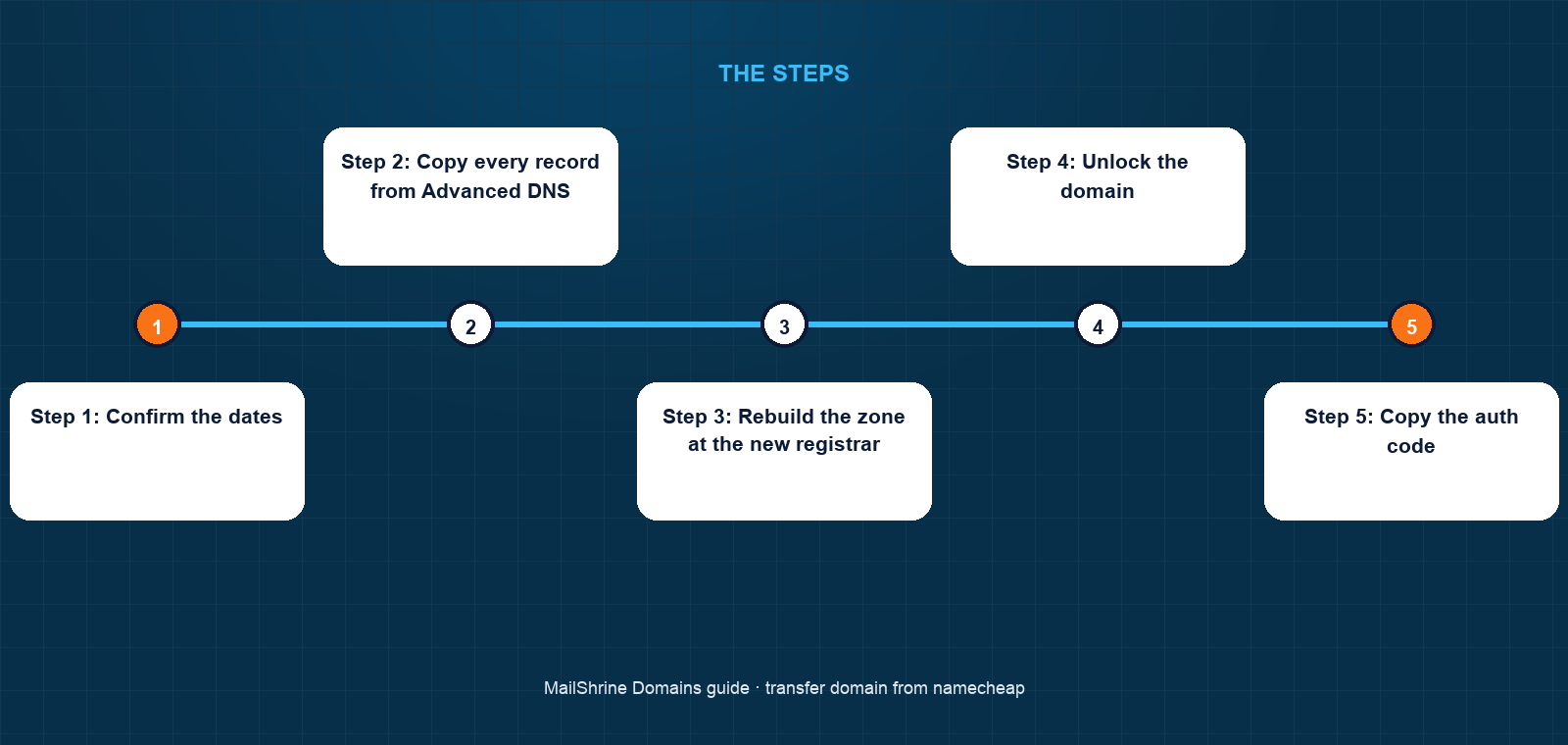
Step 1: Confirm the dates
Open Details and note the creation date. Then recall whether you edited the registrant name, organisation or email in the past two months. Namecheap asks at that moment whether to apply the 60-day lock; if you accepted, the Details tab shows "Transfer lock until" with a date.
Step 2: Copy every record from Advanced DNS
Work down the Host Records list and write each one down: type, host, value, TTL. Priya copies ten records. She decides to drop the five forwarding MX entries because real mailboxes will replace them, which leaves five to recreate.
Step 3: Rebuild the zone at the new registrar
In MailShrine's DNS editor on the pending transfer, add the Vercel CNAME and A record and the two verification TXT records. The email records for MX, SPF, DKIM and DMARC are provided for the mailboxes, so Priya does not type those. She uses a 300-second TTL on the records she adds.
Step 4: Unlock the domain
Go to Sharing & Transfer, Transfer Out, and switch Domain Lock off. Namecheap confirms with a code or push notification. Within minutes an RDAP lookup will drop the clientTransferProhibited status.
Step 5: Copy the auth code
On the same page, click the Auth Code button. Namecheap shows it on screen and emails a copy. Copy it directly from the page to avoid transcription mistakes with ambiguous characters. The code stays valid until you relock the domain or regenerate it.
Step 6: Submit at the gaining registrar
Enter lumentutors.com in the MailShrine transfer tool, paste the code and pay the one-year fee. The code is checked against Verisign immediately. Priya's goes through on the first try.
Step 7: Approve at Namecheap
Namecheap emails the registrant a transfer-out notice with Approve and Reject links, and also lists the request under Transfers Out in the dashboard. Approve it and the registry completes the transfer in minutes. Left alone, it auto-completes after five calendar days.
Step 8: Change nameservers and create mailboxes
When the domain appears in MailShrine, set the nameservers to MailShrine's. Priya creates her two free mailboxes in Business Email and adds the other two tutors on the Solo plan. Within an hour, incoming mail for priya@ lands in a real inbox instead of being forwarded.
Priya's checklist
- Confirmed the domain is 3 years old with no recent contact editsCompleted
- Wrote down all ten Advanced DNS records with TTLsCompleted
- Recreated the Vercel records and verification TXTs at MailShrineCompleted
- Turned Domain Lock off under Sharing & TransferCompleted
- Copied the auth code from the page and submitted the transferCompleted
- Clicked Approve in the Namecheap emailNot completed
- Switched nameservers and sent a test from an outside addressNot completed
Common mistakes
Looking for the lock under Advanced DNS. It is under Sharing & Transfer. Many users give up and open a support ticket for a toggle that was one tab over.
Assuming forwarding keeps working. Namecheap's email forwarding is a feature of BasicDNS. When the domain leaves, the zone is deleted and the forwarding with it. Have mailboxes or new MX records ready before you approve.
Relocking before the transfer completes. Switching Domain Lock back on while a request is pending invalidates the code and the registry rejects the transfer. Leave it off until the domain shows at the new registrar.
Forgetting PremiumDNS billing. If you were paying for PremiumDNS, cancel the subscription separately. Transferring the domain does not stop that charge automatically.
Check your work
Do an RDAP lookup and confirm three things: the registrar is no longer Namecheap, the expiry is one year later, and the status shows clientTransferProhibited from the new lock. Then load the booking site, and send a message to priya@lumentutors.com from a personal account. If the site loads and the message arrives in the new inbox, the migration is complete.
FAQ
Does Namecheap charge a fee to transfer out?
No. ICANN prohibits transfer-out fees on generic extensions. The only cost is the gaining registrar's one-year transfer fee, which also extends your expiry.
How long does a Namecheap transfer take?
If you approve the email, usually under an hour. If you ignore it, five calendar days. Namecheap releases the auth code instantly, so there is no wait at the start.
Will I keep the remaining registration time?
Yes. The time left carries over and the transfer adds a year on top, up to ten years in total. The only exception is a renewal processed within the previous 45 days, which the registry may reverse.
Can I move my Namecheap email forwarding?
Not as forwarding. Set up mailboxes at the new provider, or add forwarding there if it is offered. MailShrine gives two business mailboxes free with webmail, and more on paid plans.
What if the auth code is rejected?
Either the domain was relocked, the code was regenerated after you copied it, or a character was mistyped. Unlock, generate a fresh code on the Sharing & Transfer page and resubmit.
Next steps
- How to Transfer a Domain to Another Registrar — the registrar-neutral process.
- Transfer a Domain From GoDaddy — the same move from GoDaddy's dashboard.
- Transferring a Domain vs Changing Nameservers — when you do not need to transfer at all.
Citations & References
- Reference: Namecheap: How do I transfer my domain to another registrar?
- Reference: ICANN: Transfer Policy
- Reference: ICANN: Registrant FAQs on transfers
- Reference: RFC 5731: EPP Domain Name Mapping
Written by Elena V., migrations editor. Elena treats a registrar exit as a DNS job first and a paperwork job second, which is why her transfers do not drop mail.