
Your auth code (also called an EPP code, transfer key or authorisation code) is the password the registry demands before it will let another registrar take over your domain. On MailShrine it lives under My domains, behind the transfer lock: switch the lock off, click Auth code, and the code is shown to you and sent to the registrant email. There is no fee to leave, no waiting period beyond the registry's own 60-day rules, and no support ticket required.
This guide explains where the code is, what the lock does, which registry rules can still block the transfer even after you have the code, and how to keep email and your website online while the domain moves. It also covers the security side: the auth code is a secret, and the steps that make a transfer easy for you are the same steps a hijacker would take.
MailShrine Domains keeps transfer lock and WHOIS privacy on by default because they are the two controls that stop a stranger from doing exactly what this guide describes. Turning them off is a deliberate act you take on the day you leave. If you are only comparing, the transfer section at /products/domains#dom-transfer describes the inbound process.
Real-life example: Marco's roastery
Marco Bianchi runs a coffee roastery in Toronto. His company has been acquired by a larger group whose IT department consolidates every domain at one enterprise registrar. He needs to move bianchiroast.ca out of MailShrine on a date the group's IT team has set, with the website and the group's new Microsoft 365 mail untouched throughout.
Marco's goals this week:
- Get the auth code for
bianchiroast.caand hand it to IT securely, not over Slack. - Understand what, if anything, will go offline and when.
- Make sure nothing on the MailShrine side bills him again after the move.
The controls involved and what they do
| Control in My domains | Default | What it does during a transfer out |
|---|---|---|
| Transfer lock | On | Sets clientTransferProhibited at the registry. While on, every transfer request is refused automatically. Must be off. |
| Auth code | Hidden until lock is off | The registry-held secret the gaining registrar must present. Shown on screen and emailed to the registrant. |
| WHOIS privacy | On | Masks registrant data in RDAP. The gaining registrar's approval email goes to the registrant address, so forwarding must work or privacy should be off for the transfer. |
| Auto-renew | On | If the domain expires mid-transfer, auto-renew charges you. Turn it off once the transfer is confirmed, not before. |
| DNSSEC | Off by default | If on, the DS record at the registry must be removed before transfer or the domain can fail validation at the new registrar. |
The lock and the code are deliberately coupled. A code cannot be read while the lock is on, so a compromised dashboard session still has to flip a visible switch, and that flip generates a notification to the registrant.
Registry rules that can still block you
Having the code is necessary, not sufficient. ICANN's Transfer Policy and individual registries add these conditions:
- 60 days since registration or last transfer. The registry refuses transfers inside this window regardless of what either registrar wants.
- 60 days since a registrant change, if the registrar applies the optional post-change lock. MailShrine does not add one, but your previous registrar may have before the name arrived here.
- Not expired or in redemption. A name past expiry may transfer with odd results or fail outright. Renew first if expiry is within a week.
- ccTLD specifics.
.causes an auth code like.com..ukuses a registrar tag change instead of a code..deuses an AuthInfo code with a 30-day validity. The dashboard shows which applies.
What you need before you start
| You need | Why |
|---|---|
| Login to MailShrine with 2FA | The auth code is the keys to the domain; your account should be as hard to enter as the domain is valuable |
| Access to the registrant email | Approval requests from the gaining registrar go here |
| An account at the gaining registrar | They start the transfer and charge their one-year fee |
| A copy of your current DNS records | The new registrar does not copy your zone; only the nameservers move |
| The DS record removed, if DNSSEC is on | Avoids a validation failure the moment the new registrar's nameservers take over |
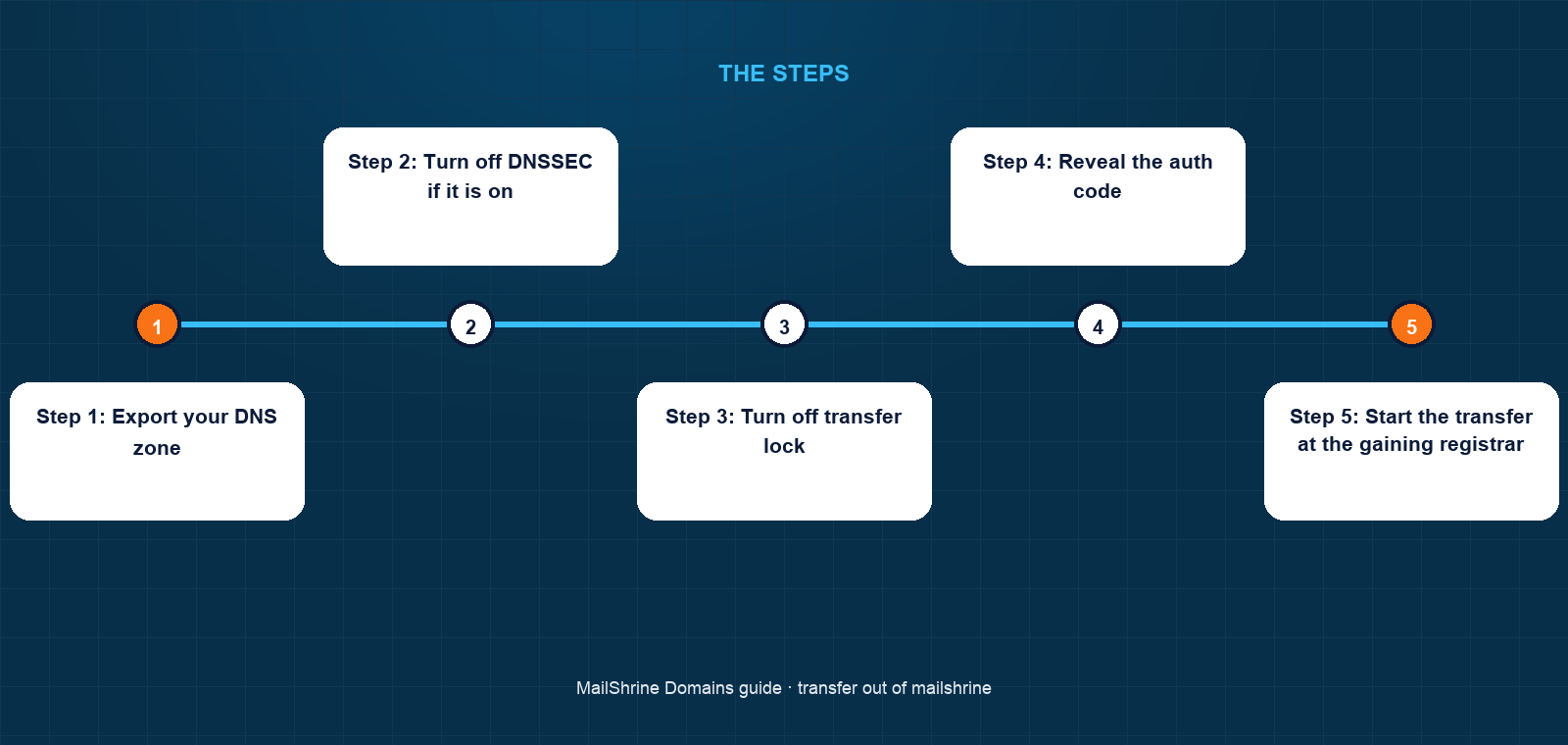
Step 1: Export your DNS zone
Open /dashboard/domains → My domains → bianchiroast.ca → DNS. Copy every record into a document: the A and CNAME records for the website, the MX, SPF, DKIM and DMARC for mail, and any TXT verifications. If the new registrar will also host DNS, these are what you recreate there. If nameservers will stay on MailShrine for now, you still want the copy.
Step 2: Turn off DNSSEC if it is on
If the DNSSEC switch is on, turn it off and wait 24 hours. This removes the DS record at the registry. Transferring a signed domain to a registrar whose nameservers do not have the matching key makes every resolver that validates DNSSEC return SERVFAIL for your domain.
Step 3: Turn off transfer lock
In My domains, switch Transfer lock off. The registry status changes from clientTransferProhibited to ok within a minute. The dashboard records who did this and when, and the registrant email receives a notice.
Step 4: Reveal the auth code
Click Auth code. The code is displayed and also emailed to the registrant address. Treat it like a password: paste it directly into the gaining registrar's transfer form, or hand it to IT through a password manager share, not in chat. If it is exposed, click Regenerate; the old code stops working immediately.
Step 5: Start the transfer at the gaining registrar
At the new registrar, choose "transfer a domain", enter bianchiroast.ca and the code, and pay their one-year renewal. The registry notifies MailShrine. You will receive an approval email from the gaining registrar at the registrant address and a confirmation from MailShrine; approving MailShrine's confirmation releases the domain at once instead of after the five-day window.
Step 6: After completion, tidy up
When the gaining registrar reports the domain active, it disappears from your My domains list and the Orders tab shows the transfer-out. Auto-renew no longer applies because the domain is no longer here. If you were using the two MailShrine mailboxes, mail continues only as long as the nameservers still point at MailShrine; move mail records to the new DNS host before IT changes nameservers.
Marco's checklist
- Copied all DNS records out of the editor into the IT handover documentCompleted
- Confirmed DNSSEC was off, so no DS record to removeCompleted
- Switched transfer lock off and received the notification emailCompleted
- Revealed the auth code and shared it with IT through the group's password managerCompleted
- Approved the transfer from the registrant inbox the moment the request arrivedNot completed
- Confirmed with IT that the Microsoft 365 MX records exist at the new DNS host before nameservers changeNot completed
Common mistakes
Turning the lock off weeks ahead "to be ready". Every day the lock is off is a day a stolen code or a phished approval can move the domain. Unlock the day you start the transfer.
Sharing the code in email or chat. Anyone with the code and a few minutes can start a transfer. Use a password manager share or paste it straight into the form.
Leaving DNSSEC on. A signed domain whose DS record outlives its keys goes dark for every validating resolver, which today is most of them. Turn the switch off and wait a day first.
Forgetting that only nameservers move. The new registrar does not receive your records. If IT switches nameservers to the new registrar's defaults before recreating the zone, the website and mail stop.
Letting the domain expire during the transfer. If expiry is close, renew here first. The transfer still adds its own year at the new registrar.
Check your work
Before you start the transfer: the DNS editor is exported, DNSSEC is off, Transfer lock shows Off, and the auth code is in the gaining registrar's form. During the transfer: an RDAP lookup shows status pendingTransfer. After completion: the domain is gone from My domains, the Orders tab shows the outbound transfer, RDAP names the new registrar, and dig +short MX bianchiroast.ca returns whatever the new DNS host serves. If the gaining registrar reports "transfer rejected" or "domain locked", check the lock switch and the 60-day rule first.
FAQ
Is there a fee to transfer out of MailShrine?
No. The gaining registrar charges its own one-year renewal, which the registry adds to your expiry date. MailShrine charges nothing for the unlock, the code or the release.
Why can't I see the auth code?
Because transfer lock is on. The code is only displayed once the lock is off. If the lock is off and the button is still unavailable, the domain is probably inside the 60-day window after registration or a previous transfer.
How long does the transfer take?
Up to five calendar days under ICANN policy, or minutes if you approve MailShrine's confirmation email as soon as it arrives. Some ccTLDs complete immediately once the code is accepted.
Will my email stop during the transfer?
Not because of the transfer itself. Mail follows the nameservers, which do not change unless someone changes them. The risk is the nameserver change afterwards; recreate the mail records at the new DNS host first.
What if I change my mind halfway?
Until the registry completes the transfer, you can reject it from MailShrine's confirmation email or from the dashboard. Then turn the lock back on and regenerate the code so the old one is useless.
Next steps
- Transfer a Domain Into MailShrine — the mirror image, if you are moving a domain here instead.
- Registrant Details: What We Ask For and Why — why the registrant email, not your login email, receives transfer approvals.
- Renewals, Reminders and Grace Periods on MailShrine — what happens to auto-renew and expiry around a transfer.
Citations & References
- Reference: ICANN: Transfer Policy
- Reference: ICANN: EPP status codes and what they mean
- Reference: RFC 5731: EPP Domain Name Mapping (authInfo)
- Reference: CIRA: Transferring a .ca domain
Written by Daniel O., security editor. Daniel covers the locks, codes and approvals that decide who controls a domain, and how to use them without opening a door for anyone else.