
Adding a DNS record on MailShrine means opening your domain under My domains, clicking into the DNS editor, and typing four things: a type (A, AAAA, CNAME, MX, TXT, SRV or NS), a host, a value, and a TTL. The editor is already populated with the mail records written at registration, so the practical question is never "how do I start" but "where do I put this value Shopify, Google or Vercel just gave me, and what must I not touch".
This guide covers the editor's fields, the five records people add most often, the rules the editor enforces (for example, that a CNAME cannot share a host with any other record), and how to confirm the change has propagated before you tell the other service to verify.
MailShrine Domains runs Anycast DNS with a full record editor on every domain. MX, SPF, DKIM and DMARC for Business Email are written automatically when the name registers; everything else you add sits alongside them in the same zone.
Real-life example: Priya's clinic
Priya Raman runs a physiotherapy clinic in Mumbai with a website built on a hosted platform and a booking widget from another vendor. Her domain, ramanphysio.in, is on MailShrine and the two mailboxes have worked since day one. This week she has three pieces of paper from three vendors, each with a record to add, and a fear that typing the wrong one will break the clinic's email.
Priya's goals this evening:
- Point
ramanphysio.inandwwwat the website host without touching the mail records. - Add the TXT record Google Search Console asked for, and the CNAME the booking vendor asked for.
- Know how to prove each record is live before clicking Verify on the vendor's side.
The editor's fields, and what each vendor means by them
| Field in the editor | What it holds | What vendors call it | Example for Priya |
|---|---|---|---|
| Type | The record kind | Record type | A |
| Host | The label left of your domain; @ means the bare domain | Name, Host, Subdomain | @ or www or book |
| Value | What the record points at | Points to, Target, Content, Data | 203.0.113.10 |
| TTL | Seconds resolvers may cache the answer | TTL | 3600 |
| Priority (MX and SRV only) | Lower number is tried first | Priority, Preference | 10 |
The host field is where most mistakes happen. If a vendor says "add a TXT record at _dmarc.ramanphysio.in", the host is _dmarc, not the full name. The editor shows the resulting fully qualified name below the field, so read that line before saving.
The records already in the zone
Open the editor on a freshly registered domain and you will see roughly this:
- MX at
@pointing at the MailShrine mail exchangers, with priorities. - TXT at
@beginningv=spf1, the SPF record listing who may send as your domain. - CNAME or TXT at a selector label such as
ms1._domainkey, the DKIM public key. - TXT at
_dmarcbeginningv=DMARC1, the DMARC policy.
Leave these exactly as they are unless you are deliberately moving email to another provider, which has its own switch in the dashboard and should not be done by hand-editing MX. Adding an A record at @ for your website does not conflict with any of them; a host can carry an A, an MX and a TXT at the same time. The one hard rule, from RFC 1034, is that a CNAME must be alone on its host. That is why you cannot CNAME the bare domain at @ while MX and TXT live there, and why website hosts give you an A record (or an ALIAS-style flattening) for the apex and a CNAME for www.
What you need before you start
| You need | Why |
|---|---|
| The exact record from the vendor, copied not retyped | A single wrong character in a DKIM key or verification token fails silently. |
To know whether the host is @, www or a label | Vendors write the full name; the editor wants only the label. |
| 5 to 60 minutes of patience | New records appear within seconds on Anycast DNS, but a resolver that cached a previous answer keeps it until the old TTL expires. |
| A lookup tool | dig on a terminal, or any public DNS lookup site, to confirm the answer before you click Verify elsewhere. |
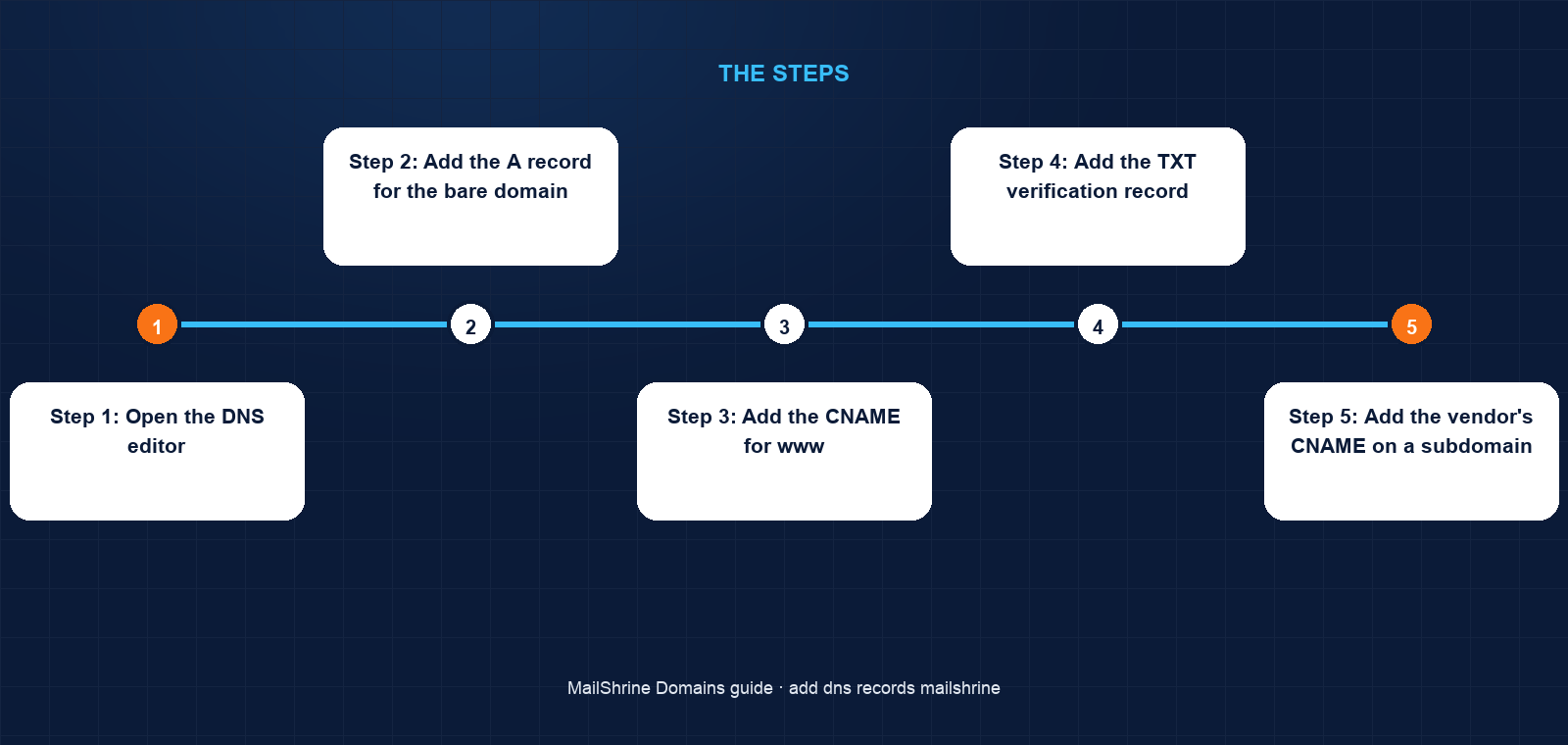
Step 1: Open the DNS editor
Log in, go to /dashboard/domains, click the My domains tab and open ramanphysio.in. Click DNS. You will see the existing mail records listed with an Add record button above them. If the domain's nameservers have been changed away from MailShrine, the editor shows a notice that records here are not in use; change nameservers back first or edit DNS at the other provider instead.
Step 2: Add the A record for the bare domain
Click Add record. Type A, host @, value the IPv4 address your website host gave you, TTL 3600. Save. If the host also gave you an IPv6 address, add an AAAA record the same way. If the host gave you a second IP for redundancy, add a second A record at @; multiple A records on one host are allowed.
Step 3: Add the CNAME for www
Click Add record. Type CNAME, host www, value the target the host gave you, for example shops.myshopify.com or cname.vercel-dns.com. Note that the value is a hostname, not an IP. The editor will refuse the save if any other record already exists at www; delete that record first.
Step 4: Add the TXT verification record
Google Search Console, Meta Business, Microsoft 365 and most SaaS tools verify ownership with a TXT record at the bare domain. Click Add record, type TXT, host @, and paste the token exactly, for example google-site-verification=abc123. Several TXT records can coexist at @; adding one does not replace SPF. Do not try to merge the token into the SPF record.
Step 5: Add the vendor's CNAME on a subdomain
Priya's booking widget wants book.ramanphysio.in to be a CNAME to clients.bookingvendor.com. Type CNAME, host book, value clients.bookingvendor.com, TTL 3600. Because book is a new label with nothing else on it, the CNAME rule is satisfied.
Step 6: Confirm before you verify elsewhere
From a terminal, run dig +short A ramanphysio.in, dig +short CNAME www.ramanphysio.in and dig +short TXT ramanphysio.in. Each should return the value you typed. If a lookup returns nothing or the old value, wait for the TTL and retry. Only then click Verify or Connect on the vendor's side; most vendors mark a failed attempt and make you wait before retrying.
Priya's checklist
- Opened My domains →
ramanphysio.in→ DNS without touching the four mail recordsCompleted - Added
A @to the host's IPv4 andCNAME wwwto the host's targetCompleted - Added
TXT @with the Search Console token as a separate record from SPFCompleted - Added
CNAME bookfor the booking vendorCompleted - Confirmed all three with
digand then clicked Verify on each vendorNot completed - Noted the new records in the clinic's ops documentNot completed
Common mistakes
Typing the full domain into the host field. Entering www.ramanphysio.in as the host creates www.ramanphysio.in.ramanphysio.in. Type only the label, and read the fully qualified name the editor shows beneath the field.
Replacing the SPF record with a verification token. Both are TXT records at @ and both must exist. Add the token as a new record; never edit the existing v=spf1 line to add a token.
Trying to CNAME the apex. The editor blocks this because MX and TXT already live at @. Use the A record your host gives for the bare domain, and the CNAME for www.
Editing MX by hand to change email providers. Use the email provider switch in My domains instead. It rewrites MX, SPF and DKIM together so you do not end up with a provider's MX and MailShrine's SPF.
Verifying on the vendor's side ten seconds after saving. The record is live on MailShrine's nameservers almost at once, but the vendor's resolver may hold an old cached negative answer for the TTL. Check with dig first.
Check your work
In the DNS editor you should see the four original mail records untouched plus your new rows, each with a green saved state. dig +short for each new record should return the value you typed. Your website should load on both the bare domain and www once the host has issued its certificate, and the vendor's verification should pass on the first try. Send yourself a test email from webmail to confirm the mail records still work after the edits.
FAQ
What TTL should I use?
3600 seconds (one hour) is a sensible default. Before you plan to change a record, lower its TTL to 300 a day ahead so the switch propagates quickly; raise it again afterwards. Lower TTLs mean more lookups, not faster DNS.
Can I add a CNAME at the bare domain?
No. RFC 1034 forbids a CNAME from coexisting with other records at the same name, and the apex always carries MX and TXT for email. Use the A or AAAA records your host provides for the apex.
Will adding website records affect my email?
No. A, AAAA and CNAME records on @ or www do not interact with MX, SPF, DKIM or DMARC. Email only breaks if you delete or edit those four records.
How many records can I add?
The editor has no practical limit for a small business. Zones with hundreds of records are common. Each record is independent, so adding one never changes another.
What if I changed nameservers to my web host?
Then MailShrine's zone is not being consulted and records here have no effect. Either add records at the web host's DNS panel, including the mail records, or change nameservers back to MailShrine's under My domains → Nameservers and manage everything in one place.
Next steps
- Switch Your MailShrine Domain to Another Email Provider — the right way to change MX if you use Google Workspace or Outlook.
- Buy a Domain on MailShrine and Get Email in Minutes — where the records you are editing came from.
- Transfer a Domain Into MailShrine — bring a domain here so DNS and email live in one dashboard.
Citations & References
- Reference: RFC 1034: Domain Names, Concepts and Facilities (CNAME rule)
- Reference: RFC 7208: Sender Policy Framework (SPF)
- Reference: Cloudflare Learning: DNS records explained
- Reference: Google Search Console Help: Verify your site ownership
Written by Marcus T., DNS and deliverability editor. Marcus writes about the records behind a domain so owners can connect anything without breaking their email.