
SPF, DKIM and DMARC are three DNS records that let a receiving mail server decide whether a message claiming to come from your domain really did. SPF publishes the list of servers allowed to send for you. DKIM attaches a cryptographic signature to each message that the receiver verifies against a public key in your DNS. DMARC ties the two together, says what to do with mail that fails, and asks receivers to send you reports about it.
Without them, anyone on earth can send mail with your address in the From line, and major receivers now treat domains that lack them as suspicious. Since February 2024 Google and Yahoo require SPF and DKIM on every sending domain and DMARC on any domain sending more than 5,000 messages a day to their users. Microsoft followed with the same requirements for Outlook.com in 2025.
MailShrine Domains writes all three for the included Business Email mailboxes at registration: an SPF record authorising its sending servers, a DKIM key published under a selector, and a DMARC record at _dmarc. You can read, extend or replace each one in the DNS editor if you add other senders later.
Real-life example: Lukas's photography studio
Lukas Brandt runs a wedding and event photography studio in Kreuzberg, Berlin. He registered brandtfoto.de and sends gallery links and invoices from lukas@brandtfoto.de. Two things happened last month: a client reported a convincing fake invoice "from" his address asking for payment to a different IBAN, and his own booking confirmations started landing in Gmail's spam folder. He has heard the three acronyms, suspects they are related to both problems, and wants to understand what each one actually does before he changes anything.
Lukas's goals this week:
- Understand what SPF, DKIM and DMARC each check and which one would have stopped the fake invoice.
- Read his own three records and know whether they are correct.
- Add his invoicing tool as an authorised sender without breaking the records that already work.
The three records side by side
| Record | DNS location | What it proves | What it cannot do |
|---|---|---|---|
| SPF | TXT at the bare domain, starts v=spf1 | The connecting server's IP is on your approved list | Survive forwarding; protect the visible From address |
| DKIM | TXT at selector._domainkey.domain, starts v=DKIM1 | The message body and key headers were not altered since your server signed them | Stop someone sending unsigned mail with your name |
| DMARC | TXT at _dmarc.domain, starts v=DMARC1 | The From domain matches whichever of SPF or DKIM passed, and tells receivers what to do if not | Work without at least one of the other two |
The gap each record leaves is why all three exist. SPF checks the envelope sender, a hidden address that spammers set to their own domain while putting yours in the visible From line; SPF passes and the fake still looks like you. DKIM proves integrity but a forger simply does not sign. DMARC closes both holes by demanding alignment: the domain in the visible From line must match the domain that passed SPF or the domain in the DKIM signature. Lukas's fake invoice would have failed alignment and, under a p=reject policy, been refused.
Reading each record
| Record as published | Meaning |
|---|---|
v=spf1 include:_spf.mailshrine.com -all | Allow every IP the MailShrine include lists; hard-fail everything else |
v=spf1 include:_spf.mailshrine.com include:spf.invoicetool.com ~all | Allow two providers; soft-fail the rest (mark, do not reject) |
v=DKIM1; k=rsa; p=MIIBIjANBg... | An RSA public key; the matching private key lives on the sending server |
v=DMARC1; p=none; rua=mailto:dmarc@brandtfoto.de | Monitor only; send aggregate reports to that address |
v=DMARC1; p=quarantine; pct=50; adkim=s | Quarantine half of failing mail; require strict DKIM alignment |
v=DMARC1; p=reject; rua=mailto:dmarc@brandtfoto.de; ruf=mailto:dmarc@brandtfoto.de | Reject all failing mail; aggregate and forensic reports |
Two SPF limits catch people out. A domain may have only one SPF record; two records means SPF fails permanently. And evaluating the record may trigger no more than 10 DNS lookups, counting every include, a, mx and redirect recursively. Four or five third-party includes can blow that limit, and the failure mode is again a permanent error.
What you need before you start
| You need | Why |
|---|---|
| Access to the DNS editor for the domain | All three records are TXT records in the zone |
| The list of every service that sends as your domain | Mailboxes, invoicing, CRM, newsletter tool, website contact form |
| Each service's published SPF include and DKIM selector | Copied from their documentation, never retyped |
| A mailbox to receive DMARC reports | dmarc@ on the domain is conventional; reports arrive daily as XML |
| A test address at Gmail or Outlook.com | To read the authentication results on a real message |
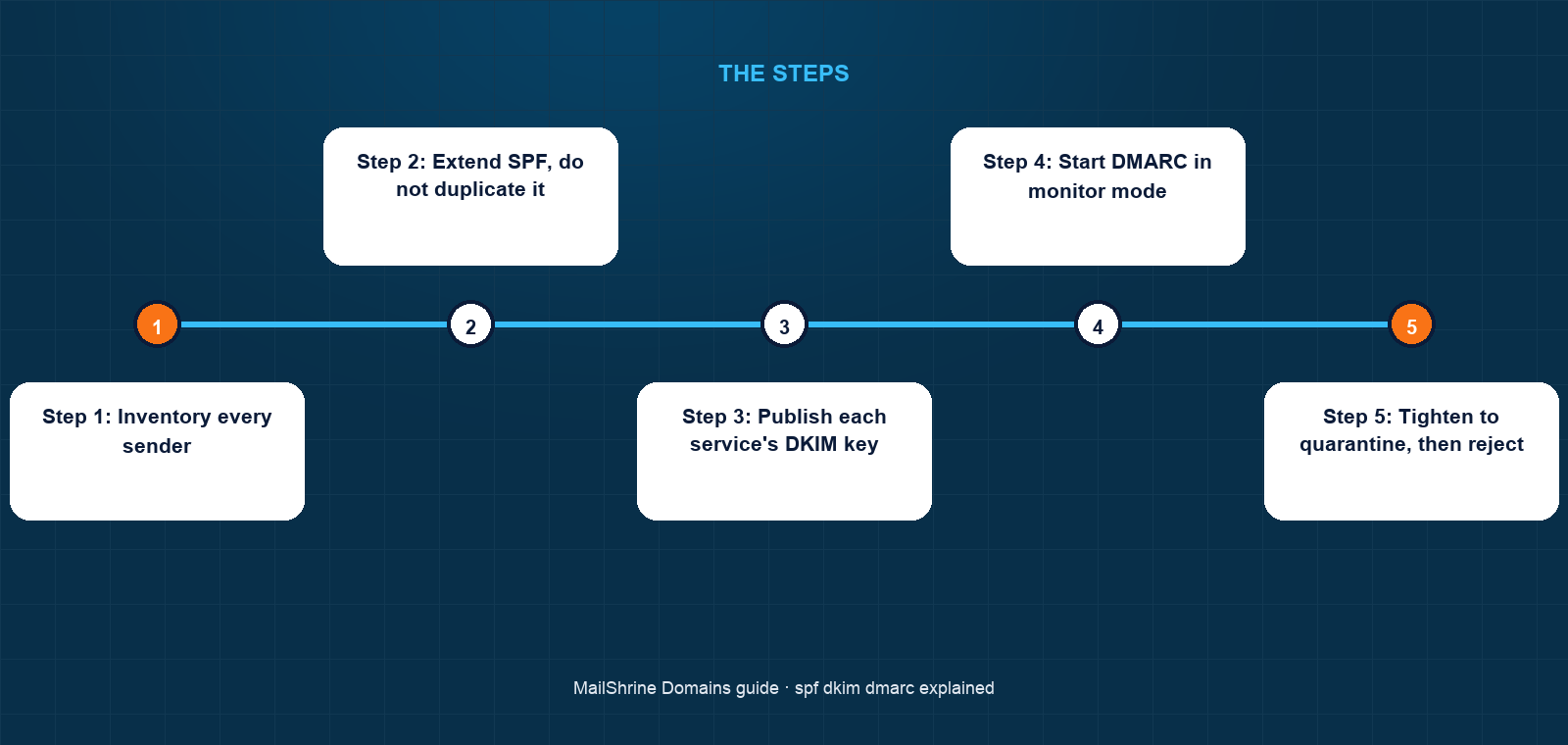
Step 1: Inventory every sender
Lukas lists them: the MailShrine mailboxes, his invoicing tool, and the contact form on his website that sends through a transactional API. Anything not on this list that sends as brandtfoto.de will fail once DMARC is enforced, which is the point.
Step 2: Extend SPF, do not duplicate it
He opens the existing TXT record starting v=spf1, adds include:spf.invoicetool.com and include:_spf.transactionalapi.com before -all, and saves. One record, three includes, well under the ten-lookup limit. He does not create a second SPF record.
Step 3: Publish each service's DKIM key
The invoicing tool gives him a selector, say inv1, and a key. He creates a TXT record at inv1._domainkey with that value. The transactional API gives him a CNAME-style DKIM instead, pointing api._domainkey at a hostname they control, which lets them rotate keys without him. MailShrine's own key is already there under its selector.
Step 4: Start DMARC in monitor mode
His DMARC record reads v=DMARC1; p=none; rua=mailto:dmarc@brandtfoto.de. For two weeks the aggregate reports show which sources pass alignment. Anything legitimate that fails gets fixed in SPF or DKIM.
Step 5: Tighten to quarantine, then reject
When reports show only forged sources failing, he changes p=none to p=quarantine with pct=25, raises the percentage weekly, then moves to p=reject. From that day the fake invoice would never reach a client's inbox at any receiver that honours DMARC.
Step 6: Verify on a real message
He sends from each source to a Gmail address and opens "Show original". Each should show SPF: PASS, DKIM: PASS with the right selector, and DMARC: PASS.
Lukas's checklist
- Listed every service that sends as
brandtfoto.deCompleted - Added two includes to the single SPF record, kept
-allCompleted - Published DKIM keys for the invoicing tool and the APICompleted
- Set DMARC to
p=nonewith a reporting addressCompleted - Reviewed two weeks of aggregate reportsNot completed
- Moved DMARC to
p=quarantine, thenp=rejectNot completed - Confirmed PASS on all three at Gmail for every sourceNot completed
Common mistakes
Two SPF records. Adding a new provider by creating a fresh TXT record instead of editing the existing one. Receivers see two v=spf1 records and return a permanent error.
Exceeding ten lookups. Each include can contain more includes. Count them with an SPF checker; replace includes you no longer use rather than piling on.
Jumping straight to p=reject. Legitimate mail from a forgotten sender, often the website's contact form, vanishes. Monitor first.
Using +all or no all at all. +all authorises the whole internet. A record without a final mechanism defaults to neutral, which DMARC treats as a non-pass.
Letting DKIM keys rot. A selector published in 2019 with a 1024-bit key is weaker than today's 2048-bit standard, and a key for a cancelled service should be removed so it cannot be abused.
Check your work
Query the three records directly: dig TXT brandtfoto.de, dig TXT inv1._domainkey.brandtfoto.de and dig TXT _dmarc.brandtfoto.de. Exactly one SPF record, every expected selector returning a key, and a single DMARC record with the policy you intend. Then send from each source to Gmail and read the authentication results. Three passes per source, and a first aggregate report arriving within 24 hours, mean the domain is correctly protected.
FAQ
Which of the three matters most?
DMARC, because it is the one that tells receivers to act, but it is useless alone. In practice DKIM is the workhorse: it survives forwarding and mailing lists, where SPF usually breaks, so an aligned DKIM pass is what keeps DMARC passing in the real world.
Do I need DMARC if I send very little mail?
Yes. The Google and Yahoo 5,000-a-day rule is when DMARC becomes mandatory; it is beneficial from the first message, because it is what stops your domain being used to forge mail to other people.
What is the difference between `~all` and `-all`?
Soft fail (~all) asks receivers to mark non-matching mail but still accept it; hard fail (-all) asks them to reject. Under DMARC the distinction matters less, since DMARC's policy governs the outcome. Start with ~all while you are still finding senders, move to -all once confident.
Why do DMARC reports arrive as XML files?
The aggregate (rua) format is defined in RFC 7489 as machine-readable XML, one per receiver per day. Free and paid report processors turn them into tables. Forensic (ruf) reports are per-message and most large receivers no longer send them for privacy reasons.
Can a forwarder break my authentication?
Forwarding changes the connecting IP so SPF fails, and some forwarders rewrite the body so DKIM fails too. ARC (Authenticated Received Chain) lets trusted forwarders vouch for the original results, and most large mailbox providers honour it.
Next steps
- How to Set Up DMARC on a New Domain — the full monitor-to-reject rollout with report reading.
- MX Records Explained — the receiving-side record these three do not touch.
- Why Your Emails Go to Spam on a New Domain — when all three pass and mail still lands in junk.
Citations & References
- Reference: RFC 7208: Sender Policy Framework (SPF)
- Reference: RFC 6376: DomainKeys Identified Mail (DKIM) Signatures
- Reference: RFC 7489: Domain-based Message Authentication, Reporting, and Conformance (DMARC)
- Reference: Google: Email sender guidelines
Written by Marcus T., DNS and deliverability editor. Marcus has read more DMARC XML than anyone should and writes so you never have to.