
Setting up DMARC means publishing one TXT record at _dmarc.yourdomain that tells receiving mail servers two things: how strictly to treat messages that fail SPF and DKIM alignment, and where to send daily reports about what they saw. On a brand-new domain you have an advantage most guides ignore: there is no legacy of forgotten senders, so you can reach an enforcing policy in weeks rather than the months an established company needs.
The record itself is one line. The work is in the sequence: get SPF and DKIM passing for every legitimate source first, publish DMARC in monitoring mode, read the reports, then tighten the policy in stages. Skip the stages and you risk rejecting your own invoices; skip DMARC entirely and anyone can send mail as you with no consequence.
MailShrine Domains publishes a DMARC record at registration alongside SPF and DKIM for the two included Business Email mailboxes, so a new domain starts with a valid record instead of nothing. This guide shows you how to take that starting record to p=reject, and how to handle any extra senders you add on the way.
Real-life example: Amina's logistics company
Amina Diallo has just founded Teranga Freight, a customs-brokerage and trucking firm in Dakar. She registered terangafreight.com last week. Her business lives on email: shipping documents, customs declarations and payment instructions to clients in Senegal, Mali and France. A friend who runs a similar firm lost a client to an invoice-redirection fraud where a criminal spoofed the firm's domain, and Amina wants her domain protected before she sends the first real invoice, not after.
Amina's goals this week:
- Publish a correct DMARC record and understand every tag in it.
- Get the first aggregate reports and know how to read them.
- Reach
p=rejectwithin a month without ever blocking her own mail.
Every DMARC tag you will actually use
| Tag | Example | What it does | Default if omitted |
|---|---|---|---|
v | v=DMARC1 | Version; must be first | Required |
p | p=none / quarantine / reject | Policy for the domain itself | Required |
sp | sp=reject | Policy for subdomains | Inherits p |
rua | rua=mailto:dmarc@terangafreight.com | Where aggregate (daily XML) reports go | No reports |
ruf | ruf=mailto:dmarc@terangafreight.com | Where per-message forensic reports go | No reports |
pct | pct=25 | Apply the policy to this percentage of failing mail | 100 |
adkim | adkim=s | DKIM alignment: r relaxed (subdomains match) or s strict | r |
aspf | aspf=s | SPF alignment, same choice | r |
fo | fo=1 | When to send forensic reports: 0 both fail, 1 either fails | 0 |
Relaxed alignment means a DKIM signature from mail.terangafreight.com counts for a From address at terangafreight.com. Strict means the domains must match exactly. Most small domains stay relaxed; strict only matters when you deliberately isolate subdomains for separate senders.
The rollout schedule for a new domain
| Week | Record | What you are doing |
|---|---|---|
| 1 | v=DMARC1; p=none; rua=mailto:dmarc@terangafreight.com | Collecting reports; nothing is blocked |
| 2 | Same | Fixing any legitimate source that fails alignment |
| 3 | v=DMARC1; p=quarantine; pct=25; rua=... | A quarter of failing mail goes to spam |
| 4 | p=quarantine; pct=100 | All failing mail quarantined |
| 5 | v=DMARC1; p=reject; sp=reject; rua=... | Failing mail refused; subdomains covered too |
An established domain with a dozen SaaS tools sending on its behalf might stretch this to six months. A new domain with two or three known senders can honestly do it in five weeks, because the reports will show only your sources and the forgers.
What you need before you start
| You need | Why |
|---|---|
| SPF passing for every legitimate sender | DMARC needs at least one aligned pass per message |
| DKIM signing enabled at every sender, keys published | The alignment that survives forwarding |
| A mailbox for reports | dmarc@ on the domain; one of the two included mailboxes can be renamed for it, or use an alias |
| A report viewer | Free online XML-to-table tools or a hosted aggregator |
| A list of subdomains you send from | So sp does not accidentally block them |
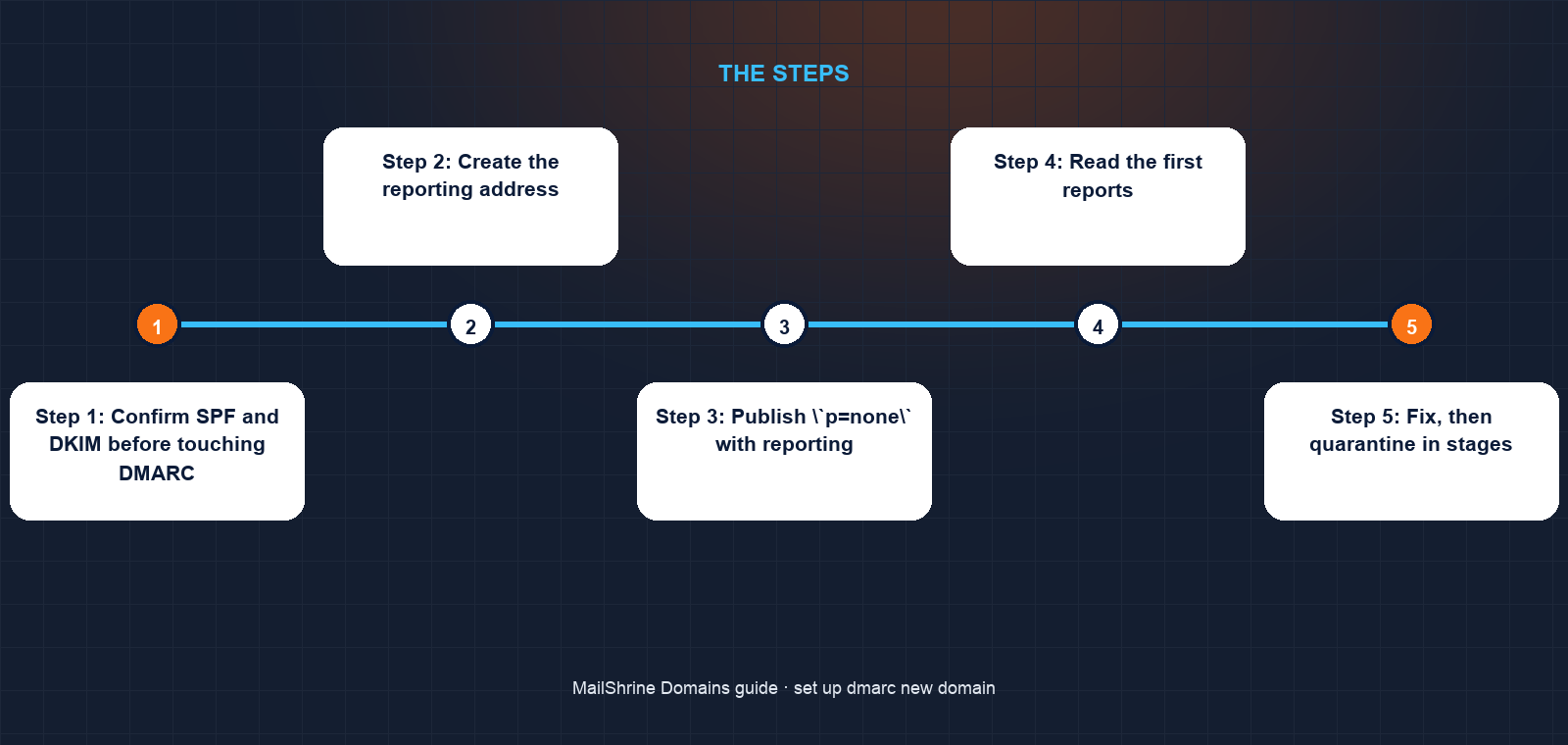
Step 1: Confirm SPF and DKIM before touching DMARC
Amina sends from each source, her MailShrine mailbox and her freight-management software, to a Gmail address and opens "Show original". Both must show SPF: PASS and DKIM: PASS. If the software fails SPF she adds its include to the single SPF record; if it fails DKIM she publishes the selector it gives her.
Step 2: Create the reporting address
She creates dmarc@terangafreight.com as an alias that delivers into her own mailbox, so reports do not consume a second included mailbox. If the reporting address were on a different domain, RFC 7489 would require that domain to publish an authorisation record at terangafreight.com._report._dmarc.otherdomain; keeping it on the same domain avoids this.
Step 3: Publish `p=none` with reporting
In the DNS editor she opens the existing _dmarc TXT record and sets it to v=DMARC1; p=none; rua=mailto:dmarc@terangafreight.com; fo=1. She checks with dig TXT _dmarc.terangafreight.com +short.
Step 4: Read the first reports
Within 24 to 48 hours XML attachments arrive from Google, Microsoft, Yahoo and others. Each lists, per sending IP: how many messages, whether SPF and DKIM passed, whether each was aligned, and what disposition was applied. She runs them through a viewer. Rows that are her own IPs and show aligned passes are fine. Rows with unfamiliar IPs failing everything are forgers, and are exactly why she is doing this.
Step 5: Fix, then quarantine in stages
One row shows her website's contact form sending from the hosting company's IP with no DKIM. She routes the form through her transactional provider instead. Once a week passes with only forgers failing, she moves to p=quarantine; pct=25, then pct=100 the week after.
Step 6: Reject, and cover subdomains
Final record: v=DMARC1; p=reject; sp=reject; rua=mailto:dmarc@terangafreight.com; fo=1. The sp=reject tag means anything.terangafreight.com is also protected, which closes the common trick of forging from a subdomain that has no records at all.
Amina's checklist
- Confirmed SPF and DKIM pass from both senders at GmailCompleted
- Created the
dmarc@alias into her own mailboxCompleted - Published
p=nonewithruaand verified withdigCompleted - Received first aggregate reports and identified her own IPsCompleted
- Moved the contact form to an authenticated senderNot completed
- Tightened to
p=quarantineat 25%, then 100%Not completed - Set
p=reject; sp=rejectand scheduled a monthly report reviewNot completed
Common mistakes
Publishing p=reject on day one. Legitimate mail from a source you have not aligned yet is refused, and you learn about it when a client says the invoice never arrived. The reports exist so you do not have to guess.
No rua tag. A DMARC record without reporting still enforces, but you are blind. You will never find the sender you forgot.
Reporting to an external address without authorisation. If rua points at a different domain, receivers check for the _report._dmarc authorisation record there and silently skip the report if it is missing.
Forgetting subdomains. With p=reject but no sp, subdomains inherit reject, which is usually what you want. But if you later publish a weaker sp=none "temporarily" and forget it, every subdomain is open.
Treating pct as permanent. pct=25 under p=reject means three-quarters of forged mail is still delivered. It is a ramp, not a setting.
Check your work
Three queries and one inbox. dig TXT _dmarc.yourdomain +short returns exactly one record starting v=DMARC1. dig TXT yourdomain +short returns exactly one record starting v=spf1. dig TXT selector._domainkey.yourdomain +short returns a key for each selector you expect. Then confirm aggregate reports are arriving daily in the rua mailbox and that every row attributed to your own infrastructure shows aligned passes. When the only failing rows are addresses you do not recognise, you are ready for the next policy step.
FAQ
How long after publishing DMARC do reports start?
Most large receivers send one aggregate report per day, usually around midnight UTC. Expect the first within 24 to 48 hours of publishing, and only from receivers that actually got mail claiming to be from your domain that day.
Do I need DMARC if I only have two mailboxes?
Yes. DMARC protects the people who receive mail claiming to be from you, which has nothing to do with how much you send. A dormant domain with p=reject cannot be used to defraud your clients.
Should I use `quarantine` or `reject` as the end state?
Reject. Quarantine sends forged mail to the recipient's spam folder, where a curious person can still open it. Reject means it is refused at the door. Quarantine is a stage, not a destination.
What is the difference between aggregate and forensic reports?
Aggregate (rua) reports are daily summaries by sending IP in XML. Forensic (ruf) reports are copies of individual failing messages with headers. Most large receivers no longer send forensic reports because they can contain personal data, so do not rely on them.
Can I set DMARC on a subdomain separately?
Yes. A record at _dmarc.sub.yourdomain overrides the parent's sp for that subdomain only. This is how you run a newsletter tool on news.yourdomain with its own policy while the main domain stays at reject.
Next steps
- SPF, DKIM and DMARC Explained — what alignment means and why each record leaves a gap the next closes.
- Why Your Emails Go to Spam on a New Domain — when DMARC passes but reputation is the problem.
- Domain Warm-Up — building sending reputation on a domain that is days old.
Citations & References
- Reference: RFC 7489: DMARC
- Reference: RFC 7489 section 7.1: Verifying external destinations
- Reference: Google Workspace: Add your DMARC record
- Reference: Cloudflare Learning: What is a DMARC record?
Written by Daniel O., security editor. Daniel writes about the controls that stop a domain being used against the people who trust it.