
A keyword domain describes what you do: manchesterplumbers.com. A brandable domain names who you are: hargreaveheating.com or an invented word like pipewell.com. For about a decade the keyword version had a measurable search advantage, and a whole industry grew up around registering them. In September 2012 Google shipped the exact-match domain update and the advantage went away. What is left is a branding decision dressed up as an SEO one, and most of the advice still circulating is from before 2012.
This guide gives you what Google has actually said, what the remaining real effects are (there are a few, and they are not rankings), and a decision process for a small business that needs the name to work in search, on a van and in an email address.
MailShrine Domains lets you check both kinds of name in one search, see the renewal price next to the promo, and register the winner with WHOIS privacy, transfer lock and email DNS set up automatically. Try candidates in the availability checker as you read.
Real-life example: Tom's heating business
Tom Hargreaves runs a two-van heating and plumbing business in Manchester. Most of his work comes from Google searches like "boiler repair Manchester" and from word of mouth. His trading name is "Hargreaves Heating". A marketing agency told him to buy boilerrepairmanchester.co.uk for SEO. hargreavesheating.co.uk is also free. He has one budget and one chance to put a name on the vans.
Tom's goals:
- Find out whether a keyword domain still helps him rank for "boiler repair Manchester".
- Pick a name that works for Google, for the vans and for
tom@. - Register it and get email on it before the next heating season.
What Google has said
| Date | Statement or change | Effect on keyword domains |
|---|---|---|
| 2011 | Matt Cutts confirms exact-match domains get "a little bit" of a boost and says Google is looking at reducing it | The advantage existed |
| September 2012 | Exact-match domain (EMD) update: low-quality sites on exact-match domains lose rankings | The advantage is removed for thin sites |
| 2012 onward | Google repeatedly states keywords in a domain are not a ranking factor of significance | No boost for quality sites either |
| 2020s | John Mueller: a keyword domain can help users understand the site but "does not give you a ranking bonus" | Branding effect only |
The pattern is consistent across more than a decade. The words in your domain do not move your rankings. What moves them is the content on the pages, the links pointing at them, and how people interact with the results.
The effects that are real
Click-through rate on a results page. A domain that contains the searched words gets bolded in some results and can win a slightly higher click rate when the title and snippet are equal. This is small and depends entirely on the title and description you write.
Anchor text from people who link to you. Sites that link to boilerrepairmanchester.co.uk tend to use the domain as the link text, which happens to be a keyword. Sites that link to hargreavesheating.co.uk link with the brand. Google discounts exact-match anchors heavily since the 2012 Penguin update, so this is not the advantage it once was.
Brand searches. This is the one that favours brandable names. When someone searches "Hargreaves Heating", Google has one obvious answer. When someone searches "boiler repair Manchester", Google has forty, and a domain that matches the query is one of a dozen on the page that do. A brand you can be searched for is a rankings asset that a keyword domain cannot be.
Room to grow. A keyword name is a box. boilerrepairmanchester is a problem the day Tom installs a heat pump in Stockport. A brand name stretches.
The effect that is imagined
Ranking for the keyword because it is in the domain. Thousands of exact-match domains were registered on this theory. After 2012, those that ranked did so because of the site, not the name. A new keyword domain with a four-page site will not outrank an established local business with reviews, citations and a Google Business Profile, whatever its address.
What you need before you start
| You need | Why |
|---|---|
| Your trading name as customers say it | The brandable candidate |
| The three search phrases you most want to rank for | To check that a brandable name does not block any of them (it will not) |
| Your Google Business Profile | Where local rankings actually come from |
| A list of services you might add | Tests whether a keyword name boxes you in |
| Availability of both candidates | Decide with prices in front of you |
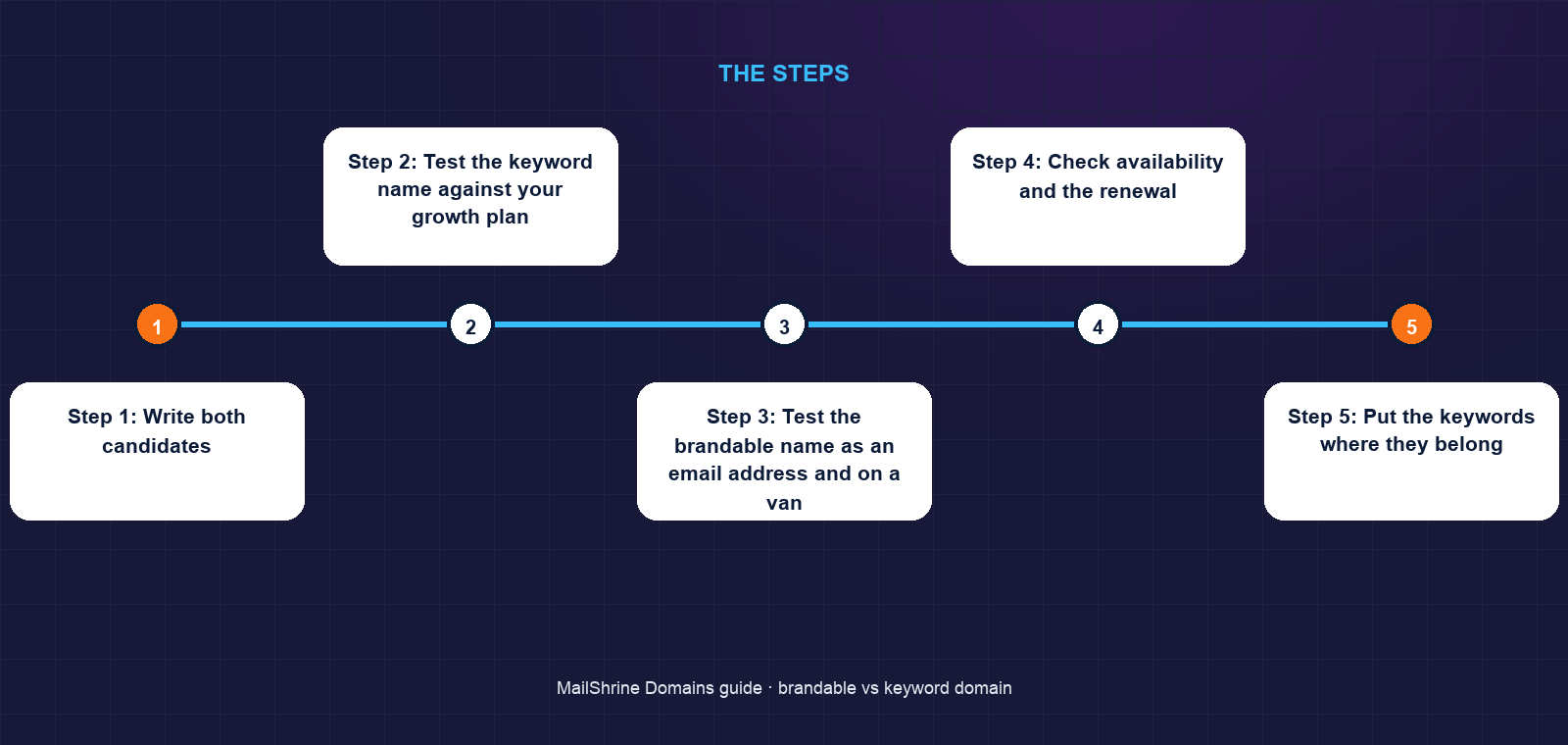
Step 1: Write both candidates
The brandable name is your trading name, or a short invented word you can own. The keyword name is the phrase you most want to rank for. Tom's: hargreavesheating and boilerrepairmanchester.
Step 2: Test the keyword name against your growth plan
List the services you might add in five years. If the keyword name excludes any of them, it fails. Tom plans heat pumps and work outside Manchester; the keyword name fails twice.
Step 3: Test the brandable name as an email address and on a van
tom@hargreavesheating.co.uk is dictated once and typed correctly. The agency's suggestion gives tom@boilerrepairmanchester.co.uk, which is 29 characters before the dot and looks like spam.
Step 4: Check availability and the renewal
Search both. Tom's hargreavesheating.co.uk was free at a standard price with a standard renewal; the .com was also free. He took both.
Step 5: Put the keywords where they belong
Register the brand. Then put "boiler repair Manchester" in the page title, the H1, the Google Business Profile category and the content. That is where the keyword works.
Tom's checklist
- Rejected the keyword name because it excludes heat pumps and StockportCompleted
- Registered
hargreavesheating.co.ukfor 3 years andhargreavesheating.comfor 1Completed - Privacy and transfer lock onCompleted
tom@andbookings@live on Business EmailCompleted- Add the domain and email to the Google Business ProfileNot completed
- Write a "Boiler repair in Manchester" page with the keyword in title and H1Not completed
- Put the .co.uk on the vansNot completed
Common mistakes
Buying a keyword domain for the ranking boost. The boost ended in 2012. You are buying a long, generic name with no ranking benefit.
Choosing a name that excludes your future. Services and cities change. Brands do not have to.
Confusing a keyword domain with a keyword page. The page title, H1 and content are where "boiler repair Manchester" belongs. The domain is the address.
Ignoring the Google Business Profile. For local trades it is the single biggest ranking lever, and it is free. The domain is far down the list.
Taking a hyphenated keyword domain. boiler-repair-manchester.co.uk is the worst of both: no SEO benefit and three hyphens to dictate. See our guide on hyphens and numbers.
Check your work
Search your own brand name in Google a week after launch; your site and Business Profile should be the obvious answer. Search your target phrase and note where you appear; the climb from there is content and reviews, not the domain. In the MailShrine dashboard confirm Active, expiry, privacy and lock on and email setup complete.
FAQ
Do keywords in a domain help SEO?
Not meaningfully since Google's 2012 exact-match domain update. They can slightly improve click-through on a results page and help a visitor understand what you do, but they do not raise rankings.
Is a brandable domain better for SEO than a keyword domain?
Indirectly, yes. A brand that people search for by name produces brand searches, direct traffic and natural links, all of which help. A keyword name produces none of those on its own.
Should I buy the keyword domain anyway and redirect it?
If it is cheap and free, you can, but a redirected domain passes no ranking value it did not already have, and a fresh one has none. Spend the money on the brand name's .com instead.
What about partial-match domains like "hargreavesheating"?
A trading name with a descriptive word in it is a brandable domain that happens to describe you. That is fine. The problem is names that are only a search phrase.
Does changing from a keyword domain to a brand hurt rankings?
A properly executed move with 301 redirects preserves most rankings, but every migration carries some risk. Choosing the brand name first avoids the question. Our guide on how to choose a domain name has the full rule set.
Next steps
- How to Choose a Domain Name for Your Business (12 Rules) — the rules a brandable name should pass.
- Short Domain Names: Why They Cost More and How to Find One — invented short words and where they are still free.
- Trademarks and Domain Names: How to Avoid a Dispute — the check every brandable name needs before you print.
Citations & References
- Reference: Google Search Central: An update on exact-match domains (2012)
- Reference: Google Search Central: How Google Search works, ranking results
- Reference: Google Business Profile Help: Improve your local ranking
- Reference: Google Search Central: Search Essentials
Written by Samira K., small-business editor. Samira writes for owners who need a name that works on a van, a phone call and an invoice, not just a landing page.