
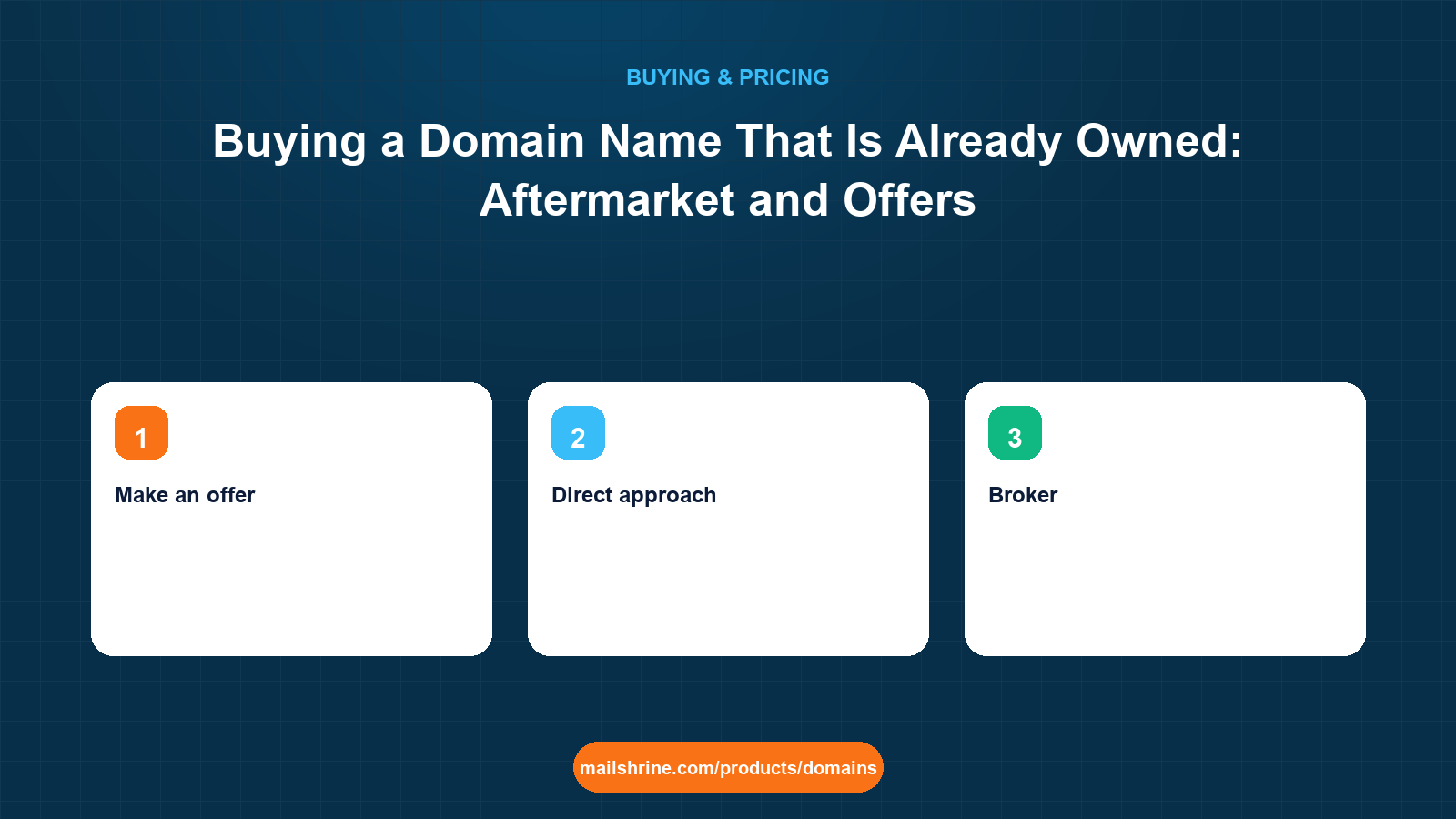
A domain that is already registered can still be bought, but from its current holder, not from the registry. The registry will not sell a taken name to anyone; it holds one line per domain and the current registrant decides what happens to it. So buying an owned name is a private sale: find out who holds it, learn whether it is listed for sale, agree a price, pay through an intermediary that protects both sides, and then move the domain into your own account. The process takes a day when the name is listed with a Buy Now price and weeks when it is not.
Prices on this market have nothing to do with the $12.99 registration fee. They are set by the seller's view of the name's value, and a short, pronounceable .com can cost thousands. The skill is in knowing which names are worth negotiating for and how to pay without being defrauded.
MailShrine Domains shows aftermarket "for sale" names in search results with a Buy Now price up to a cap, so you can see at a glance whether a taken name is purchasable at a fixed price. Once a name is yours, it gets the same WHOIS privacy, transfer lock, email DNS and two Business Email mailboxes as any new registration.
Real-life example: Chidi's fintech startup
Chidi Eze is founding PayLoop, a payroll-lending startup in Abuja. payloop.com is registered to someone else and has shown a parking page for six years. payloop.ng is free. His investors would prefer the .com. He has budgeted up to $3,000 for the name and wants to know how to find the owner, how to pay without losing the money, and when to walk away.
Chidi's goals this week:
- Find out who holds
payloop.comand whether it is for sale. - Negotiate or buy at a price he can justify to the board.
- Pay safely and get the domain into PayLoop's own account with email working.
The four ways an owned domain changes hands
| Route | How it works | Typical timeline | Typical cost on top of the price |
|---|---|---|---|
| Buy Now listing | Seller has set a fixed price on a marketplace; you pay, the domain is pushed to you | 1 to 5 days | Marketplace fee, often paid by the seller; sometimes a buyer fee |
| Make an offer | Seller is listed but with "make offer"; you negotiate through the marketplace | Days to weeks | Same as above |
| Direct approach | No listing; you find the holder via RDAP or the parking page and email them | Weeks to never | Escrow fee, typically about 1–3% split or paid by buyer |
| Broker | A broker contacts the holder anonymously and negotiates for you | 2 to 8 weeks | Broker commission, commonly 10–20% of the price, sometimes a minimum fee |
Chidi starts by searching the name on the availability checker. If the holder has listed it, the result shows for sale with a Buy Now price, which answers two questions at once. If it shows only taken, he moves to the direct approach.
Finding the holder when there is no listing
Public WHOIS ended as a service on 28 January 2025; the replacement is RDAP, the Registration Data Access Protocol, which every ICANN-accredited registrar must provide. An RDAP lookup shows the registrar, the registration and expiry dates, the status codes and, if the registrant has not used privacy, their contact details. Most registrants have privacy on, in which case the record shows a proxy email or a contact form hosted by the registrar that forwards to the real holder.
| What RDAP shows | What it tells Chidi |
|---|---|
| Registrar | Where the domain lives and who will handle the push or transfer |
| Created date | A 2019 registration held through six renewals means a holder who values it |
| Expiry date | If it expires in 20 days and is not renewed, waiting may be cheaper than buying |
| Status: clientTransferProhibited | Normal; the seller will unlock it for the transfer |
| Registrant contact or proxy form | The channel for a direct approach |
A parking page on the domain often has its own "this domain may be for sale" link, which is usually the fastest channel of all.
What you need before you start
| You need | Why |
|---|---|
| A maximum price written down before contact | Negotiations drift; a ceiling set in advance prevents it |
| A fallback name | payloop.ng or a variant; it is leverage and a plan B |
| An escrow service you have checked | Escrow.com and marketplace escrow are standard; never wire money directly |
| A registrar account ready to receive the domain | The push or transfer needs a destination |
| A check of the domain's history | Spam blocklists and the Wayback Machine reveal a past that could hurt email deliverability |
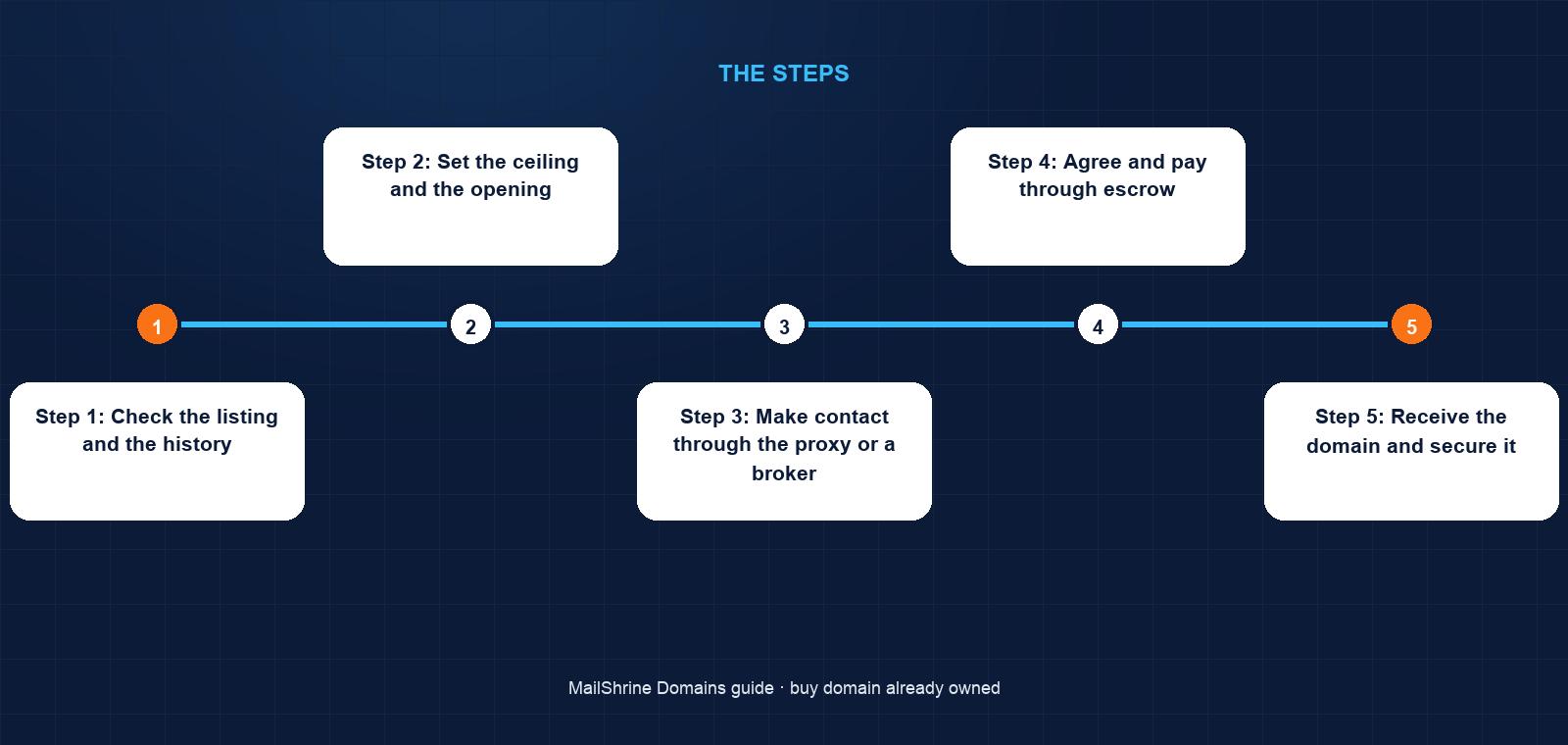
Step 1: Check the listing and the history
The checker shows payloop.com as taken with no Buy Now price. Chidi runs an RDAP lookup: registered 2019, expires in eleven months, a privacy proxy email, parked at a large registrar. The Wayback Machine shows only parking pages. Blocklist checks are clean. The domain is a clean, long-held name with a holder who renews on time.
Step 2: Set the ceiling and the opening
Chidi's board approves $3,000. Comparable two-word .com sales on public sale lists run from a few hundred dollars to tens of thousands depending on the words; payloop is brandable but not a dictionary word. He decides to open at $800 and stop at $3,000.
Step 3: Make contact through the proxy or a broker
He uses the registrar's contact form, identifies himself honestly as a small startup, and asks whether the name is for sale. Many holders ignore first contact; a second message after a week is normal. If the holder names a figure far above the ceiling, a broker's anonymity sometimes helps, because holders quote startups higher than they quote unnamed buyers.
Step 4: Agree and pay through escrow
The holder replies at $2,500; they settle at $2,200. Chidi opens an escrow transaction. The escrow service holds his payment, the seller unlocks the domain and either pushes it to Chidi's account at the same registrar or releases the auth code for a transfer, Chidi confirms receipt, and escrow releases the funds. The sequence protects both sides, which is why no legitimate seller refuses it.
Step 5: Receive the domain and secure it
If the domain arrives by push at the seller's registrar, Chidi then transfers it to MailShrine with the auth code; the transfer adds a year to the term and, if rejected, the fee is refunded. He becomes the registrant, which triggers a 60-day lock on further transfers. Privacy and transfer lock go on, the email records are written, and chidi@payloop.com works the same day.
Step 6: Know when to walk away
If the holder had quoted $15,000, the right move is payloop.ng with a plan to revisit the .com when revenue justifies it. Startups overpay for names most often in the week before a launch. The fallback name is what makes "no" possible.
Chidi's checklist
- Searched the name: taken, no Buy Now listingCompleted
- RDAP lookup: registered 2019, privacy proxy, parked, clean blocklistsCompleted
- Board ceiling of $3,000 written down;
payloop.ngsecured as fallbackCompleted - Contacted the holder through the registrar's proxy formCompleted
- Agreed $2,200 and paid through escrow, never directlyCompleted
- Transfer into MailShrine with the auth code and confirm the 60-day lock statusNot completed
- Set up
chidi@andsupport@payloop.comin Business EmailNot completed
Common mistakes
Paying the seller directly. A bank transfer to a stranger for a domain you have not received is the most common aftermarket fraud. Escrow costs a small percentage and removes the risk entirely.
Revealing the budget or the launch date. Holders quote what they think you can pay. Negotiate as a buyer with alternatives, because you have one.
Skipping the history check. A domain previously used for spam carries a reputation that follows it into your email. Check blocklists and the archive before you pay, not after.
Expecting the registrar to intervene. The registrar of a taken domain cannot sell it to you or pressure the holder. Only a trademark dispute under the UDRP changes that, and only where the holder registered in bad faith against your mark.
Leaving the domain in the seller's account. A push into your account at their registrar is a start, not an end. Move it to your own registrar and become the registrant so the seller has no residual control.
Check your work
After the purchase, run an RDAP lookup on the domain yourself. The registrar should be yours, the registrant your company behind a privacy proxy, the status codes should include the transfer prohibition you switched on, and the expiry date should be at least a year out. Then send a test email from the new address to a Gmail account and confirm it lands in the inbox; a clean history and correct SPF, DKIM and DMARC make that happen.
FAQ
Can I just wait for the domain to expire?
Only if the holder stops renewing. RDAP shows the expiry date; if the name is not renewed, it passes through a grace period of up to 45 days and a 30-day redemption period before deletion, and drop-catching services compete for it the moment it is released. A six-year holder is unlikely to let it go.
How do I know what a taken domain is worth?
Look at public sales of comparable names on marketplace sale lists and at appraisal tools, then set a ceiling that reflects what the name is worth to your business rather than to a collector. Short dictionary .com names sell for far more than two-word brandables.
Is Buy Now safer than negotiating?
It is faster and the price is fixed, and the marketplace handles the payment and the handover. Negotiating can be cheaper but takes longer. Both are safe when the money moves through the marketplace or an escrow service.
What happens if someone owns a domain matching my trademark?
If you hold a registered trademark and the domain was registered in bad faith to profit from it, you can file a UDRP complaint through an approved provider; a successful case transfers the domain. If the holder registered it legitimately before your mark existed, UDRP will not help and a purchase is the only route.
Can I get email on an aftermarket domain immediately?
Yes, once it is in your account. MailShrine writes MX, SPF, DKIM and DMARC at transfer-in and the two included mailboxes are ready within minutes. If the domain has a poor sending history, expect to warm it up gradually.
Next steps
- How Much Does a Domain Name Cost? — why aftermarket prices and registration fees are unrelated.
- How to Buy a Domain Name: Step by Step — the standard purchase when the name is free.
- How to Buy a Domain for Someone Else or a Client — getting the registrant right on a purchased name.
Citations & References
- Reference: ICANN: RDAP, the replacement for WHOIS
- Reference: ICANN: Uniform Domain-Name Dispute-Resolution Policy (UDRP)
- Reference: ICANN: Transfer Policy
- Reference: RFC 9083: JSON Responses for RDAP
Written by Daniel O., security editor. Daniel covers the ways people lose domains and mailboxes, and the settings that stop it happening.