
Domain portfolio management is the discipline of keeping many domains, often belonging to many clients, registered, renewing, correctly owned and correctly configured, without any of them lapsing or ending up in the wrong name. For a web or marketing agency it is the least glamorous and most dangerous part of the job. A lapsed client domain takes down their site and email on the same morning, and if the agency registered it under its own details, the argument about who owns the name starts before the site is back up.
The failure modes are always the same: a domain registered under an employee's personal email who has since left, a card that expired a week before the renewal, a client who was never told the domain was theirs to pay for, or forty domains spread over six registrars with no single list. This guide gives you a structure that prevents each of them, from ownership rules to renewal cadence to the handover when a client leaves.
MailShrine Domains is built to hold a portfolio in one place: 150+ extensions, 1–10 year terms, free WHOIS privacy and transfer lock, renewal reminders at 30, 7 and 1 day and at expiry, and auto-renew that can be left on per domain. Transfers in come with a full refund if the losing registrar rejects them, so consolidating a scattered portfolio carries no risk.
Real-life example: Chidi's agency
Chidi Nwosu runs Studio Forty, a seven-person web agency in Kigali with 38 active clients. Last month a restaurant client's site and email vanished because the domain, registered three years ago by a former developer under his own Gmail, expired unnoticed. It took eleven days and a redemption fee to recover. Chidi now wants every client domain accounted for, owned correctly, and impossible to lose.
Chidi's goals this month:
- Build one list of every domain the agency touches, with owner, registrar and expiry.
- Move ownership to each client while keeping the agency able to manage DNS.
- Set a renewal process that does not depend on anyone remembering anything.
The three ownership models
| Model | Registrant | Who pays | Who manages DNS | Risk |
|---|---|---|---|---|
| Agency owns everything | Agency | Agency, rebilled | Agency | Client cannot leave cleanly; disputes; agency liable for every lapse |
| Client owns, agency manages | Client, in the client's account | Client's card or agency rebilled | Agency via delegated access or shared DNS | Lowest risk; requires onboarding each client |
| Client owns, agency has nothing | Client | Client | Client | Agency cannot fix DNS at 2am; clients forget renewals |
The middle model is the one to aim for. The client is the registrant, so the asset is theirs in any dispute and leaves with them if they go. The agency keeps operational access so DNS changes do not wait on a client's reply. ICANN's registrant rights documentation is explicit that the registrant, not the technical contact, is the party with rights over the name.
The portfolio register
A spreadsheet is enough. The columns are what matter.
| Column | Why it matters | Example |
|---|---|---|
| Domain | The asset | kigalikitchen.rw |
| Client and contact | Who to call | Kigali Kitchen, Grace M. |
| Registrant email | Where renewal notices go; must be a client address the agency does not control alone | accounts@kigalikitchen.rw |
| Registrar | Where it lives | MailShrine |
| Expiry date | The one number that cannot slip | 2028-03-14 |
| Term and auto-renew | Whether the domain renews itself | 3 years, on |
| Payment method | Whose card, and when it expires | Client card ending 4421, exp 09/27 |
| Lock and privacy | Security state | Both on |
| Nameservers | Where DNS is served | MailShrine Anycast |
| Email provider | What the MX points at | MailShrine Business Email, Solo plan |
| Notes | Anything odd | ccTLD requires local contact |
Review the sheet monthly and sort by expiry. Anything within 90 days gets a decision, not a reminder.
What you need before you start
| You need | Why |
|---|---|
| RDAP access to look up every domain you think you manage | The register is only useful if it is complete; RDAP shows the real registrant and expiry. |
| A standard client onboarding form | Collects the registrant details and the client's own billing email once. |
| A shared agency mailbox for technical contacts | Never an individual's address; people leave. |
| A policy document the client signs | States who owns the domain, who pays, and what happens at offboarding. |
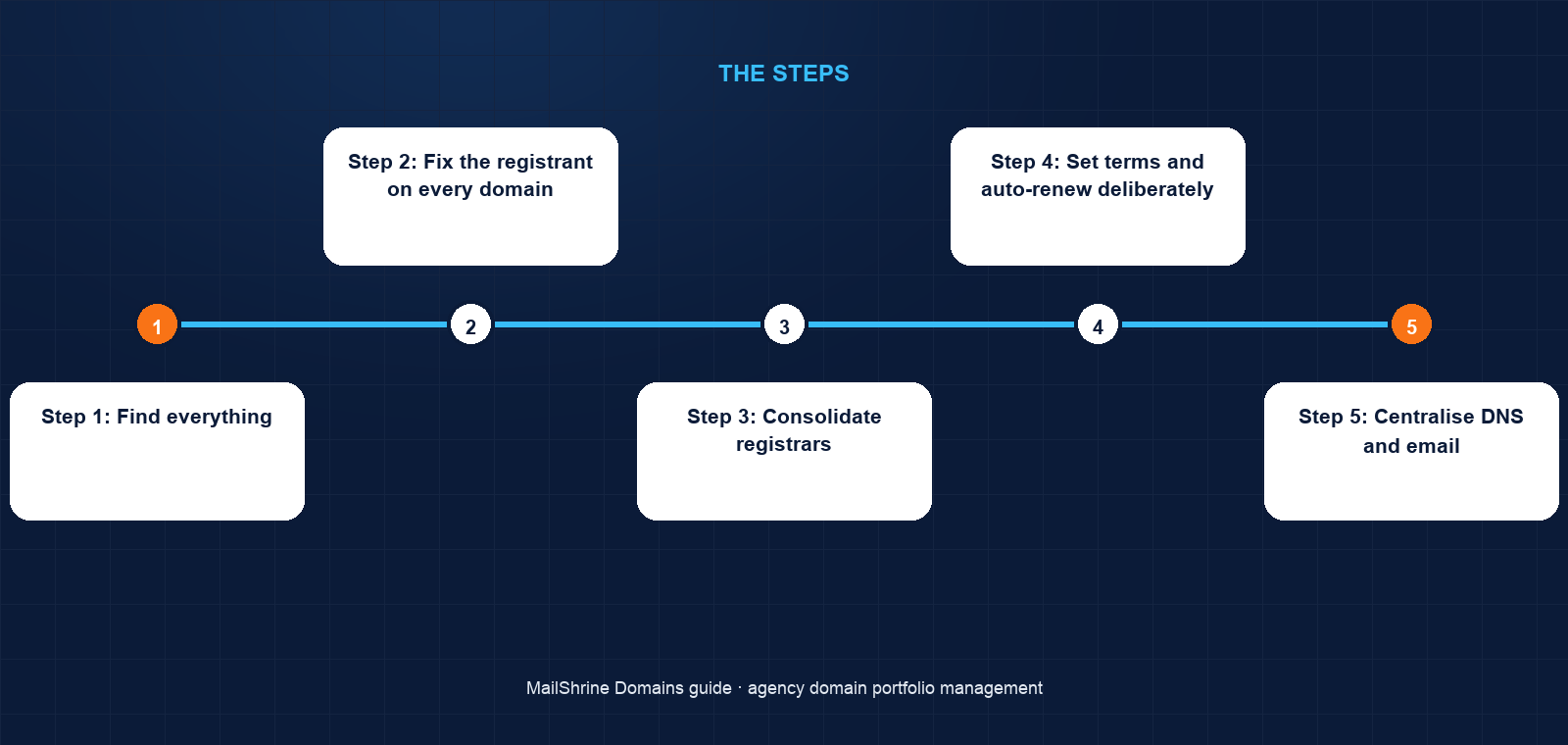
Step 1: Find everything
List every client site and email domain you have ever touched. Run an RDAP lookup on each. Record the registrar, registrant, expiry and lock status. Expect surprises: Chidi found four domains registered to ex-employees and two he did not know existed.
Step 2: Fix the registrant on every domain
For any domain where the agency or an individual is the registrant, update the registrant to the client's legal name and a client-controlled email. Under ICANN's transfer policy a change of registrant may trigger a 60-day lock on transfers to another registrar, so do this before any consolidation move, not after.
Step 3: Consolidate registrars
Moving 38 domains from six registrars to one cuts the renewal problem from six processes to one. Unlock each domain, request the auth code, and transfer it into MailShrine; a transfer adds a year to the expiry and the losing registrar has up to 5 days to object under ICANN rules. Domains registered or transferred within the last 60 days must wait. If a transfer is rejected, MailShrine refunds in full.
Step 4: Set terms and auto-renew deliberately
Register or renew client domains for 2–3 years, aligned where possible so a client's domains share one expiry. Leave auto-renew on and record the card on each. For clients who insist on paying themselves, make them the billing contact in their own MailShrine account and put the agency as a delegated manager.
Step 5: Centralise DNS and email
Point every domain at MailShrine's Anycast nameservers so the agency manages all records in one editor. The mail records (MX, SPF, DKIM, DMARC) are written automatically for domains using Business Email; for clients on another mail provider, add their records in the same place.
Step 6: Write the offboarding procedure
When a client leaves, hand over the account with the domain in it, remove agency access, and send a written note of the expiry date and renewal cost. Never hold a domain hostage over an unpaid invoice; it is a registrant-rights issue and a reputation risk.
Step 7: Run the monthly review
Sort the register by expiry. Contact clients with domains expiring in 90 days to confirm the card and the intent to renew. Check the 30-, 7- and 1-day reminders from MailShrine are reaching an address that someone reads. Check lock and privacy are still on.
Chidi's checklist
- Built the register from RDAP lookups: 51 domains, not the 38 he expectedCompleted
- Changed registrant on 6 domains from ex-employees to the clientsCompleted
- Transferred 44 domains into MailShrine over three weeksCompleted
- Aligned each client's domains to one expiry with 3-year termsCompleted
- Moved all nameservers to MailShrine Anycast and audited the DNS recordsNot completed
- Signed the ownership and offboarding policy with every clientNot completed
Common mistakes
Registering under an employee's email. Renewal notices go to a mailbox that stops existing when they leave. Use the client's address as registrant and a shared agency mailbox as technical contact.
Paying renewals from the agency card and forgetting to rebill. The card expires or the agency stops paying, and the client finds out when the site goes down. Put the client's card on the client's domain.
Changing registrant and immediately trying to transfer. The change may trigger a 60-day transfer lock. Sequence the registrant fix before consolidation.
Keeping domains at six registrars because "they work". They work until the one you forgot about expires. Consolidation is cheap; recovery from redemption is not.
Trusting reminders alone. Reminders are a safety net. The monthly review of the register is the process.
Check your work
Every row in the register should match RDAP: same registrant, same expiry, same registrar. In the MailShrine dashboard every domain should show Active, privacy and lock on, auto-renew on with a valid card, and an expiry at least a year out. Pick three client domains and confirm the registrant email is one the client controls by asking them to forward the last renewal reminder.
FAQ
Should the agency or the client be the registrant?
The client. The registrant holds the rights to the name under ICANN rules. The agency should be a technical or delegated contact with operational access, never the owner.
What happens if a client domain expires anyway?
Most registries allow renewal at the normal price during a grace period of up to 45 days, then a redemption period of 30 days at a much higher fee, then a 5-day pending delete before the name drops. Act in the first window.
Can I transfer a client domain if the client registered it themselves?
Only with the registrant's cooperation. They must unlock the domain and release the auth code, and the registrant email will receive the confirmation. There is no way around this, by design.
How many years should I register client domains for?
Two to three years balances cash flow with safety, and MailShrine supports up to 10. Align a client's domains to a single expiry so one reminder covers all of them.
What should the agency do when a client leaves with unpaid invoices?
Hand over the domain anyway, in writing, with the expiry date. Pursue the invoice separately. Withholding a domain exposes the agency to a dispute and the client to losing their email.
Next steps
- Should You Buy Multiple Domain Extensions for Your Brand? — advising clients on defensive registrations.
- How to Rebrand and Move to a New Domain Without Losing Traffic — the process when a client changes name.
- Parking a Domain: What It Means and Whether to Do It — what to do with client domains not yet in use.
Citations & References
- Reference: ICANN: Registrant rights and responsibilities
- Reference: ICANN: Transfer Policy
- Reference: ICANN: Expired Registration Recovery Policy
- Reference: ICANN: Registration Data Access Protocol (RDAP)
Written by Samira K., small-business editor. Samira writes for owners who run the business and the IT, and keeps every recommendation priced in real money.