“Best” depends on whether you need a full suite or reliable professional mail. Most small businesses mainly need branded addresses, clean DNS, webmail, aliases, and a fair price — which is exactly what MailShrine Business Email targets.
Use this checklist before you buy seats anywhere.
Real-life example: MarketFresh Kiosk
Zainab runs MarketFresh, a two-person produce kiosk with a WhatsApp catalog and a simple Instagram shop. She almost bought five Workspace seats “because everyone uses Gmail,” then realized she only needs zainab@ and orders@.
Her buy criteria:
- Look professional on invoices.
- Stay under a clear monthly budget.
- Keep the website on its current host.
- Finish setup in one evening.
Buyer checklist (print this)
| # | Question | Why it matters |
|---|---|---|
| 1 | Do we own a domain? | Required for @brand email |
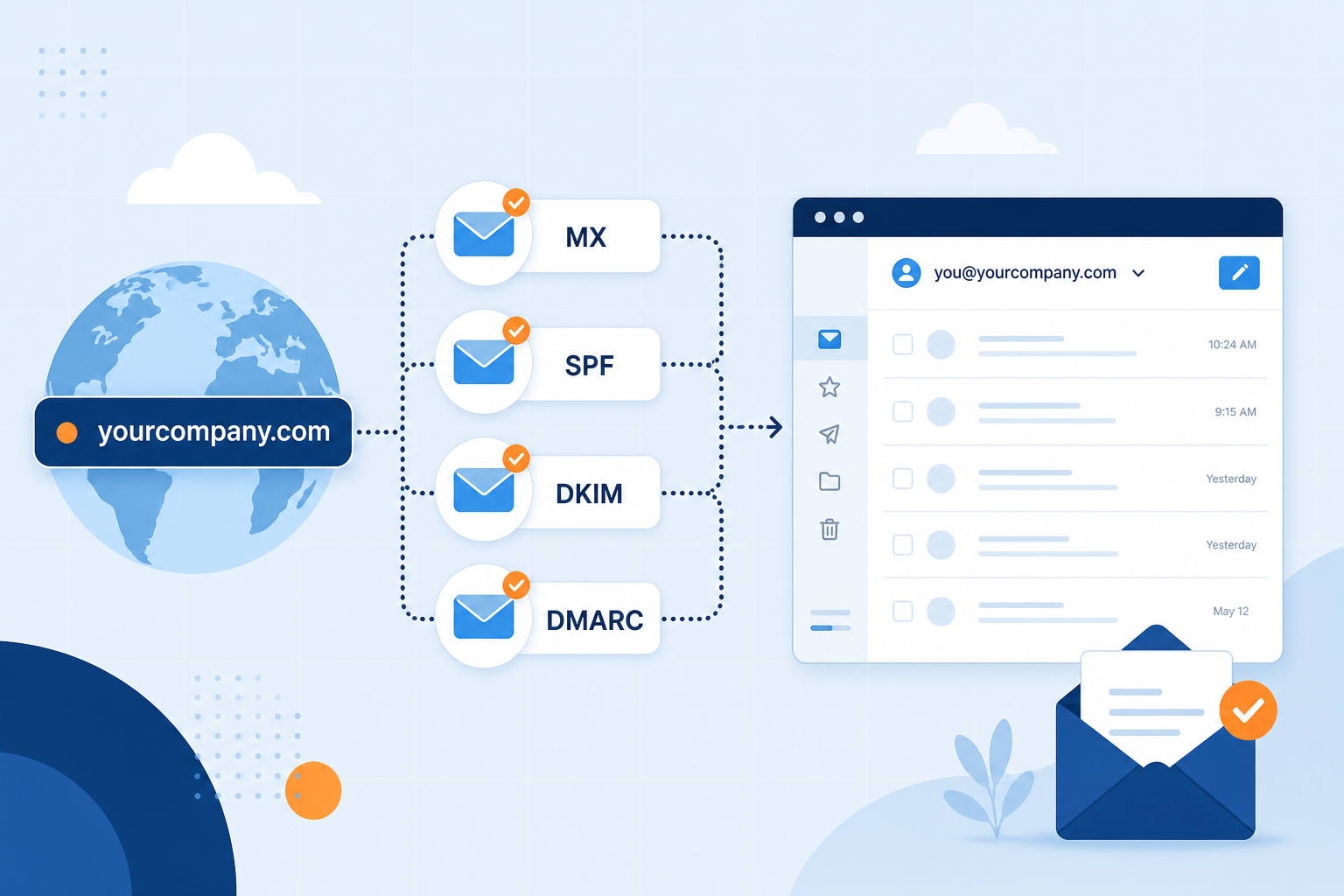
| 2 | Can we edit DNS? | MX / SPF / DKIM / DMARC |
| 3 | How many human mailboxes? | Seats vs aliases |
| 4 | Do we need Docs/Drive daily? | Suite vs email-first (Workspace guide) |
| 5 | Storage per mailbox? | Attachments add up |
| 6 | Webmail + IMAP/SMTP? | Phones & Outlook |
| 7 | Migration path later? | Keep addresses if you switch hosts |
| 8 | Support when DNS fails? | First week is mostly DNS |
Step 1: Choose email-first vs suite
| If you… | Lean toward |
|---|---|
| Need mailboxes + aliases mainly | MailShrine / focused email host |
| Live in Docs + Meet every hour | Google Workspace |
| Live in Word/Excel/Teams | Microsoft 365 |
For definitions see What Is Business Email?.
Step 2: Map addresses before checkout
| Address | Type | Owner |
|---|---|---|
zainab@marketfresh.ng | Mailbox | Founder |
orders@marketfresh.ng | Alias | Same mailbox at first |
Future accounts@ | Alias or mailbox | Add when volume hurts |
Pay for humans, not vanity strings, when aliases exist.
Step 3: Confirm the DNS story
Ask every vendor: “Will you show me the exact MX and TXT values?” MailShrine surfaces records in Domains. Timing expectations: DNS propagation guide. Keep site records untouched (domain vs email hosting).
Step 4: Pilot on Free / lowest tier
- Create account → add domain → verify.
- Create one mailbox + one alias.
- Send invoices for a week.
- Upgrade seats/storage only when meters say so.
Full click path: Set Up Business Email.
Step 5: Score vendors (example)
| Criterion (1–5) | Suite A | Email-first B (MailShrine) |
|---|---|---|
| Price for 2 mailboxes | 3 | 5 |
| Setup clarity | 4 | 5 |
| Aliases without extra seats | 4 | 5 |
| Collaboration apps | 5 | 2 |
| Email-only focus | 2 | 5 |
Zainab’s total favored email-first — she already had free chat and sheets elsewhere.
Zainab’s purchase checklist
- Buyer questions answeredCompleted
- Two addresses planned (mailbox + alias)Completed
- Skipped unused suite seatsCompleted
- Domain ready; site host unchangedCompleted
- MailShrine verification greenNot completed
- Instagram bio updated to
orders@Not completed
Common mistakes to avoid
- Buying seats for every role address.
- Ignoring renewal pricing on “year 1 deals.”
- Choosing a host that cannot separate web and mail DNS.
- No round-trip test before printing the address on packaging.
Check your work
- Written address map.
- Suite-vs-mail decision written down.
- DNS access confirmed.
- Budget number per month agreed.
Next steps
Citations & References
- Reference: Google: Email sender guidelines
- Reference: ICANN: What is DNS?
- Reference: Cloudflare Learning Center: What is an MX record?
Written by Daniel O., Business Email Specialist. Daniel writes practical buyer checklists for African and global SMEs choosing email hosts.