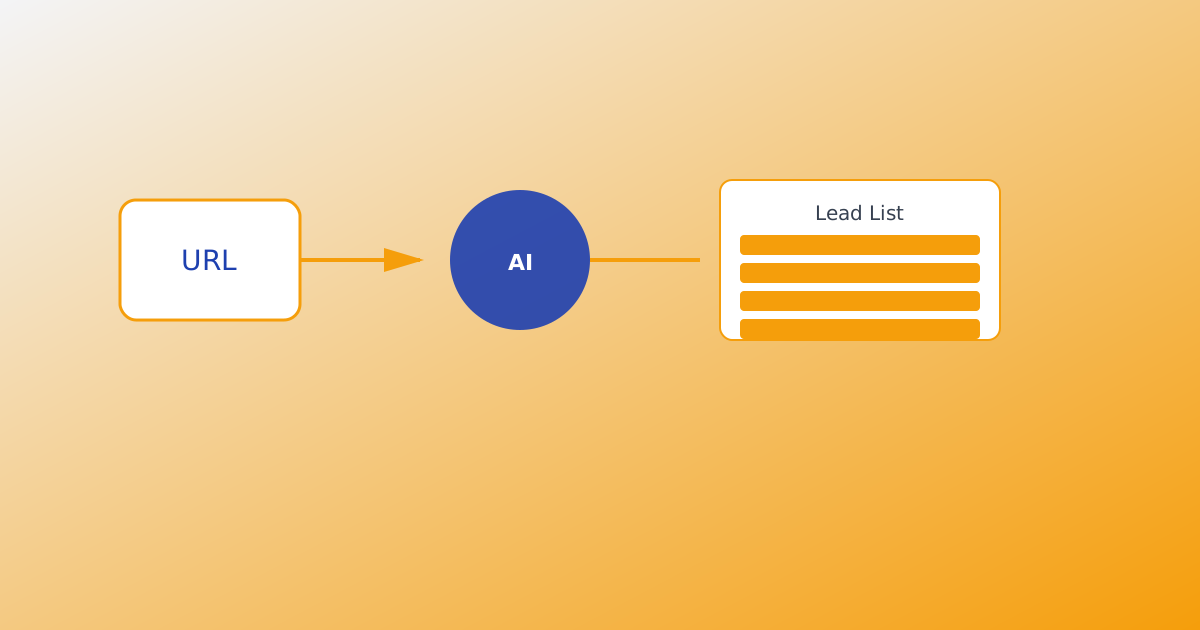
The fastest way to build an outreach list on MailShrine AI Email Lead Generator starts with one input: your product URL. Crawl the site into structured product intel, tune audiences and keywords, set an email target, let 25 AI agents run live prospecting for your outreach list, then export CSV or Excel — optionally to your inbox when the goal is met.
This workflow assumes you already know What Is an AI Email Lead Generator?. For the full pipeline, see How AI Lead Generation Works.
Real-life example: CraftKit
Leila launched CraftKit, a Notion template shop for freelance designers. She has a polished landing page at craftkit.app but zero outbound list. She wants 250 creator emails this week without manually copying Instagram bios.
Leila’s URL-to-list plan:
- Paste
craftkit.appinto product intel and run Analyze. - Accept suggested audiences, add “freelance designers on YouTube.”
- Set email target 250 + Excel inbox delivery.
- Start harvest — open the attachment from her Business Email inbox.
URL-to-list workflow in one table
| Step | Action | Output |
|---|---|---|
| 1 | Paste product URL | Crawled page summary |
| 2 | Analyze intel | Audiences + keywords draft |
| 3 | Tune targeting | On-ICP chips and search terms |
| 4 | Set email target | Goal number + optional inbox file |
| 5 | Start harvest | 25 agents discover outreach contacts |
| 6 | Export | CSV, Excel, or inbox attachment |
Same MailShrine login as Email Marketing and Business Email.
What you need before you start
| Item | Why you need it |
|---|---|
| Live product URL | Homepage + pricing/features pages crawl best. |
| MailShrine account | Sign in or register. |
| Optional text/docs | Sharpen intel beyond the crawl. See Product Intel from URL, Text & Documents. |
| Lead credits | 1 credit per newly saved email. |
Step 1: Paste your product URL
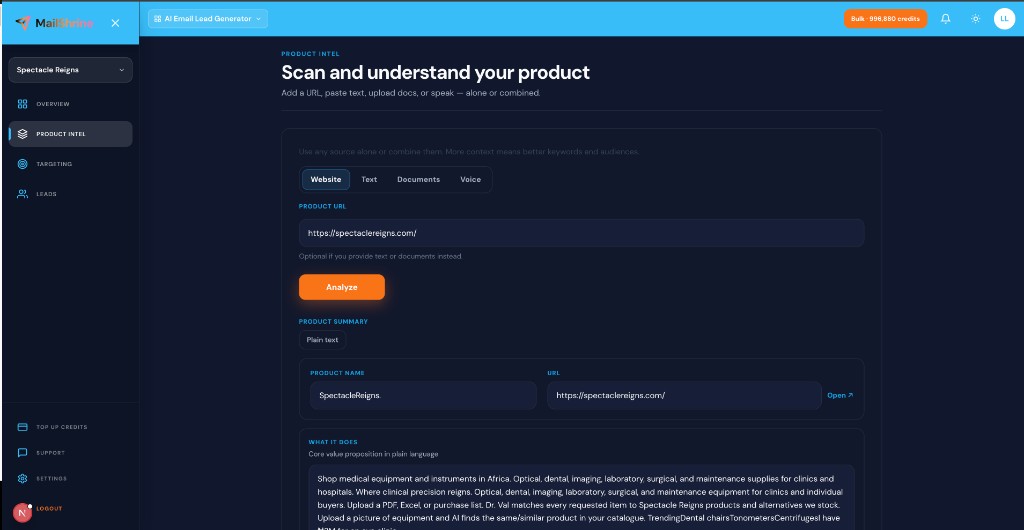
- Open Generate in AI Email Lead Generator.
- Enter your website URL — e.g.
https://craftkit.app. - Optionally add pasted pitch text or upload a one-pager PDF.
- Click Analyze.
The crawler reads public pages and drafts a structured summary: what you sell, who it helps, and starter keywords. Edit anything wrong before harvest — the URL is the anchor, not the only source.
Step 2: Review and edit product intel
After Analyze, you get:
| Field | What to check |
|---|---|
| Product summary | Does it match your positioning? |
| Suggested audiences | Are they buyers, not “everyone”? |
| Keywords | Category intent, not brand name only |
Add voice notes if typing is slow: Voice Input for Product Intel. Strong intel keeps agents on-ICP. Weak intel wastes credits on irrelevant emails.
Step 3: Tune targeting from URL-derived keywords
URL crawls often suggest generic terms. Refine:
- Keep keywords that match how buyers search (“Notion templates for freelancers”).
- Remove pure brand terms unless you want existing fans.
- Add audience chips from Ideal Customer Profile for Email Leads.
Unlimited keyword count — credits apply when emails are saved, not when keywords are tried.
Step 4: Set email target and inbox delivery
- Enter target — e.g. 250 emails.
- Enable “Email me the results when this target is reached.”
- Pick CSV or Excel (.xlsx).
- Confirm the inbox on your MailShrine account receives attachments.
Harvest pauses at target; you get a file without refreshing the dashboard. Details: Email Target Delivery Explained.
Step 5: Start live harvest
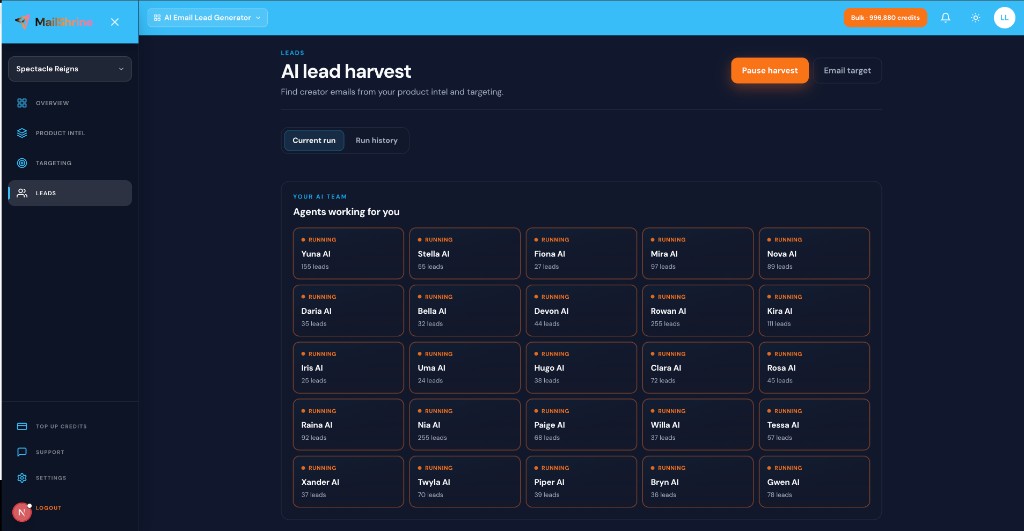
Click Start harvest. 25 named AI agents run in parallel on live trails aligned with your URL-derived intel. Monitor agent status (Ready, Running, Paused, Done) and per-agent lead counts.
| Control | When to use |
|---|---|
| Pause | Credit check or end of day |
| Resume | Continue same run after top-up |
| Run history | Re-export or compare runs |
Live harvest beats static databases for freshness — see Live Harvest vs Static Lead Databases. Agent behavior: AI Agents for Lead Generation.
Step 6: Export and send
When the run completes:
- Download CSV from dashboard or run history.
- Open inbox attachment if email target delivery was on.
- Sanitize the list before bulk send.
- Import to MailShrine Email Marketing for sequences.
Full export guide: Export Leads: CSV, Excel & Email.
Leila’s finished plan (checklist)
craftkit.appcrawled and summary editedCompleted- Freelance-designer audiences + YouTube keyword addedCompleted
- Email target 250, Excel to inbox enabledCompleted
- Harvest running — waiting for inbox fileNot completed
- List imported to Email MarketingNot completed
Common mistakes to avoid
- Analyzing a broken or staging URL — crawl fails or intel is empty; use production site.
- Skipping the edit step — auto-summary drifts off positioning.
- Brand-only keywords from URL title — finds fans, not solution seekers.
- No email target — run continues until credits exhaust.
- Blasting CSV without sanitize — high bounce risk on cold outreach.
Check your work
- Does product intel accurately describe what the URL sells?
- Are at least three audience chips specific (role + situation)?
- Is email target set with correct CSV vs Excel choice?
- Do you know whether export lands in dashboard, inbox, or both?
Frequently asked questions
Can I use a URL that is not live yet?
A public staging URL works if crawlable. Password-protected or localhost URLs need pasted text or uploaded docs instead.
What if my site is one page?
Single-page sites still crawl. Add a PDF pitch or voice dictation for depth. See Product Intel from URL, Text & Documents.
How many credits for a 250-email list?
Up to 250 credits for 250 newly saved emails (duplicates and discarded rows do not consume credits the same way — check your run summary).
Can I run multiple URLs in one workspace?
Use separate runs or enrich intel with multiple doc uploads. One primary URL per Analyze is the default workflow.
Next steps
- Product Intel from URL, Text & Documents — beyond the URL alone.
- Email Target Delivery Explained — hands-off export.
- Export Leads: CSV, Excel & Email — file formats and suite handoff.
Citations & References
- Reference: Google Search Central: SEO starter guide
- Reference: CAN-SPAM Act compliance basics
Written by Elena V., Product-Led Growth Writer. Elena helps SaaS founders turn landing pages into targeted harvest intel without manual list building.