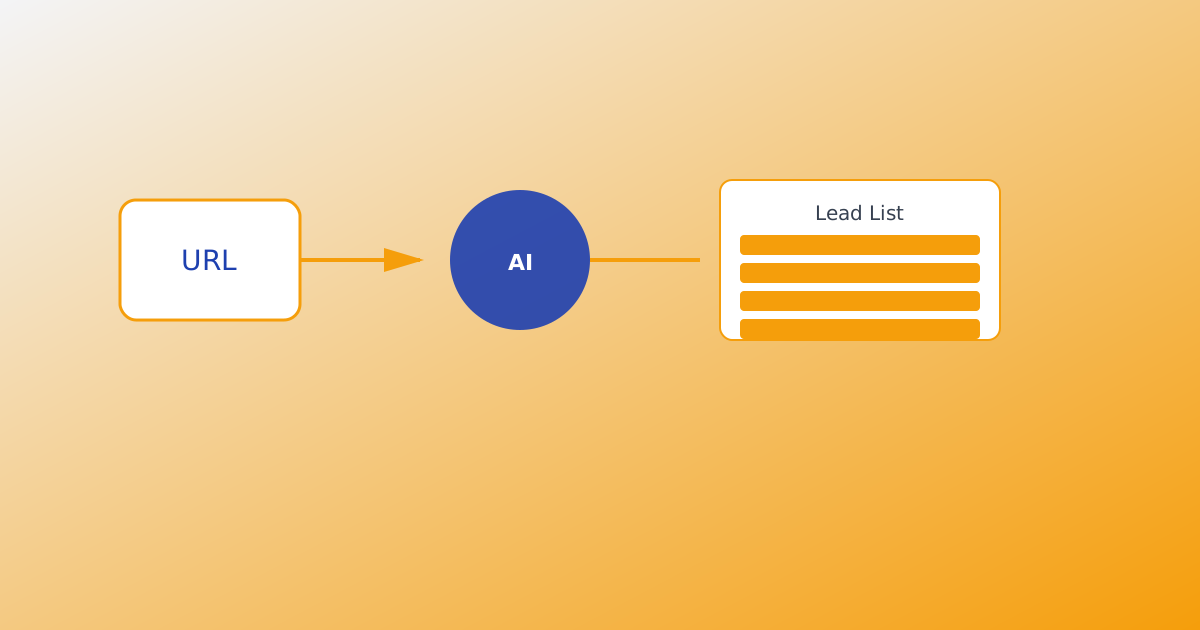
An AI email lead generator is software that discovers business contact details for people who match your ideal customer profile — then saves them into a list you can export or send campaigns from. Unlike a static database you buy once, a modern AI email lead generator harvests from live activity trails tied to your product, so contacts are more likely to be reachable today.
MailShrine AI Email Lead Generator adds product intel (URL, text, documents, voice), 25 named AI agents for parallel live harvest, and email target delivery — set how many emails you want, optionally get CSV or Excel in your inbox when the goal is met. Same MailShrine login as Email Marketing and Business Email.
When you are ready to run a harvest, continue with How AI Lead Generation Works or Product URL to Lead List Workflow.
Real-life example: Kora Studio
Amara runs Kora Studio, a small design agency in Lagos. She sells landing-page packages to founders and creators. Her old workflow: scroll Instagram, copy bios into a spreadsheet, guess email formats, and hope half the addresses still work.
Amara’s goal this week:
- Understand what an AI email lead generator actually does (and what it is not).
- Teach the tool her offer with a product URL and a short pitch.
- Set an email target, let agents harvest while she designs — then open a CSV from her inbox.
AI email lead generator in one table
| Term | Plain meaning | MailShrine example |
|---|---|---|
| Lead | A contact row with outreach contact details plus context | Creator email saved to a workspace run |
| Product intel | What you sell, who it helps, and search keywords | Crawl + text + PDF + voice → editable summary |
| Live harvest | Finding emails from current trails, not old dumps | 25 agents follow on-ICP activity in real time |
| Email target | How many emails this run should find | “500 emails — email me Excel when done” |
| Static database | A bought list scraped years ago | What MailShrine does not sell |
You do not need a separate GTM stack login. You need a MailShrine account, a few minutes of product intel, and credits for emails saved.
What you need before you start
| Item | Why you need it |
|---|---|
| MailShrine account | Sign in or register — suite login works across products. |
| Product intel | URL, pasted pitch, uploaded docs, or voice dictation so targeting stays on-ICP. |
| Targeting choices | Audience chips and Google-style keywords (not brand-name spam). |
| Lead credits | 1 credit = 1 newly harvested email saved. 100 free credits per month, refilled every month. |
Step 1: Separate “lead generator” from “bought list”
Many tools sell packed databases — millions of B2B rows collected over years. You filter by industry and export. Some addresses still work; many belong to people who changed jobs, shut down sites, or never opted into your category.
An AI email lead generator with live harvest works differently:
| Approach | How contacts are found | Freshness risk |
|---|---|---|
| Bought / static database | Pre-scraped warehouse | High — dumps can be 5–20 years old |
| Domain lookup (Hunter-style) | Guess format on one company domain | Medium — depends on that domain today |
| Live harvest (MailShrine) | Agents follow current trails from your intel | Lower — tied to active pages and creators |
MailShrine does not pull from a stale warehouse. Agents harvest from live trails aligned with your product intel and keywords. See Live Harvest vs Static Lead Databases.
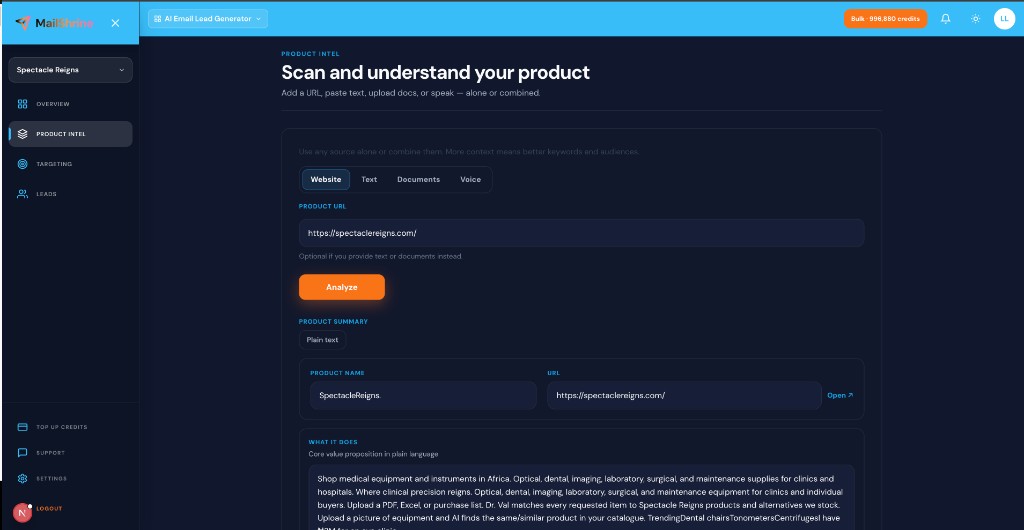
Step 2: Teach the product — URL, text, documents, voice
Before agents run, you teach what you sell:
- Website URL — crawl homepage and key pages into a structured summary.
- Text notes — paste pitch, landing copy, or research.
- PDF & documents — upload up to 20 files (.pdf, .txt, .md).
- Voice dictation — speak your product story in Chrome or Edge.
Hit Analyze to draft an editable product summary, suggested audiences, and search keywords. This is product intel — the generator knows your offer before it searches.
Step 3: Tune targeting (on-ICP, not brand spam)
Targeting uses category intent: what people type into Google for alternatives, how-tos, and comparisons — not your brand name alone.
| Pattern | Good example | Weak example |
|---|---|---|
| Audience chip | “SaaS founders launching v1” | “Everyone on the internet” |
| Keyword | “landing page designer for startups” | “Kora Studio” only |
| Bulk paste | 40 chips from a research doc | One generic keyword |
Unlimited keyword count — credits gate emails saved, not how many keywords you try. Refine on the Targeting step before harvest.
Step 4: Set an email target and optional inbox delivery
Email target is how many emails you want this run to find.
- Enter a number — e.g. 500 emails.
- Optionally turn on “Email me the results when this target is reached.”
- Pick CSV or Excel (.xlsx) attachment.
- Start harvest — agents work while you leave the tab.
When the target hits, the file lands in your inbox and the harvest pauses until you set a new target or resume. No babysitting the dashboard.
Step 5: Live harvest with 25 named AI agents
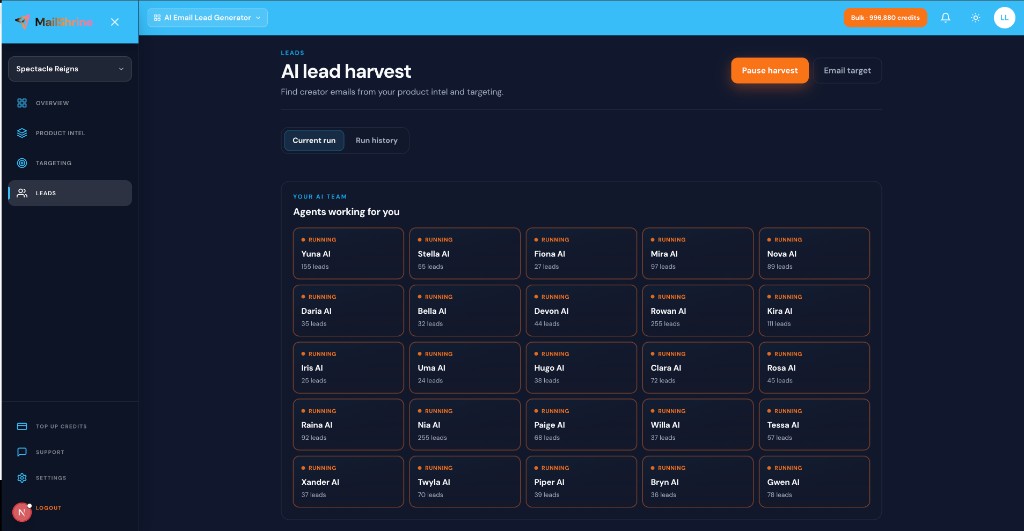
Your AI harvest team runs in parallel — Yuna AI, Stella AI, Gwen AI, and 22 more named agents. You see live status (Ready, Running, Paused, Done), per-agent lead counts, and full run history.
| Agent behavior | What you get |
|---|---|
| Parallel harvest | Faster coverage across trails |
| Pause / resume | Stop for credits or meetings; continue later |
| Credit pause | Harvest pauses at zero credits — top up and resume |
| Run history | Per-run breakdown and export |
Platforms stay behind the scenes. You see agent brands and results — not raw scraper labels. Read AI Agents for Lead Generation.
Step 6: Export and send from the MailShrine suite
Harvested emails are list-ready:
- Download CSV from the current run or history.
- Copy emails for quick tests.
- Optional inbox delivery when email target completes.
Then move down the suite staircase: clean with Email Sanitization, send from MailShrine Email Marketing with your Business Email inbox, and automate drips when ready. One login across products.
Amara’s finished plan (checklist)
- Understands AI email lead generator = product intel + live harvest + exportCompleted
- Product URL and pitch loaded into intelCompleted
- Audiences and keywords tuned for founders needing landing pagesCompleted
- Email target set (300) with Excel inbox deliveryCompleted
- Harvest running — waiting for inbox fileNot completed
- Import list into Email Marketing for outreachNot completed
Common mistakes to avoid
- Buying a static list and blasting it — high bounce risk and poor replies. Prefer live harvest tied to your ICP.
- Skipping product intel — agents search blind; keywords drift off-category.
- Only brand-name keywords — you find fans, not buyers searching for solutions.
- Expecting verified inboxes without list hygiene — pair harvest with Email Sanitization before big sends. See Export Leads: CSV, Excel & Email.
- Separate logins for find + send — MailShrine suite keeps harvest, sanitize, and send on one account.
Check your work
- Can you explain an AI email lead generator in one sentence? (Product-aware software that discovers outreach contacts through live prospecting for your ICP.)
- Did you add product intel (URL, text, docs, or voice)?
- Are keywords category-intent, not just your brand?
- Did you set an email target (and inbox delivery if you want hands-off export)?
Frequently asked questions
Is MailShrine a bought email database?
No. MailShrine AI Email Lead Generator live-harvests from current activity trails using your product intel and targeting — not a packed warehouse of old addresses.
How is this different from Hunter or Apollo?
Hunter and Apollo are strong at domain lookup and large B2B databases, often on monthly seats. MailShrine focuses on product intel, 25-agent live harvest, pay-as-you-go lead credits (never expire), and email target inbox delivery — plus the same login as Email Marketing. See Hunter vs Apollo vs Live Harvest Tools.
Do credits expire?
No. 1 lead credit = 1 newly harvested email saved. Buy packs when you need more; harvest pauses at zero until you top up.
Can I pause a harvest?
Yes. Pause anytime, resume later, or continue from run history. Harvest also pauses when an email target is met or credits run out.
Next steps
- How AI Lead Generation Works — end-to-end workflow.
- Live Harvest vs Static Lead Databases — why freshness matters.
- Product URL to Lead List Workflow — from URL to CSV.
Citations & References
- Reference: CAN-SPAM Act compliance basics
- Reference: Google: Email sender guidelines
Written by Marcus T., GTM & Outreach Specialist. Marcus helps founders build outreach lists without relying on stale bought databases.