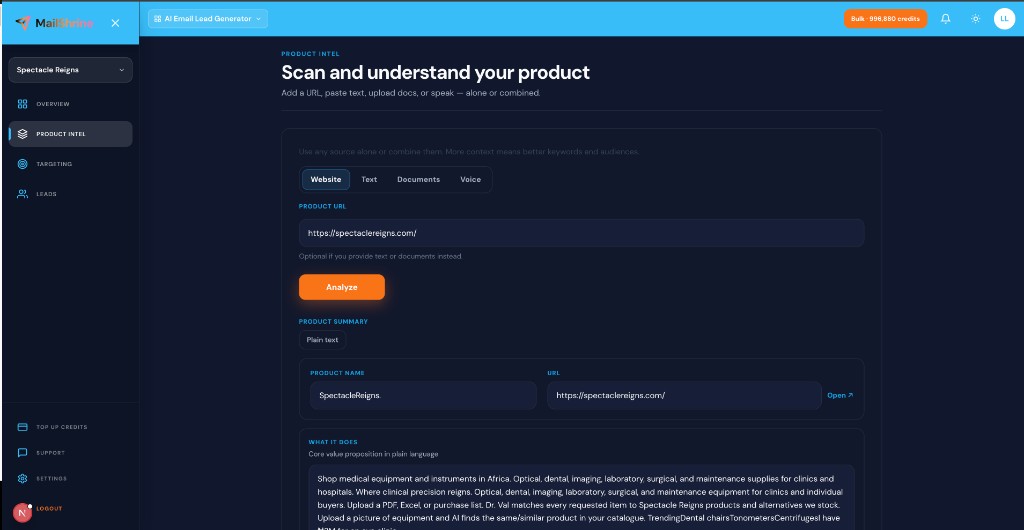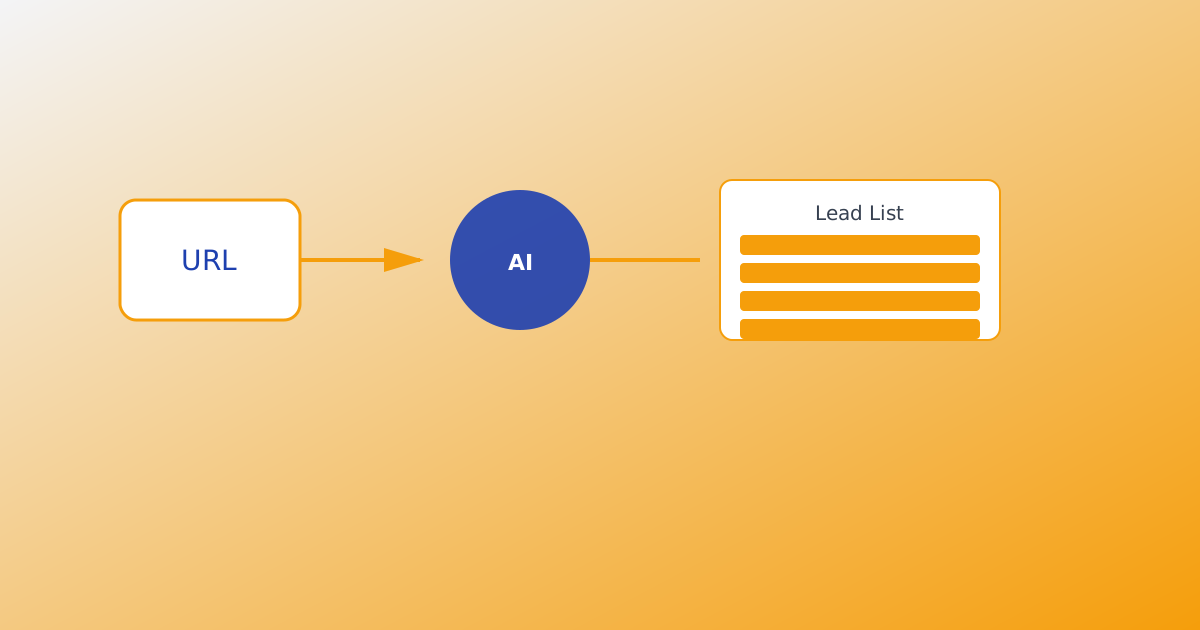
AI lead generation is the process of teaching software what you sell, defining who should receive outreach, then letting AI agents discover business contact details from live activity trails — not from a warehouse of old contacts. On MailShrine AI Email Lead Generator, that means product intel first, targeting second, harvest third, export last.
If you are new to the category, start with What Is an AI Email Lead Generator?. This guide walks the full pipeline end to end.
Real-life example: Nimbus Analytics
Tariq sells a lightweight analytics dashboard for Shopify stores. His old process: open Apollo, filter “ecommerce,” export 2,000 rows, discover half the emails bounce. He wants a workflow tied to stores actively discussing analytics pain, not a generic SaaS dump.
Tariq’s run this week:
- Paste his product URL and a one-paragraph pitch into product intel.
- Add audience chips like “Shopify founders under $1M GMV.”
- Set an email target of 400 with Excel inbox delivery.
- Let 25 agents harvest while he builds onboarding docs.
AI lead generation pipeline in one table
| Stage | What happens | MailShrine step |
|---|---|---|
| Intel | Software learns your offer | URL, text, PDF, voice → Analyze |
| Targeting | You define on-ICP audiences + keywords | Audience chips + Google-style terms |
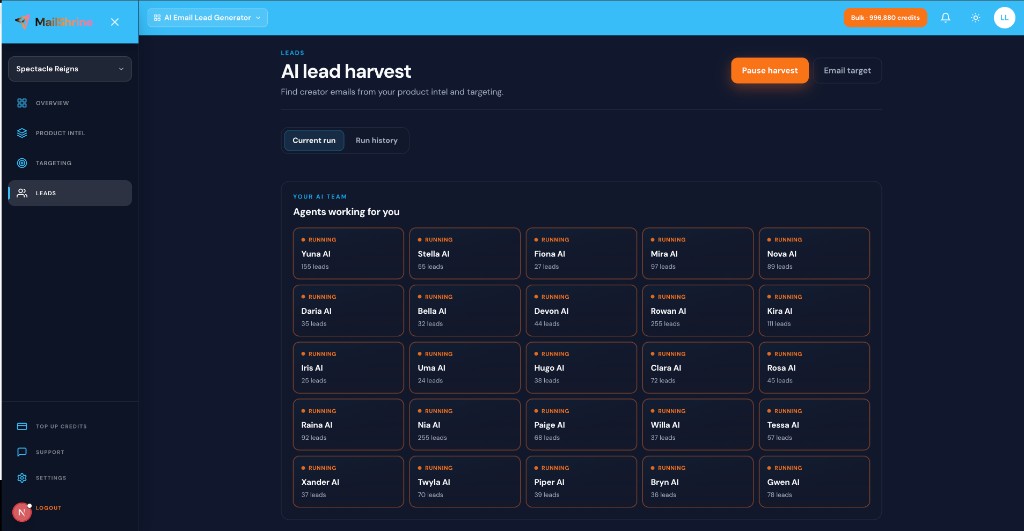
| Harvest | Agents discover outreach contacts from live trails | 25 named agents in parallel |
| Delivery | List reaches you | Download CSV/Excel or inbox when target hits |
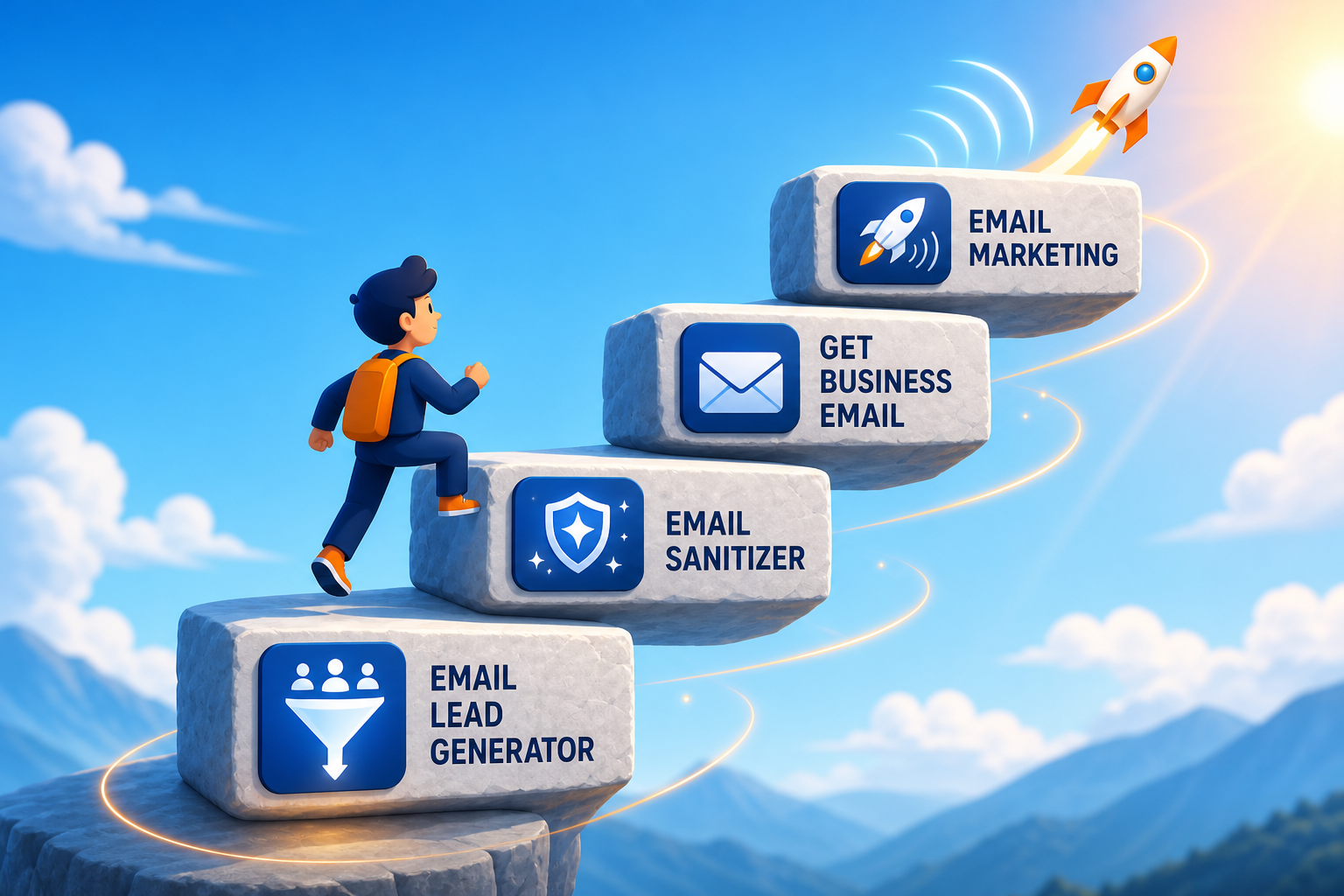
| Send | Outreach from suite | Email Sanitization → Email Marketing |
Credits gate emails saved (1 credit = 1 new email). Keywords and intel are unlimited within fair use.
What you need before you start
| Item | Why you need it |
|---|---|
| MailShrine account | Sign in — same login as Email Marketing and Business Email. |
| Product intel | URL or docs so agents search on-category. See Product Intel from URL, Text & Documents. |
| ICP clarity | Who buys, what they search for. See Ideal Customer Profile for Email Leads. |
| Lead credits | Trial credits on first open; buy packs that never expire. |
Step 1: Load product intel
Before any agent runs, teach the generator your offer:
- Website URL — crawl homepage and key pages.
- Text notes — paste pitch, landing copy, or positioning.
- Documents — upload up to 20 PDFs, .txt, or .md files.
- Voice — dictate your story in Chrome or Edge. See Voice Input for Product Intel.
Click Analyze to produce an editable summary, suggested audiences, and search keywords. Skipping this step is the fastest way to harvest off-ICP contacts.
Step 2: Define targeting (audiences + keywords)
Targeting uses category intent — what prospects type into Google when they have the problem you solve.
| Input | Good example | Weak example |
|---|---|---|
| Audience chip | “Shopify stores launching first paid ads” | “All ecommerce” |
| Keyword | “Shopify analytics dashboard alternative” | “Nimbus Analytics” only |
| Bulk paste | 30 chips from customer interviews | One generic “SaaS” tag |
Refine on the Targeting step before harvest. Unlimited keyword count; credits apply only when an email is saved to your run.
Step 3: Set email target and optional inbox delivery
Email target tells the run how many emails to find before pausing.
- Enter a number — e.g. 400 emails.
- Toggle “Email me the results when this target is reached.”
- Choose CSV or Excel (.xlsx).
- Start harvest.
When the target hits, the file arrives in your inbox and harvest pauses until you resume. Read Email Target Delivery Explained.
Step 4: Live harvest with 25 AI agents
MailShrine runs 25 named AI agents in parallel — Yuna AI, Stella AI, Gwen AI, and 22 more. Each follows live trails aligned with your intel and keywords.
| Behavior | Benefit |
|---|---|
| Parallel agents | Broader coverage in less wall-clock time |
| Pause / resume | Stop for meetings or credit top-ups |
| Run history | Per-run counts and re-export |
| Credit pause | Harvest stops at zero credits — top up and continue |
This is live harvest, not a static database pull. Compare approaches in Live Harvest vs Static Lead Databases. Agent details: AI Agents for Lead Generation.
Step 5: Export and move down the suite staircase
Harvested rows are list-ready:
- Download CSV from the dashboard or run history.
- Inbox delivery when email target completes.
- Copy emails for quick tests.
Then: clean with Email Sanitization, send from MailShrine Email Marketing using your Business Email inbox. One login across the suite. Export options: Export Leads: CSV, Excel & Email.
Tariq’s finished plan (checklist)
- Product URL + pitch analyzed into intelCompleted
- Shopify-founder audiences and category keywords setCompleted
- Email target 400 with Excel inbox delivery enabledCompleted
- Harvest started — agents running in parallelCompleted
- Inbox file received — import to Email MarketingNot completed
- First outreach sequence scheduledNot completed
Common mistakes to avoid
- Starting harvest before Analyze — agents search blind without product intel.
- Brand-only keywords — you find fans, not buyers searching for solutions.
- Treating harvest like a bought list — live trails need ICP tuning, not mass blast.
- Ignoring export hygiene — sanitize before large sends from Email Marketing.
- Separate tool logins — MailShrine suite keeps find, clean, and send unified.
Check your work
- Did you run Analyze on product intel before harvest?
- Are keywords category-intent, not just your product name?
- Is an email target set (with inbox delivery if you want hands-off export)?
- Do you know where the CSV or Excel will land — dashboard or inbox?
Frequently asked questions
How long does a harvest take?
Depends on target size, keyword breadth, and credit balance. Parallel agents reduce wait time versus single-threaded scrapers. Set email target + inbox delivery and work elsewhere while agents run.
Do I pay for emails found or emails saved?
Saved emails cost 1 credit each. Agents may discover duplicates or off-ICP rows you discard — credits apply when a new email is committed to your run.
Can I rerun with different keywords?
Yes. Start a new run from run history or adjust targeting and resume. Product intel carries over in your workspace.
Is this the same as Apollo or Hunter?
Apollo and Hunter excel at B2B databases and domain lookup. MailShrine focuses on product intel, 25-agent live harvest, pay-as-you-go credits, and email target inbox delivery on one MailShrine login.
Next steps
- Product URL to Lead List Workflow — fastest path from URL to CSV.
- AI Agents for Lead Generation — how the agent team works.
- Ideal Customer Profile for Email Leads — sharpen targeting before harvest.
Citations & References
- Reference: CAN-SPAM Act compliance basics
- Reference: Google: Email sender guidelines
Written by Samira O., Lead Generation Workflow Specialist. Samira maps product-aware harvest pipelines for founders moving off static list vendors.