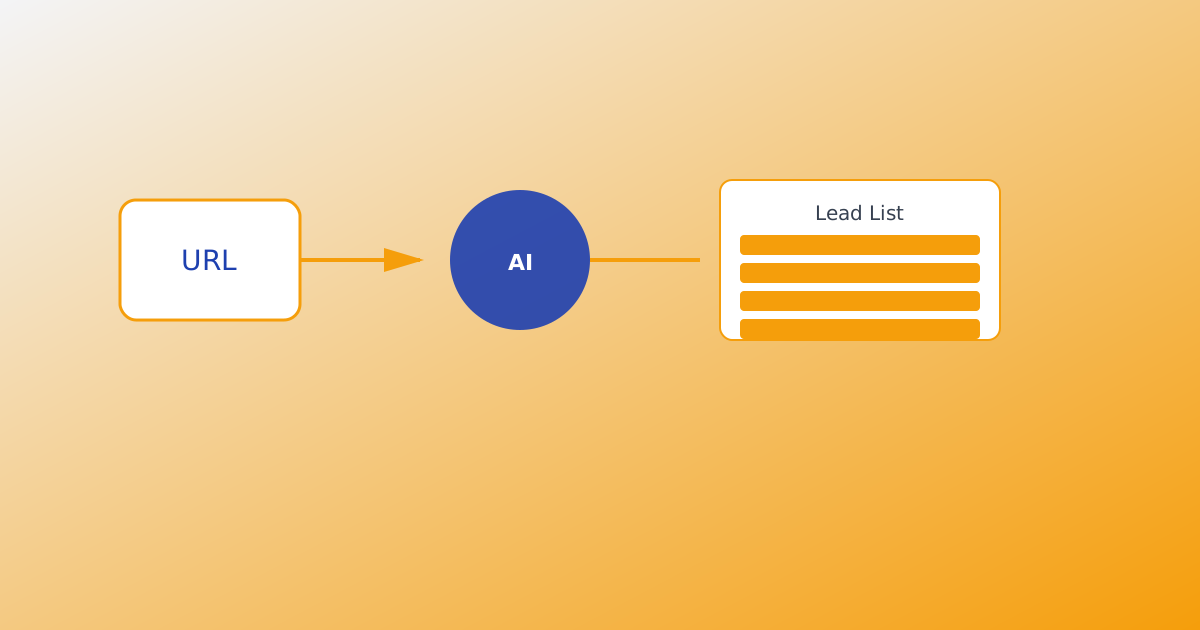
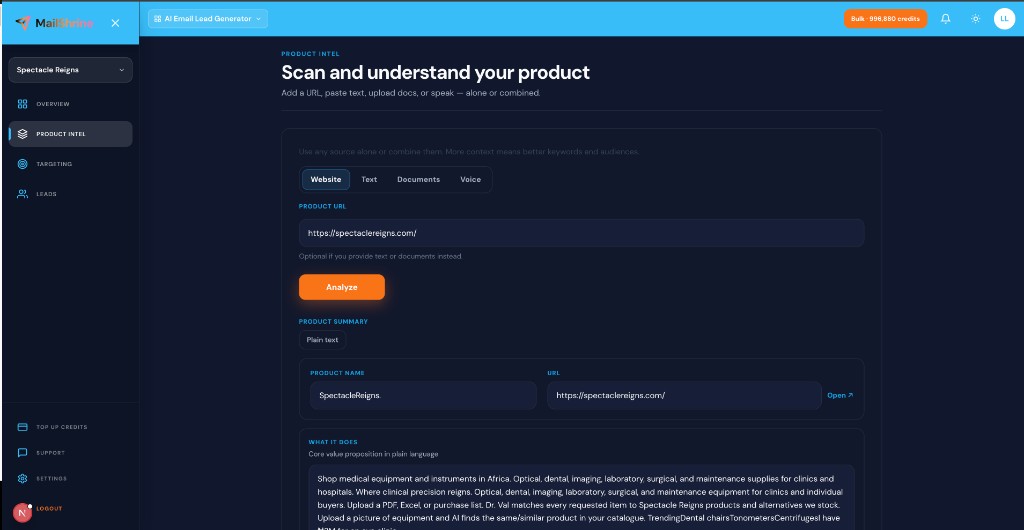
Product intel is the structured summary that teaches MailShrine AI Email Lead Generator what you sell, who it helps, and which search terms match buyer intent — before 25 AI agents start live harvest. You build intel from four inputs: website URL, pasted text, uploaded documents (PDF, .txt, .md), and optional voice dictation.
Without intel, agents search blind. With strong intel, harvest stays on-ICP. Start with What Is an AI Email Lead Generator?; voice-specific tips: Voice Input for Product Intel.
Real-life example: StackForge DevTools
Ravi sells API monitoring for indie hackers. His site is sparse; his real positioning lives in a 12-page PDF pitch deck and Notion doc.
Ravi’s intel stack:
- URL
stackforge.devfor baseline crawl. - Paste README-style text from GitHub.
- Upload PDF pitch deck + .md changelog.
- Analyze → edit summary → harvest with refined keywords.
Four intel inputs compared

| Input | Best for | Limit |
|---|---|---|
| URL | Public positioning, pricing, features | Needs live crawlable site |
| Text | Pitches, landing copy, research notes | Paste into intel field |
| Documents | Decks, specs, case studies | Up to 20 files (.pdf, .txt, .md) |
| Voice | Fast narrative when typing is slow | Chrome/Edge dictation |
All feed one Analyze step that drafts summary, audiences, and keywords.
What you need before you start
| Item | Why you need it |
|---|---|
| At least one intel source | URL alone works; docs sharpen sparse sites. |
| MailShrine account | Sign in — same suite login. |
| Editable mindset | Auto-draft needs human review. |
| ICP follow-up | Ideal Customer Profile for Email Leads. |
Step 1: Crawl your website URL
- Enter production URL — e.g.
https://stackforge.dev. - Ensure pages are public (no login wall on homepage/pricing).
- Click Analyze after adding other inputs (optional).
Crawler extracts positioning, feature language, and starter keywords. Edit anything generic or wrong.
Quick URL-only path: Product URL to Lead List Workflow.
Step 2: Add pasted text for depth
Paste when the site undersells the product:
| Text type | Example use |
|---|---|
| Elevator pitch | 3 sentences for Analyze |
| Landing copy | Hero + benefits block |
| Customer quotes | Pull phrases buyers use |
| Competitive notes | “Unlike X, we do Y” |
Text complements URL — especially for pre-launch or single-page sites.
Step 3: Upload documents (PDF, .txt, .md)
Upload up to 20 files:
- Pitch decks and one-pagers (.pdf).
- Internal specs exported as .txt or .md.
- Case studies with customer language.
Analyze merges document language into summary and keyword suggestions. Remove confidential rows before upload if sharing workspace access.
Step 4: Run Analyze and edit the draft
After Analyze, review:
| Output | Action |
|---|---|
| Product summary | Fix wrong category or tone |
| Audiences | Keep buyer roles; drop “everyone” |
| Keywords | Category intent, not brand-only |
Add voice dictation for missing narrative — Voice Input for Product Intel. Only start harvest when intel reflects real positioning.
Step 5: Connect intel to harvest and export
- Tune targeting from intel outputs.
- Set email target + optional inbox delivery — Email Target Delivery Explained.
- Start 25-agent live harvest — AI Agents for Lead Generation.
- Export — Export Leads: CSV, Excel & Email.
Intel persists in workspace for the next run without re-uploading everything.
Ravi’s finished plan (checklist)
- URL + PDF + pasted README analyzedCompleted
- Summary edited — “indie API monitoring” not generic “devtools”Completed
- Keywords: “API uptime for side projects,” “indie hacker monitoring”Completed
- Harvest started with 200 email targetCompleted
- Export sanitized and imported to Email MarketingNot completed
Common mistakes to avoid
- Analyze once, never edit — auto-summary drifts off-ICP.
- URL only on a thin landing page — add text or PDF for depth.
- Uploading 20 duplicate docs — slows review; curate best 3–5.
- Brand keywords only — intel should produce category search terms.
- Skipping intel entirely — wastes credits on irrelevant trails.
Check your work
- Does summary match how customers describe the product?
- Are suggested keywords things buyers search, not your trademark?
- Did you use at least two intel sources if the site is thin?
- Did you edit audiences before harvest?
Frequently asked questions
Which input matters most?
URL is the default anchor. Text and documents matter most when the site is thin or positioning is nuanced.
Can I re-analyze after editing?
Yes. Update inputs and run Analyze again before a new harvest.
Do documents stay private?
Intel lives in your MailShrine workspace. Do not upload secrets you would not store in a sales tool.
How does intel differ from ICP?
Intel = what you sell. ICP = who should buy. Both feed targeting. See Ideal Customer Profile for Email Leads.
Next steps
- Voice Input for Product Intel — dictate instead of type.
- How AI Lead Generation Works — intel in the full pipeline.
- Live Harvest vs Static Lead Databases — why intel beats generic filters.
Citations & References
- Reference: Google Search Central: Creating helpful content
- Reference: CAN-SPAM Act compliance basics
Written by Lucas M., Product Marketing Researcher. Lucas helps technical founders combine URLs, decks, and docs into harvest-ready intel.