
How MailShrine is priced today (updated October 2026): MailShrine is an email suite, not a single flat-fee product. Live: Email Marketing, Business Email, AI Email Lead Generator, Email Sanitization (200 credits per month, refilled every month), and Developer API — Live. In development: Email Automation only. Email Marketing, Email Lead Generator, and Developer API use pay-as-you-go credits (1 credit = 1 email, harvested lead, or API send), with monthly Email Marketing options. Stored contacts do not raise the bill. Business Email is billed by mailbox. Products and plans are differentiated — not every feature lives on every plan. Confirm live packs on Pricing.
For years, marketers believed that if you needed to send more than a few hundred emails a day, you absolutely had to set up an SMTP (Simple Mail Transfer Protocol) server or use a mass-blasting service like SendGrid.
While that is true for transactional emails (like "reset your password" links), using a third-party transactional SMTP for cold B2B outreach in 2026 is a fast way to get your primary domain blacklisted.
So how do modern sales teams send 10,000+ outreach emails per month without standing up a SendGrid-style server farm?
They use horizontal inbox architecture. MailShrine Email Marketing can send from connected Gmail, Microsoft, Yahoo, or Custom SMTP inboxes—or from MailShrine Cloud. Inbox sending is one path, not a “Direct-Inbox API” product, and Custom SMTP remains available if you already have a relay.
The Math Behind Horizontal Scaling
Google Workspace and Microsoft 365 have strict internal limits. Even if they theoretically allow 2,000 emails a day, sending 2,000 cold emails from a single inbox in 24 hours will instantly flag your account for suspicious, bot-like behavior.
The universally accepted safe limit for cold outreach in 2026 is 40 to 50 emails per inbox, per day.
If you are capped at 50 emails per day, how do you reach 10,000 prospects a month?
You don't send 500 emails from 1 inbox. You send 50 emails from 10 inboxes.
The 10k Volume Benchmark
If you send 50 emails a day from a single inbox, assuming 20 sending days in a month (Monday to Friday), that is 1,000 emails per month.
Therefore, to send 10,000 cold emails per month, you only need 10 connected inboxes.
Step-By-Step: The Architecture Setup
You should never send cold emails from your primary company domain (e.g., yourcompany.com). If an outreach campaign receives high spam complaints, it will destroy your core domain reputation, meaning even your emails to internal colleagues or current clients could start going to their spam folders.
Instead, you must purchase Secondary "Lookalike" Domains.
The Domain & Inbox Matrix
To safely build 10 inboxes, you should spread them across multiple secondary domains. Never put more than 2 or 3 inboxes on a single domain to diversify your sender reputation risk.
Here is what the architecture looks like for a 10,000/month sending machine:
| Domain | Purpose | Inbox 1 | Inbox 2 | Send Vol / Month |
|---|---|---|---|---|
yourcompany.com | Core HQ (DO NOT SEND) | john@... | hello@... | 0 |
getyourcompany.com | Outreach Domain A | john@... | j.doe@... | 2,000 |
tryyourcompany.com | Outreach Domain B | john@... | sales@... | 2,000 |
yourcompanyapp.com | Outreach Domain C | john@... | info@... | 2,000 |
yourcompanyhq.com | Outreach Domain D | john@... | team@... | 2,000 |
yourcompany.co | Outreach Domain E | john@... | hello@... | 2,000 |
Total Volume: 10,000 paced outreach emails per month from mailboxes you control (or Cloud if you choose that path).
Why you still need a campaign tool
Setting up 5 domains and 10 inboxes is the easy part. The hard part is managing them.
If you try to operate this manually, you will go insane jumping between 10 different Gmail tabs every morning, trying to remember which inbox has sent its 50 email quota for the day, and attempting to consolidate replies.
This is the job MailShrine Email Marketing was built for.
1. Connected inboxes, one campaign
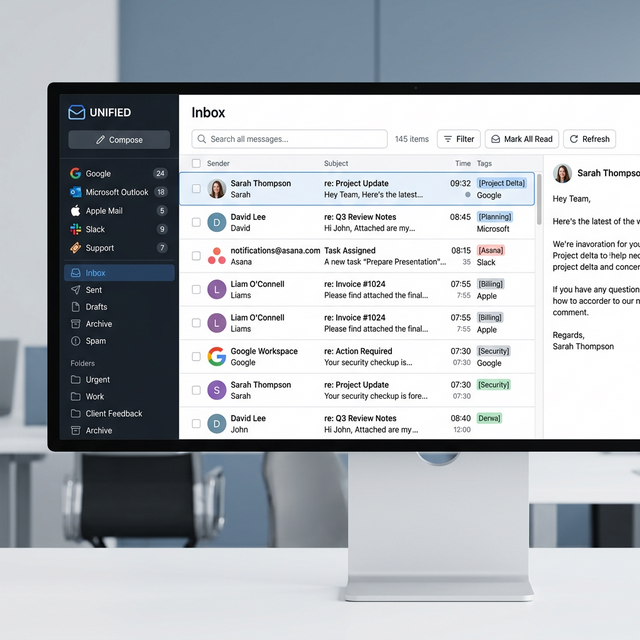
Connect your Google or Microsoft (or Yahoo / Custom SMTP) mailboxes and run a single campaign across them. Replies still live on the mailbox that sent the thread. That is not a branded “Unified Master Inbox” product.
2. Scheduled sending across the set
When you load a list into a MailShrine campaign, spread volume across connected inboxes with scheduled sending and the daily caps you set. There is no secret rotation algorithm that “takes over completely.” You configure the window and the limits.
You get SMTP-farm scale without putting every message through a shared transactional relay. Deliverability still depends on list quality, authentication, and pacing—not a primary-inbox guarantee.
::youtube-search[how to scale cold email to 10000 per month without getting suspended 2026]
Citations & References
- Google Sending Limits Roadmap: Gmail Sending Limits in Google Workspace - Comprehensive insights on daily limits.
- Deliverability Best Practices: Horizontal Scaling for SaaS Operations - Strategic operations for B2B scale.