
How MailShrine is priced today (updated October 2026): MailShrine is an email suite, not a single flat-fee product. Live: Email Marketing, Business Email, AI Email Lead Generator, Email Sanitization (200 credits per month, refilled every month), and Developer API — Live. In development: Email Automation only. Email Marketing, Email Lead Generator, and Developer API use pay-as-you-go credits (1 credit = 1 email, harvested lead, or API send), with monthly Email Marketing options. Stored contacts do not raise the bill. Business Email is billed by mailbox. Products and plans are differentiated — not every feature lives on every plan. Confirm live packs on Pricing.
If you listen to modern B2B growth leaders, you’ll constantly hear the terms "Inbox Rotation" and "Multi-Inbox Architecture."
But why is the industry so obsessed with buying multiple Google Workspace or Microsoft 365 accounts instead of just upgrading a single account to send higher volumes?
The answer isn't just about bypassing volume limits. It’s about Risk Mitigation, Algorithmic Blending, and Infinite Scalability.
Here is why connecting multiple inboxes through MailShrine Email Marketing is a sound decision for outreach in 2026.
1. The Power of "Compartmentalization" (Risk Mitigation)
Imagine you are sailing a massive ship across the ocean (your company’s outreach program). If the ship has a single, giant hull, and you hit an iceberg, the entire ship sinks.
This is what happens when you send 100% of your outreach from a single inbox or a single domain. If one bad list causes a massive spike in spam complaints, that single domain gets blacklisted. Your entire sales team stops down.
The Bulkhead Strategy
When you use Multiple Inboxes spread across multiple "lookalike" domains (e.g., getyourcompany.com, tryyourcompany.com), you are building a ship with internal bulkheads.
If one specific inbox or domain hits a rough patch and its sender reputation drops, only that single, small compartment is affected. The other 9 inboxes can keep sending. Pause the damaged inbox, rehabilitate it by ramping volume slowly (sender warm-up—not a native MailShrine warm-up network), and replace it if needed.
Your revenue pipeline does not have to stop flowing.
2. Invisibility by "Algorithmic Blending"
Native spam filters (like Google Postmaster) do not just look at bad behavior; they look for anomalies.
If john@yourcompany.com normally sends 15 emails a day to coworkers, and then suddenly sends 300 identical emails in an hour, the algorithm flags it immediately. It is an algorithmic anomaly.
By distributing 300 emails across 10 different inboxes (so each inbox only sends 30 emails), you blend more easily into normal corporate communication. Sending 30 emails a day is ordinary business behavior.
Multiple inboxes make bulk outreach look more like everyday volume—not invisible to filters, and not a 99% inbox guarantee.
Single Inbox vs. Multi-Inbox Architecture
| Metric | Single Inbox (1 x 300 emails) | Multi-Inbox (10 x 30 emails) |
|---|---|---|
| Spam Filter Anomaly | Very High (Instant Flag) | Low (Normal Human Behavior) |
| Risk if Blacklisted | 100% Operations Cease | 10% Drop (Easily Swapped) |
| Provider Sending Limit | Frequently Breached | Safely Under the Radar |
| Reply Tracking | Messy & Overwhelming | Review replies in each connected mailbox (or export) |
| Deliverability Success | Drops sharply past day 3 | More stable long-term when you stay under caps |
3. Running campaigns across connected inboxes
The biggest fear managers have about purchasing 10 or 20 different inboxes is the logistics.
How do my SDRs check 20 different Gmail tabs every morning for replies? Do they have 20 different passwords?
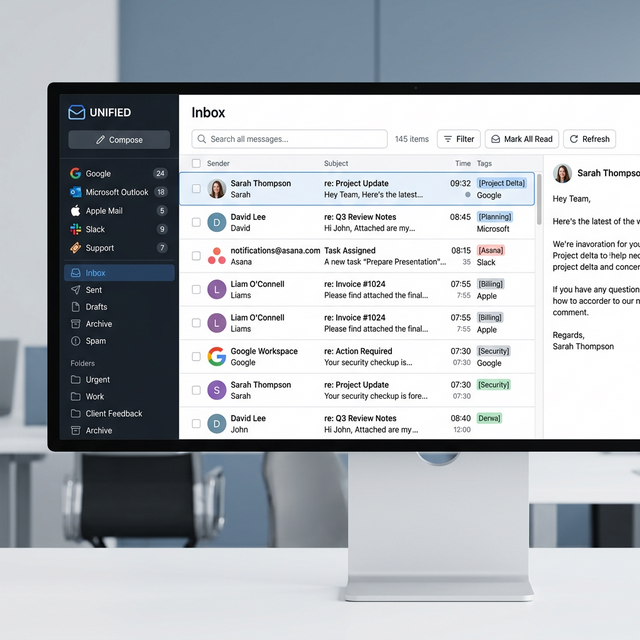
Without a campaign tool, yes, it is messy. MailShrine Email Marketing lets you connect Gmail, Microsoft, Yahoo, or Custom SMTP mailboxes and send campaigns across them. That is inbox sending as one path—Cloud is another. It is not a branded “Unified Master Inbox” product and not a Direct-Inbox API.
- Connect the mailboxes you own.
- Run a campaign with scheduled sending and per-inbox daily caps.
- Reply from the same mailbox the prospect wrote to, so the thread stays consistent.
Your prospects still experience a 1-on-1 conversation. You get scale without forcing one inbox past provider limits.
::youtube-search[cold email infrastructure setup multiple domains and inboxes 2026]
Citations & References
- Google Postmaster Tools: Spam Rate Metrics - How Google calculates and assigns reputation to specific sending domains.
- Infrastructure Strategy: Compartmentalization in IT Security - The core philosophy of mitigating failure across distributed systems.